
ClipRadar
ClipRadar: A Windows-first video search app with multimodal discovery and Premiere workflows. Ranked #11 of 24 in AI Video Search Tools by our editors (7.9/10); pricing: Paid; best for windows editors using Premiere and AI agents.
At a glance
- Editor score7.9 / 10
- PricingPaid
- Best forWindows editors using Premiere and AI agents
- Free planNo
- Paid from$249/yr
- Visual searchYes
- Facts checked21 Sep 2026
Where it wins
- Searches footage by faces, speech, visuals, and combined queries
- Transcribes spoken words in 110+ languages
- Connects Premiere Pro and local MCP workflows
Where it doesn't
- Requires Windows and an NVIDIA GPU
- Public beta status may not suit production-critical workflows
- Paid access; the trial is limited to 40 searches
Our verdict on ClipRadar
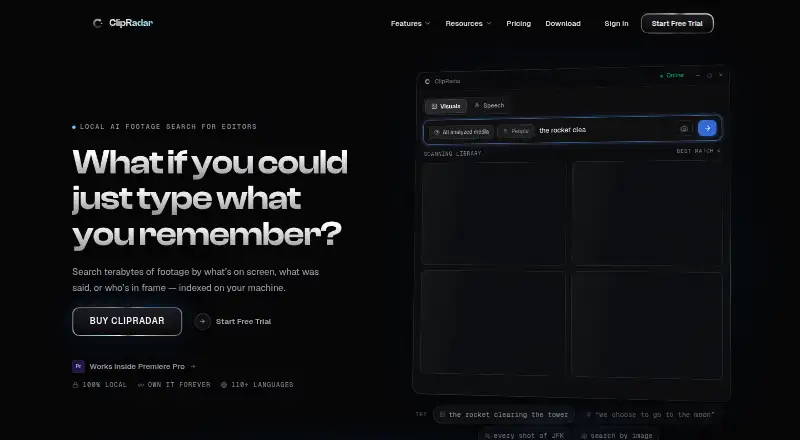
ClipRadar is a Windows desktop application for editors who need to find footage by visual content, spoken words, faces, or combined natural-language queries. It indexes video locally on an NVIDIA GPU and returns searchable scenes, transcripts, face appearances, and visually similar shots. The product includes a standalone desktop app and an Adobe Premiere Pro panel, making it suited to Windows editors working in Premiere and teams exploring AI-agent workflows.
ClipRadar uses paid plans with two published prices. The Monthly plan costs $29 per month and includes face, speech, and visual search, Ultra Search local LLM, the Premiere Pro panel and standalone desktop app, plus unlimited searches and terabyte-scale libraries. The Annual plan costs $249 per year with the same listed features. The Founding Edition provides full product access, a year of updates included, face, speech, and visual search, and access to the Premiere Pro panel and standalone desktop app. A trial provides 40 free searches without a credit card, while ongoing access is paid.
Its main distinction is the combination of local multimodal search and editorial workflow support. Ultra Search combines faces, speech, and visuals; reference-image matching and visually similar-shot search add another route to footage discovery. The local MCP server connects with Claude Code, Claude Desktop, and Codex, while Premiere results can be inserted on a timeline. ClipRadar is a fit for Windows-based editing workflows that can provide an NVIDIA GPU and prefer local processing. Editors on other platforms, or those seeking a non-beta product or a different processing model, should look elsewhere.
Your product? Our editors can test ClipRadar in depth and publish a review, labelled as paid · from $99/mo →
ClipRadar pricing
All 3 ClipRadar plans and prices →
ClipRadar fact sheet
| Free plan | No |
|---|---|
| Paid from | $249/yr |
| Visual search | Yes |
| Audio search | Yes |
| Multimodal search | Yes |
| Indexed video hours | Not verified |
| API access | Yes |
| Money-back guarantee | 14 days |
| Deployment | Desktop |
| Platforms | Windows |
| Support | Email, Community, Docs |
| Built for | Solo, Small business, Mid-market (editorial estimate) |
| Integrations | 4 integrations: Adobe Premiere Pro, Claude Code, Claude Desktop, Codex |
| Pricing | Paid (source) |
| Website | getclipradar.com |
| Facts checked | 21 Sep 2026 |
ClipRadar integrations
ClipRadar lists 4 integrations on its own site.
- Adobe Premiere Pro
- Claude Code
- Claude Desktop
- Codex
Alternatives to ClipRadar
- Twelve LabsA developer-focused API for multimodal video search, analysis, and embeddings.9.4
- Moments LabA multimodal search and workflow platform for complex video archives.9.2
- Coactive Content DiscoveryAn API-first search layer for finding precise moments across multimodal media libraries.9.0



See all ClipRadar alternatives →
Used ClipRadar? Be the first to review it
The editor score above is our own research. What this page doesn't have yet is a reader's view — what you used ClipRadar for, what worked and what didn't. No stars are seeded and no review is paid for; an editor reads every one before it appears.
Write a reviewTwo minutes · verified accounts only · read by an editor before it appears
Featured on iTechGuides

ClipRadar is listed in our AI Video Search Tools directory. Add the badge to your site — it links back to this page.
<a href="https://www.itechguides.com/products/clipradar/"><img src="https://www.itechguides.com/best/badge/clipradar.svg" alt="Featured on iTechGuides" width="230" height="46"></a>
Reviewed by iTechGuides Editors · Editorial team · Updated Oct 2026
Advertiser disclosure: iTechGuides is reader-supported. Vendors can pay for top positions in our rankings and for a place on other products' pages, and we may earn a commission when you click some links. Bought places stand at the number bought; this page and our disclosure say so. Paying vendors may get a fuller, more detailed review from our editors, and that review can change their score. How we rank.
Last updated · How we research and update