
Clipflow
Clipflow: A web-based content workspace that connects video review with publishing and analytics. Ranked #28 of 36 in Video Review Software by our editors (5.3/10); pricing: 14-day trial; best for content teams managing review through publishing.
At a glance
- Editor score5.3 / 10
- Pricing14-day trial
- Best forContent teams managing review through publishing
- Free planNo
- Paid from$29/user/mo
- Approval workflowsYes
- Facts checked20 Sep 2026
Where it wins
- Frame-accurate comments, approvals, and version control
- Public sharing lets external reviewers respond without logins
- Automations connect approved content to publishing workflows
Where it doesn't
- Growth costs $29 per user per month
- The product is available on the web only
- Growth Unlimited requires $424 per month billed annually
Our verdict on Clipflow
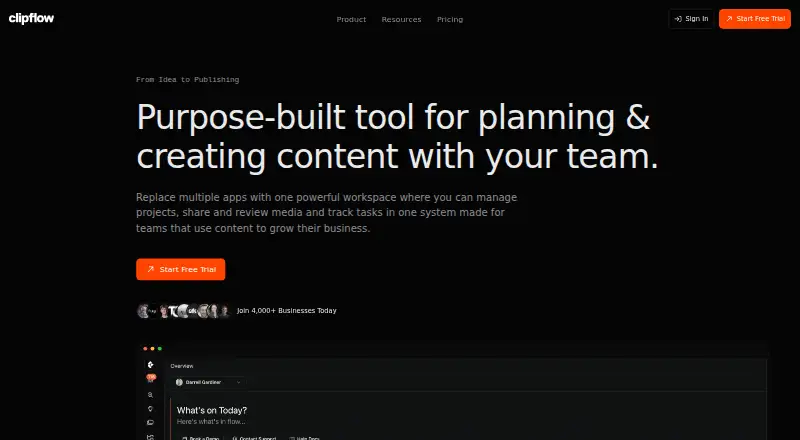
Clipflow is a cloud-based content operations workspace for creators, agencies, businesses, and content teams. It brings project planning, task management, media storage, video review, client collaboration, approvals, publishing, and analytics into one product. Its review workflow includes frame-accurate, time-stamped comments, version tracking, approval workflows, public sharing for external reviewers, and project-based access control with fine-grained permissions. This makes it a fit for teams managing content from production through multi-channel distribution.
The published plans show a 14-day Free Trial with unlimited access to all features and no credit card required. Growth costs $29 per user per month, billed monthly, and includes one workspace with multiple organizations, built-in media review and public sharing, task automations and templates, project templates and SOPs, 250GB per user, and webhooks. Growth Unlimited costs $424 per month billed annually and adds unlimited human seats, unlimited projects, 5TB of media storage, unlimited clients, and white-glove onboarding. Teams should compare the per-user Growth price with the annual unlimited-seat option based on their collaboration model.
Clipflow’s broader workflow is its main distinction. A media library can hold raw footage, edits, finals, scripts, and briefs, while task templates and automated assignments support repeatable production. After approval, the product can create draft posts automatically, then support multi-channel publishing and analytics through Instagram, YouTube, and webhooks. The trade-off is focus: teams seeking a web-based workspace that carries approved videos into distribution should find the feature set relevant, while teams needing a desktop application or a narrower review-only tool may prefer a different fit.
Your product? Our editors can test Clipflow in depth and publish a review, labelled as paid · from $149/mo →
Clipflow pricing
All 3 Clipflow plans and prices →
Clipflow fact sheet
| Free plan | No |
|---|---|
| Paid from | $29/user/mo |
| Time-coded comments | Yes |
| Approval workflows | Yes |
| Version comparison | Yes |
| Guest reviewers | Yes |
| Reviewer roles | Custom |
| NLE integrations | Not verified |
| Free trial | 14 days · no card needed |
| Deployment | Cloud |
| Platforms | Web |
| Support | |
| Built for | Small business, Mid-market, Enterprise (editorial estimate) |
| Integrations | 3 integrations: Instagram, YouTube, Webhooks |
| Pricing | 14-day trial (source) |
| Website | clipflow.co |
| Facts checked | 20 Sep 2026 |
Clipflow integrations
Clipflow lists 3 integrations on its own site.
- YouTube
- Webhooks
Alternatives to Clipflow
- Dropbox ReplayA broad review workspace with a free plan, detailed feedback, and editing-app integrations.9.2
- Frame.ioA strong fit for professional video teams that need precise reviews across major NLEs.8.8
- MediaSiloA secure media review hub with strong workflow, integration, and automation coverage.8.6



See all Clipflow alternatives →
Used Clipflow? Be the first to review it
The editor score above is our own research. What this page doesn't have yet is a reader's view — what you used Clipflow for, what worked and what didn't. No stars are seeded and no review is paid for; an editor reads every one before it appears.
Write a reviewTwo minutes · verified accounts only · read by an editor before it appears
Featured on iTechGuides

Clipflow is listed in our Video Review Software directory. Add the badge to your site — it links back to this page.
<a href="https://www.itechguides.com/products/clipflow/"><img src="https://www.itechguides.com/best/badge/clipflow.svg" alt="Featured on iTechGuides" width="230" height="46"></a>
Reviewed by iTechGuides Editors · Editorial team · Updated Oct 2026
Advertiser disclosure: iTechGuides is reader-supported. Vendors can pay for top positions in our rankings and for a place on other products' pages, and we may earn a commission when you click some links. Bought places stand at the number bought; this page and our disclosure say so. Paying vendors may get a fuller, more detailed review from our editors, and that review can change their score. How we rank.
Last updated · How we research and update