Clapper
Clapper: Clapper suits users who want a free, queue-focused player for Linux or Windows. Ranked #35 of 42 in Video Player Software by our editors (5.8/10); pricing: Free plan; best for users wanting a simple queue-focused player.
At a glance
- Editor score5.8 / 10
- PricingFree plan
- Best forUsers wanting a simple queue-focused player
- Free planYes
- Paid fromFree
- Supported platformsLinux, Windows
- Facts checked21 Sep 2026
Where it wins
- Drag-and-drop queues with shuffle, repeat, and other progression modes
- Subtitles, adjustable playback speed, and chapter markers
- Open-source, free to use, with hardware-accelerated playback
Where it doesn't
- Available for Linux and Windows only
- Codec coverage depends on GStreamer
- Designed around focused playback rather than broad integrations
Our verdict on Clapper
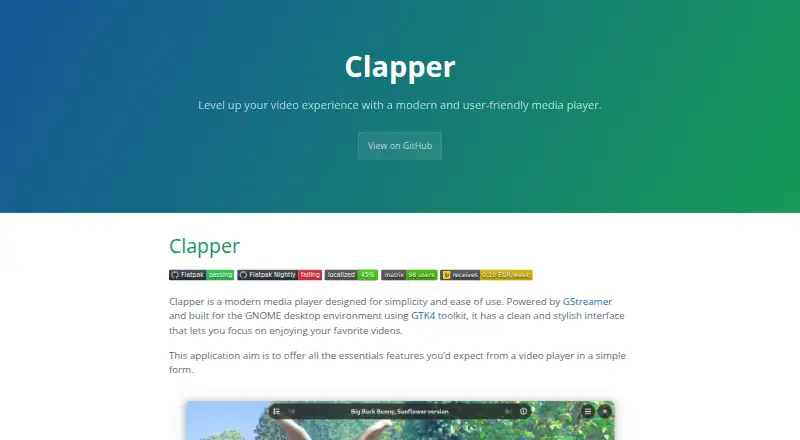
Clapper is an open-source video player for users who want a focused desktop playback experience rather than a large media-management system. It is built for the GNOME desktop environment with GTK4 and uses GStreamer for media playback. The application is available on Linux and Windows, making it suitable for users on either platform who value a free player with straightforward controls, queue management, and support for common viewing tasks.
Its strongest feature is the playback queue. Users can reorder items with drag and drop, then choose among progression modes that include shuffle and repeat. Clapper also supports subtitle streams, adjustable playback speed, and video chapters shown on the seek bar. Media information and decoder details provide additional playback context, while buffering and adaptive streaming bitrate controls support more flexible playback handling. Hardware-accelerated playback is included for compatible setups. Together, these features make Clapper a good fit for watching an organized sequence of videos without adding unnecessary library complexity.
Clapper’s platform and playback scope are more focused than those of a broadly integrated media platform. Linux users can access distribution packages including Flatpak and RPM packages, while a Windows installer is available. Playback uses GStreamer, so codec coverage is tied to that framework rather than presented as a separate, fixed format list. Users who want an open-source player centered on queues, subtitles, chapters, speed controls, and hardware playback should find the feature set well aligned with that purpose. Those seeking wider platform coverage, extensive integrations, or a more expansive media-management ecosystem should consider a different player.
Your product? Our editors can test Clapper in depth and publish a review, labelled as paid · from $149/mo →
Clapper pricing
Clapper fact sheet
| Free plan | Yes |
|---|---|
| Paid from | Free |
| Supported platforms | Linux, Windows |
| Codec support | Not verified |
| Subtitle formats | Not verified |
| Hardware acceleration | Yes |
| Maximum resolution | Not verified |
| Playback speed control | Yes |
| Portable version | Not verified |
| Deployment | Cloud, Desktop |
| Platforms | Windows, Linux |
| Support | Community, Docs |
| Built for | Solo, Small business, Mid-market (editorial estimate) |
| Pricing | Free plan |
| Website | rafostar.github.io |
| Facts checked | 21 Sep 2026 |
Alternatives to Clapper
- VLC media playerA broad, free player for local media, network playback, subtitles, and major platforms.9.4
- KodiA free, flexible choice for organizing and playing media across five platforms.9.2
- mpvA highly configurable free player for users who value scripting and control.9.0


See all Clapper alternatives →
Used Clapper? Be the first to review it
The editor score above is our own research. What this page doesn't have yet is a reader's view — what you used Clapper for, what worked and what didn't. No stars are seeded and no review is paid for; an editor reads every one before it appears.
Write a reviewTwo minutes · verified accounts only · read by an editor before it appears
Featured on iTechGuides

Clapper is listed in our Video Player Software directory. Add the badge to your site — it links back to this page.
<a href="https://www.itechguides.com/products/clapper/"><img src="https://www.itechguides.com/best/badge/clapper.svg" alt="Featured on iTechGuides" width="230" height="46"></a>
Reviewed by iTechGuides Editors · Editorial team · Updated Oct 2026
Advertiser disclosure: iTechGuides is reader-supported. Vendors can pay for top positions in our rankings and for a place on other products' pages, and we may earn a commission when you click some links. Bought places stand at the number bought; this page and our disclosure say so. Paying vendors may get a fuller, more detailed review from our editors, and that review can change their score. How we rank.
Last updated · How we research and update