Cinemagraph Pro
Cinemagraph Pro: A focused tool for producing polished cinemagraphs across Mac and iOS. Ranked #22 of 26 in Photo Animation Software by our editors (6.6/10); pricing: Paid; best for professional cinemagraph production.
At a glance
- Editor score6.6 / 10
- PricingPaid
- Best forProfessional cinemagraph production
- Free planNo
- Depth animationNo
- Founded2011 · Ontario, Canada
- Facts checked21 Sep 2026
Where it wins
- Live masking reveals selected motion areas from video.
- Supports loop, bounce, speed, crossfade, and motion-delay controls.
- Exports to H.264, HEVC, Live Photo, and GIF.
Where it doesn't
- No free plan is listed.
- The workflow is focused on cinemagraphs rather than broad animation.
- Face animation and AI motion effects are not supported.
Our verdict on Cinemagraph Pro
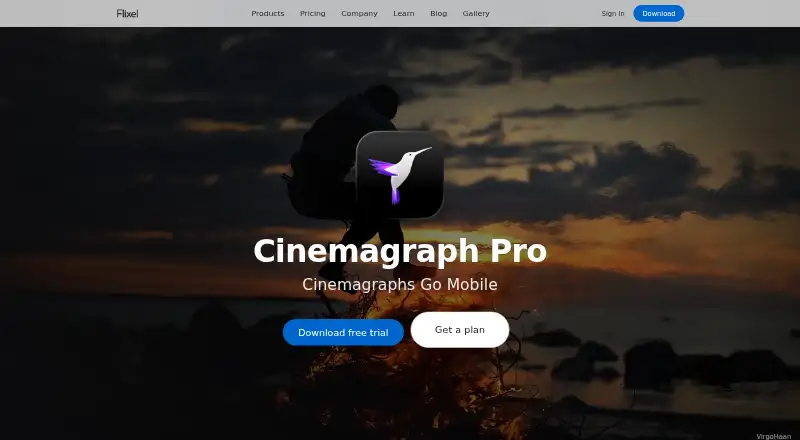
Cinemagraph Pro is Flixel’s software for creating professional cinemagraphs and motion imagery from video and still images. It suits photographers, marketers, and designers who need controlled movement within an otherwise static composition. Users can capture or import video, select a still frame, and use live masking to reveal motion. The product is available across web, macOS, and iOS, including iPhone, iPad, and Mac workflows.
Its strongest area is the depth of its cinemagraph editing controls. Clips can be trimmed into repeat or bounce loops, while speed, crossfade, and motion delay settings help shape the movement. Color, light, tone-curve, vignette, preset, crop, rotation, straightening, and flip adjustments keep image treatment inside the same workflow. Image and text overlays add room for campaign or branded compositions. Export options include H.264, HEVC, Live Photo, and GIF, covering social, web, advertising, and Apple-device use cases.
Cinemagraph Pro is a paid product, with published plan labels including Mobile, Professional, Cinemagraph Pro for iOS, and License. Flixel also describes an unlimited trial with a watermark rather than a time-limited trial. Optional Flixel hosting supports sharing and embedding, with additional connections to Facebook Ad Manager, iCloud Drive, and Apple Watch. Choose it when professional cinemagraph control, export flexibility, and Apple-device support matter most. It is less suitable for buyers seeking face animation, AI motion effects, or a broader animation tool, since those capabilities are not part of the listed category specifications.
Your product? Our editors can test Cinemagraph Pro in depth and publish a review, labelled as paid · from $149/mo →
Cinemagraph Pro pricing
All 4 Cinemagraph Pro plans and prices →
Cinemagraph Pro fact sheet
| Free plan | No |
|---|---|
| Paid from | Not verified |
| Depth animation | No |
| Face animation | No |
| AI motion effects | No |
| Photo limit | Not verified |
| Mobile apps | Ios |
| Export formats | H.264, HEVC, Live Photo, GIF |
| Deployment | Cloud, Desktop, Mobile |
| Platforms | Web, macOS, iOS |
| Support | Email, Docs |
| Built for | Solo, Small business, Mid-market, Enterprise (editorial estimate) |
| Integrations | 4 integrations: Flixel hosting, Facebook Ad Manager, iCloud Drive, Apple Watch |
| Pricing | Paid (source) |
| Website | flixel.com |
| Facts checked | 21 Sep 2026 |
Cinemagraph Pro integrations
Cinemagraph Pro lists 4 integrations on its own site.
- Flixel hosting
- Facebook Ad Manager
- iCloud Drive
- Apple Watch
Alternatives to Cinemagraph Pro
- Deep NostalgiaA focused tool for turning detected faces in old photos into shareable MP4 animations.9.2
- Nero AI Face AnimationA focused face-animation tool with batch workflows and API automation.8.9
- LivePortraitA local tool for animating portraits with transferred expressions, pose, and retargeting controls.8.6


See all Cinemagraph Pro alternatives →
Used Cinemagraph Pro? Be the first to review it
The editor score above is our own research. What this page doesn't have yet is a reader's view — what you used Cinemagraph Pro for, what worked and what didn't. No stars are seeded and no review is paid for; an editor reads every one before it appears.
Write a reviewTwo minutes · verified accounts only · read by an editor before it appears
Featured on iTechGuides

Cinemagraph Pro is listed in our Photo Animation Software directory. Add the badge to your site — it links back to this page.
<a href="https://www.itechguides.com/products/cinemagraph-pro/"><img src="https://www.itechguides.com/best/badge/cinemagraph-pro.svg" alt="Featured on iTechGuides" width="230" height="46"></a>
Reviewed by iTechGuides Editors · Editorial team · Updated Oct 2026
Advertiser disclosure: iTechGuides is reader-supported. Vendors can pay for top positions in our rankings and for a place on other products' pages, and we may earn a commission when you click some links. Bought places stand at the number bought; this page and our disclosure say so. Paying vendors may get a fuller, more detailed review from our editors, and that review can change their score. How we rank.
Last updated · How we research and update