
Cartoonize
Cartoonize: A flexible cartoon editor with free effects, layered editing, and print-ready exports. Ranked #7 of 26 in AI Cartoon Generators by our editors (8.5/10); pricing: Free plan; best for free editing plus cartoon effects.
At a glance
- Editor score8.5 / 10
- PricingFree plan
- Best forFree editing plus cartoon effects
- Free planYes
- Paid from$9.99/mo
- Photo-to-cartoonYes
- Facts checked20 Sep 2026
Where it wins
- Photo-to-cartoon effects with AI-powered artistic styles
- Layers, text tools, background removal, and filters
- Web, iOS, Android, offline PWA editing, and 400 DPI export
Where it doesn't
- Pro costs $9.99 per month for paid features
- The current platform centers on web and mobile editing
- Exports are specified as JPG, PNG, and PDF
Our verdict on Cartoonize
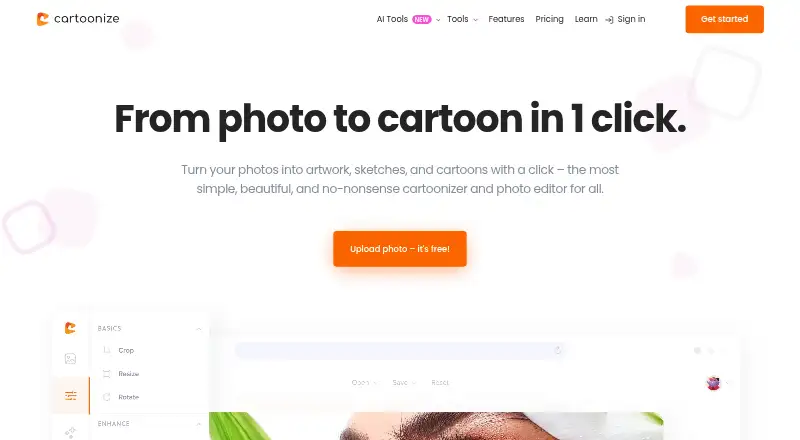
Cartoonize is a photo-editing platform for turning uploaded photos into cartoons, sketches, paintings, and other artistic styles. It suits casual users, creators, and professionals who need artwork for social posts, websites, or print. The free Basic account provides an entry point for cartoon effects, while the platform also includes background removal, cropping, resizing, text editing, layers, overlays, masks, frames, filters, and color adjustments. A commercial license is included in the category specifications, making the product relevant to users preparing artwork for business purposes.
Its main strength is the combination of one-click artistic effects and conventional image-editing controls. Users can combine cartoon effects with text masking, layered image and text elements, and background removal rather than stopping at a single filter. Export options include JPG, PNG, and PDF, with output up to 400 DPI for print work. Offline editing through a PWA app adds flexibility when an internet connection is not available. The product is available on the web, iOS, and Android, and the vendor also offers mobile apps alongside the browser experience.
Pricing is straightforward at the plan level: Cartoonize has a free Basic account and a Pro subscription priced at $9.99 per month. Pro includes all Pro features, all graphic collections, and unlimited projects. That structure makes the free tier suitable for exploring cartoon effects and core editing, while the paid tier is aimed at users who need the complete feature set, broader collections, and unlimited project capacity. Cartoonize is a good fit for free photo stylization with editing depth and print-oriented output. Users seeking a focused photo-to-cartoon workflow should find its scope appropriate; those looking for a different type of creative tool should consider whether its photo-editing focus matches their work.
Your product? Our editors can test Cartoonize in depth and publish a review, labelled as paid · from $149/mo →
Cartoonize pricing
All 1 Cartoonize plans and prices →
Cartoonize fact sheet
| Free plan | Yes |
|---|---|
| Paid from | $9.99/mo |
| Photo-to-cartoon | Yes |
| Text-to-cartoon | Not verified |
| Commercial use | Yes |
| Monthly generations | Not verified |
| Supported platforms | Not verified |
| Maximum output | Not verified |
| Deployment | Cloud, Mobile, Browser extension |
| Platforms | Web, iOS, Android |
| Support | Tickets, Docs |
| Built for | Solo, Small business, Mid-market (editorial estimate) |
| Pricing | Free plan (source) |
| Website | cartoonize.net |
| Facts checked | 20 Sep 2026 |
Alternatives to Cartoonize
- AniComic.aiA flexible comic creator for photos, prompts, recurring characters, and multi-panel stories.9.3
- Rewind.ai AI Cartoon GeneratorAn accessible web cartoon generator with photo conversion, styles, and API access.9.2
- PhotoToCartoonA control-rich web cartoonizer with batch processing, transparent exports, and a Creator API.9.1



See all Cartoonize alternatives →
Cartoonize vs the competition
- Cartoonize vs AniComic.ai
- Cartoonize vs Rewind.ai AI Cartoon Generator
- Cartoonize vs PhotoToCartoon
- Cartoonize vs GenToon
- Cartoonize vs myComics.ai
- Cartoonize vs ImageToCartoon



Compare Cartoonize with any tool side by side →
Used Cartoonize? Be the first to review it
The editor score above is our own research. What this page doesn't have yet is a reader's view — what you used Cartoonize for, what worked and what didn't. No stars are seeded and no review is paid for; an editor reads every one before it appears.
Write a reviewTwo minutes · verified accounts only · read by an editor before it appears
Featured on iTechGuides

Cartoonize is listed in our AI Cartoon Generators directory. Add the badge to your site — it links back to this page.
<a href="https://www.itechguides.com/products/cartoonize/"><img src="https://www.itechguides.com/best/badge/cartoonize.svg" alt="Featured on iTechGuides" width="230" height="46"></a>
Reviewed by iTechGuides Editors · Editorial team · Updated Oct 2026
Advertiser disclosure: iTechGuides is reader-supported. Vendors can pay for top positions in our rankings and for a place on other products' pages, and we may earn a commission when you click some links. Bought places stand at the number bought; this page and our disclosure say so. Paying vendors may get a fuller, more detailed review from our editors, and that review can change their score. How we rank.
Last updated · How we research and update