
Capme
Capme: A capable branded recorder, but its €199 monthly entry tier suits teams more than individuals. Ranked #17 of 26 in Presentation Recording Software by our editors (7.1/10); pricing: Free plan; best for branded recordings for organizations.
At a glance
- Editor score7.1 / 10
- PricingFree plan
- Best forBranded recordings for organizations
- Free planYes
- Paid from€199/mo
- Recording modesSlides_screen_and_webcam
- Facts checked20 Sep 2026
Where it wins
- Records PowerPoint, Keynote, Google Slides, Canva, and Pitch presentations
- Branding, teleprompter templates, trimming, and local video processing
- Exports MP4 or WebM and connects with workplace tools
Where it doesn't
- The free plan allows only 3 downloads per month for 1 user
- Pilot is limited to a maximum of three months
- Paid plans start at €199 per month
Our verdict on Capme
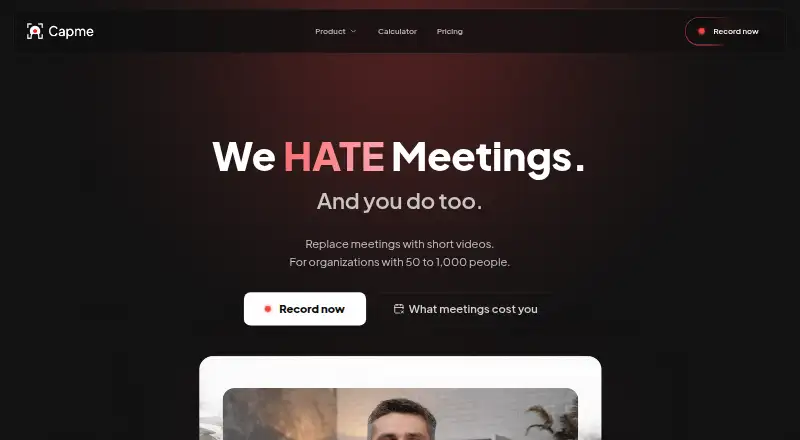
Capme is a browser-based recorder for organizations moving internal updates from meetings to asynchronous video. It supports webcam-only, screen-only, and combined recording, with presentation workflows for PowerPoint, Keynote, Google Slides, Canva, and Pitch. Its audience is teams that need consistent, branded recordings rather than a simple personal screen recorder. Recordings are processed and stored locally, then exported for sharing through existing workplace tools.
Pricing creates a clear divide between evaluation and organizational use. The Free plan costs €0 per month and includes 3 downloads per month, 1 user, limited features, and no admin features. Pilot costs €199 per month, supports up to 10 members, adds unlimited downloads and 10 videos, and includes branding lock controls, Studio Analytics, and 10 teleprompter templates; it is limited to a maximum of three months. Flat is listed at €749 per month with annual billing and supports up to 1,000 employees, multiple admins, domain whitelisting, a public access token, standard support within one business day, and optional onboarding. Enterprise is designed for organizations with 1,000+ employees and adds custom onboarding, a dedicated account manager, an individual SLA, and a scalability and compliance review.
The product’s strongest fit is an organization that needs repeatable presentation production and control over how recordings appear and are shared. Branding includes logos, colors, backgrounds, and lower thirds, while admin analytics cover recordings, recording modes, and feature adoption. Integrations include Slack, Microsoft Teams, Google Chat, Notion, Linear, Jira, SharePoint, OneDrive, Google Drive, and AWS S3. Capme is less suitable for a solo user needing frequent downloads, a buyer seeking viewer analytics or AI features, or a small team unwilling to pay a substantial monthly fee after evaluation.
Your product? Our editors can test Capme in depth and publish a review, labelled as paid · from $149/mo →
Capme pricing
All 4 Capme plans and prices →
Capme fact sheet
| Free plan | Yes |
|---|---|
| Paid from | €199/mo |
| Recording modes | Slides_screen_and_webcam |
| Maximum video quality | 1080p |
| Webcam recording | Yes |
| Transcript generation | Not verified |
| Viewer analytics | No |
| Export formats | MP4, WebM |
| Maximum recording length | Not verified |
| Deployment | Cloud, Desktop |
| Platforms | Web, Windows, macOS, Linux |
| Compliance & security | GDPR, HIPAA |
| Support | Email, Docs |
| Built for | Mid-market, Enterprise (editorial estimate) |
| Integrations | 10 integrations: Slack, Microsoft Teams, Google Chat, Notion, Linear, Jira … |
| Pricing | Free plan (source) |
| Website | capme.app |
| Facts checked | 20 Sep 2026 |
Capme integrations
Capme lists 10 integrations on its own site.
- Slack
- Microsoft Teams
- Google Chat
- Notion
- Linear
- Jira
- SharePoint
- OneDrive
- Google Drive
- AWS S3
Alternatives to Capme
- SlideatorA flexible presentation recorder with 4K video, AI tools, and a free starting point.9.4
- Flonnect Presentation RecorderA flexible presentation recorder with synchronized capture, annotations, and team workspaces.9.2
- Google VidsA strong Google Workspace option for recording, editing, and sharing presentations.9.1



Used Capme? Be the first to review it
The editor score above is our own research. What this page doesn't have yet is a reader's view — what you used Capme for, what worked and what didn't. No stars are seeded and no review is paid for; an editor reads every one before it appears.
Write a reviewTwo minutes · verified accounts only · read by an editor before it appears
Featured on iTechGuides

Capme is listed in our Presentation Recording Software directory. Add the badge to your site — it links back to this page.
<a href="https://www.itechguides.com/products/capme/"><img src="https://www.itechguides.com/best/badge/capme.svg" alt="Featured on iTechGuides" width="230" height="46"></a>
Reviewed by iTechGuides Editors · Editorial team · Updated Oct 2026
Advertiser disclosure: iTechGuides is reader-supported. Vendors can pay for top positions in our rankings and for a place on other products' pages, and we may earn a commission when you click some links. Bought places stand at the number bought; this page and our disclosure say so. Paying vendors may get a fuller, more detailed review from our editors, and that review can change their score. How we rank.
Last updated · How we research and update