
CamStreamer App
CamStreamer App: A focused streaming app for automating broadcasts from Axis IP cameras. Ranked #106 of 136 in Live Streaming Software by our editors (3.0/10); pricing: 30-day trial; best for axis camera operators needing automation.
At a glance
- Editor score3.0 / 10
- Pricing30-day trial
- Best forAxis camera operators needing automation
- Free planNo
- Paid from$299/device one-time
- 24/7 loopingYes
- Facts checked21 Sep 2026
Where it wins
- Streams simultaneously to YouTube, Facebook, and other platforms
- Supports 24/7, scheduled, recurrent, one-time, and manual broadcasts
- Offers API, cloud, mobile, and multiple protocol controls
Where it doesn't
- Designed specifically for Axis IP cameras
- Each camera requires a separate license
- Does not include a browser-based studio
Our verdict on CamStreamer App
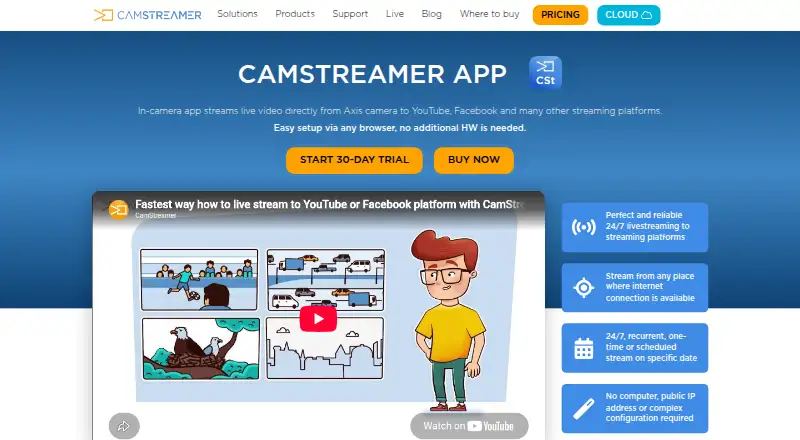
CamStreamer App is an in-camera ACAP application for Axis IP cameras. It sends video directly to YouTube, Facebook, RTMP servers, and other platforms without separate encoding hardware or a public IP address. The feature set suits organizations and operators managing webcams, events, sports, tourism, security, and other live video. Operators can configure streams in a browser on the camera or control them remotely through CamStreamer Cloud and the mobile app.
The standalone app costs $299 as a one-time purchase, with a lifetime license and one license required per camera. There is no free plan, and the published offer includes a 30-day free trial. The app connects with YouTube, Facebook Live, Dacast, Vimeo Live, Wowza, Twitch, IBM Video Streaming, Microsoft Stream, Microsoft Azure, Dailymotion, and StreamingChurch.tv. It also supports custom RTMP server output and RTMP, RTMPS, SRT, HLS, and MPEG-TS workflows, giving operators options beyond the named platforms.
Automation is the main reason to choose CamStreamer App. It supports one-time, recurrent, manual, scheduled, and continuous broadcasts, simultaneous streams to multiple platforms, API control for creating, starting, and stopping streams, and multiple camera channels, view areas, and multisensor inputs. Remote management is available through CamStreamer Cloud and the mobile app. The narrow camera focus is also the key boundary: teams working with Axis equipment can get a direct camera-to-platform workflow, while teams needing broad camera compatibility or a browser-based production studio should consider a different type of live streaming software.
Your product? Our editors can test CamStreamer App in depth and publish a review, labelled as paid · from $149/mo →
CamStreamer App pricing
All 1 CamStreamer App plans and prices →
CamStreamer App fact sheet
| Free plan | No |
|---|---|
| Paid from | $299/device one-time |
| Multistreaming | Yes |
| Pre-recorded streams | Not verified |
| 24/7 looping | Yes |
| Browser-based studio | No |
| Custom RTMP destinations | Yes |
| Cloud recording | Not verified |
| Unified chat | Not verified |
| Free trial | 30 days · no card needed |
| Deployment | Cloud, Mobile |
| Platforms | Web, iOS, Android |
| Support | Email, Docs |
| Built for | Small business, Mid-market, Enterprise (editorial estimate) |
| Integrations | 15 integrations: YouTube, Facebook Live, Dacast, Vimeo Live, Wowza, Twitch … |
| Pricing | 30-day trial (source) |
| Website | camstreamer.com |
| Facts checked | 21 Sep 2026 |
CamStreamer App integrations
CamStreamer App lists 15 integrations on its own site.
- YouTube
- Facebook Live
- Dacast
- Vimeo Live
- Wowza
- Twitch
- IBM Video Streaming
- Microsoft Stream
- Microsoft Azure
- Dailymotion
- StreamingChurch.tv
- RTMP servers
- SRT
- HLS
- MPEG-TS
Alternatives to CamStreamer App
- OBS StudioA highly customizable free desktop production tool for creators, educators, and broadcasters.9.4
- Streamlabs DesktopA capable desktop streamer with strong alerts, automation, and creator tools.9.2
- vMixA Windows production suite for multicamera switching, replay, graphics, guests, and multistreaming.9.1



See all CamStreamer App alternatives →
Used CamStreamer App? Be the first to review it
The editor score above is our own research. What this page doesn't have yet is a reader's view — what you used CamStreamer App for, what worked and what didn't. No stars are seeded and no review is paid for; an editor reads every one before it appears.
Write a reviewTwo minutes · verified accounts only · read by an editor before it appears
Featured on iTechGuides

CamStreamer App is listed in our Live Streaming Software directory. Add the badge to your site — it links back to this page.
<a href="https://www.itechguides.com/products/camstreamer-app/"><img src="https://www.itechguides.com/best/badge/camstreamer-app.svg" alt="Featured on iTechGuides" width="230" height="46"></a>
Reviewed by iTechGuides Editors · Editorial team · Updated Oct 2026
Advertiser disclosure: iTechGuides is reader-supported. Vendors can pay for top positions in our rankings and for a place on other products' pages, and we may earn a commission when you click some links. Bought places stand at the number bought; this page and our disclosure say so. Paying vendors may get a fuller, more detailed review from our editors, and that review can change their score. How we rank.
Last updated · How we research and update