
CameraBag Photo
CameraBag Photo: A $24 one-time editor for detailed desktop photo processing. Ranked #27 of 158 in Photo Editing Software by our editors (6.7/10); pricing: 7-day trial; best for low-cost batch and filter editing.
At a glance
- Editor score6.7 / 10
- Pricing7-day trial
- Best forLow-cost batch and filter editing
- Free planNo
- Paid from$24 one-time
- PlatformMulti-platform
- Founded2003
- Facts checked21 Sep 2026
Where it wins
- RAW editing with non-destructive layers and masking
- Batch folder processing with 250+ filter presets
- AI denoising and upscaling included
Where it doesn't
- No cloud sync for cross-device workflows
- No integrations with other software
- Limited to Windows and macOS desktops
Our verdict on CameraBag Photo
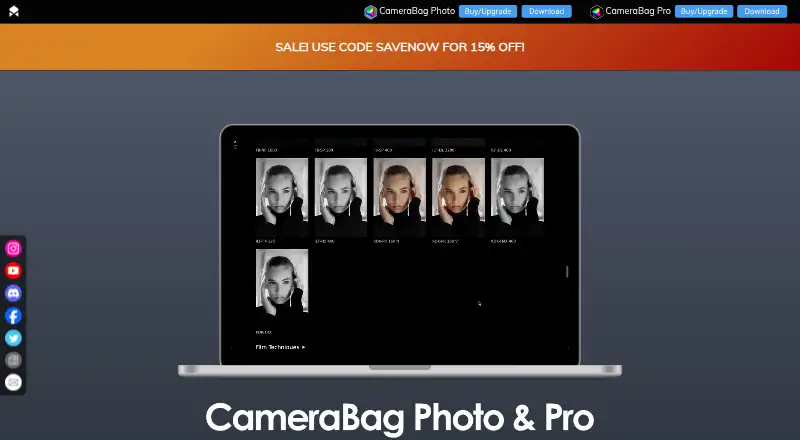
CameraBag Photo is a non-subscription desktop photo editor for photographers who want preset-based workflows alongside detailed image adjustments. It supports RAW files, reorderable adjustment layers, hue, HSV, luminance, and spot masking, plus curve-based color correction and professional histograms. The application is available for Windows and macOS and includes tools for cropping, resizing, rotating, and watermarking. Its focus is photo editing rather than broader media production, with CameraBag Pro covering video processing separately.
The published plan is straightforward: CameraBag Photo costs $24 as a one-time purchase and includes one year of free upgrades. The plan provides photos-only editing, more than 200 professional filters, and the broader feature set includes more than 250 filter presets. A seven-day trial is available for evaluating the application before purchase. This pricing structure suits photographers who prefer a single desktop purchase over recurring software fees, especially when batch editing and preset-driven work are central to the workflow.
CameraBag Photo’s strongest fit is local, repeatable processing. Batch folders, layered adjustments, masks, curves, presets, AI denoising, and AI upscaling give it useful depth for photographers managing multiple images or refining RAW files. Watermarking and resizing also support export preparation. The trade-off is a narrower ecosystem: it runs on Windows and macOS desktops, with no cloud sync or integrations listed. Choose it for affordable desktop editing with batch and filter tools; look elsewhere if cloud-based access, connected workflows, or wider platform coverage are essential.
Questions about CameraBag Photo
Is there a free trial of CameraBag Photo? Yes: a 7-day free trial.
What does CameraBag Photo run on? Windows and macOS. It runs as a desktop app.
Who is CameraBag Photo built for? Solo users, small businesses and mid-market companies (our editorial estimate).
Your product? Our editors can test CameraBag Photo in depth and publish a review, labelled as paid · from $149/mo →
CameraBag Photo pricing
All 1 CameraBag Photo plans and prices →
CameraBag Photo fact sheet
| Free plan | No |
|---|---|
| Paid from | $24 one-time |
| Platform | Multi-platform |
| RAW photo support | Yes |
| Layer editing | Yes |
| Masking tools | Yes |
| Batch editing | Yes |
| Cloud sync | Not verified |
| AI retouching | Yes |
| Free trial | 7 days |
| Deployment | Desktop |
| Platforms | Windows, macOS |
| Support | Email, Docs |
| Built for | Solo, Small business, Mid-market (editorial estimate) |
| Pricing | 7-day trial (source) |
| Website | nevercenter.com |
| Facts checked | 21 Sep 2026 |
Alternatives to CameraBag Photo
- Adobe PhotoshopA deep, multi-platform editor for compositing, retouching, RAW work, and AI-assisted edits.9.4
- Adobe LightroomA broad Lightroom workflow for RAW editing, masking, organization, and synchronized access.9.2
- Capture OneA deep choice for professional RAW and tethered workflows, without a free plan.9.0



See all CameraBag Photo alternatives →
Used CameraBag Photo? Be the first to review it
The editor score above is our own research. What this page doesn't have yet is a reader's view — what you used CameraBag Photo for, what worked and what didn't. No stars are seeded and no review is paid for; an editor reads every one before it appears.
Write a reviewTwo minutes · verified accounts only · read by an editor before it appears
Featured on iTechGuides

CameraBag Photo is listed in our Photo Editing Software directory. Add the badge to your site — it links back to this page.
<a href="https://www.itechguides.com/products/camerabag-photo/"><img src="https://www.itechguides.com/best/badge/camerabag-photo.svg" alt="Featured on iTechGuides" width="230" height="46"></a>
Reviewed by iTechGuides Editors · Editorial team · Updated Nov 2026
Advertiser disclosure: iTechGuides is reader-supported. Vendors can pay for top positions in our rankings and for a place on other products' pages, and we may earn a commission when you click some links. Bought places stand at the number bought; this page and our disclosure say so. Paying vendors may get a fuller, more detailed review from our editors, and that review can change their score. How we rank.
Last updated · How we research and update