
Calman
Calman: A powerful Windows calibration suite for HDR, professional displays, and video workflows. Ranked #10 of 23 in Color Management Software by our editors (7.9/10); pricing: Paid; best for advanced HDR and professional display calibration.
At a glance
- Editor score7.9 / 10
- PricingPaid
- Best forAdvanced HDR and professional display calibration
- Free planNo
- Paid from$249 one-time
- Display calibrationYes
- Facts checked21 Sep 2026
Where it wins
- Extensive SDR and HDR calibration workflows, including AutoCal
- 3D LUT generation, ICC profile management, validation, and reports
- Professional integrations across displays, meters, and video platforms
Where it doesn't
- Paid software with no free plan
- Windows-only platform support
- Professional editions carry high one-time prices
Our verdict on Calman
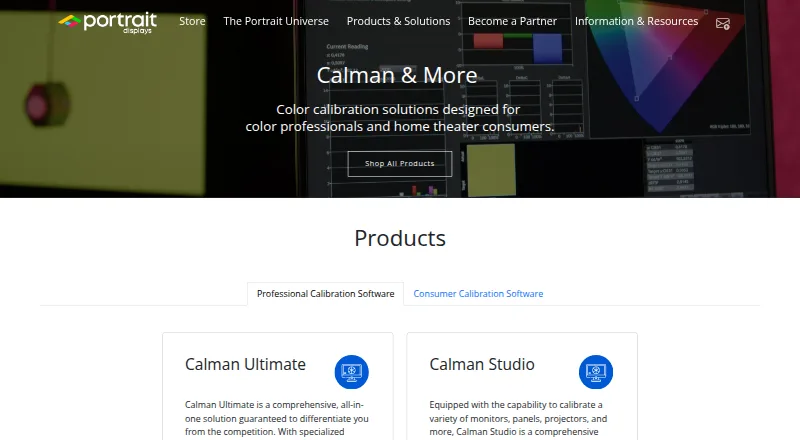
Calman is color calibration software from Portrait Displays for home theater users, content creators, production studios, broadcasters, streaming services, and display manufacturers. It calibrates TVs, monitors, projectors, and other displays with supported meters and pattern generators. Depending on the edition, it covers display brightness, contrast, resolution, colorspace, gamma, grayscale, color management, HDR performance, 3D LUTs, ICC profiles, validation, reporting, and custom workflows. Its Home editions target specific TV brands, while Studio and Ultimate address professional production and validation needs.
Pricing is structured by use case and display ecosystem. Calman Home for LG, Panasonic, Samsung, Sony, and Philips each cost 249 USD one-time. The LG edition includes AutoCal for supported LG TVs, manual calibration when AutoCal is unavailable, and one year of updates and email support; the other Home editions are described as consumer display calibration software. Calman Studio costs 1,199 USD one-time and adds production, post-production, broadcast, and studio workflows, SDR and HDR Toolkit workflows, 3D LUT generation and export, three Client3 licenses, and one year of All Access. Calman Ultimate costs 2,995 USD one-time, adding comprehensive professional calibration and validation, custom workflows and reports, Display Matching for multi-panel video walls, ten Client3 licenses, and one year of All Access.
The strongest fit is for users who need detailed HDR measurement and calibration, automated workflows on supported displays, or professional deliverables such as LUTs, ICC profiles, validation comparisons, and reports. Its ecosystem includes ASUS, BenQ, Canon, EIZO, Flanders Scientific, LG, Samsung, Sony, Panasonic, Client3, DaVinci Resolve, AJA, and Blackmagic Design. Choose a Home edition for a supported consumer TV or a professional edition for studio and multi-display work. Calman is less suitable for buyers seeking free software, cross-platform support, printer or camera profiling, or a lower-cost general-purpose color tool.
Your product? Our editors can test Calman in depth and publish a review, labelled as paid · from $149/mo →
Calman pricing
All 7 Calman plans and prices →
Calman fact sheet
| Free plan | No |
|---|---|
| Paid from | $249 one-time |
| Display calibration | Yes |
| Printer profiling | No |
| Camera profiling | No |
| HDR calibration | Yes |
| ICC profile management | Yes |
| Supported platforms | Windows |
| License model | Both |
| Deployment | Desktop |
| Platforms | Windows |
| Support | Email, Docs |
| Built for | Small business, Mid-market, Enterprise (editorial estimate) |
| Integrations | 13 integrations: ASUS, BenQ, Canon, EIZO, Flanders Scientific, LG … |
| Pricing | Paid (source) |
| Website | portrait.com |
| Facts checked | 21 Sep 2026 |
Calman integrations
Calman lists 13 integrations on its own site.
- ASUS
- BenQ
- Canon
- EIZO
- Flanders Scientific
- LG
- Samsung
- Sony
- Panasonic
- Client3
- DaVinci Resolve
- AJA
- Blackmagic Design
Alternatives to Calman
- X-Rite i1ProfilerA focused choice for display calibration, ICC profiling, multi-monitor matching, and QA.9.1
- ASUS ProArt CalibrationA capable free option for ProArt owners who need SDR and HDR calibration.9.0
- EIZO ColorNavigator 7A capable free choice for hardware-calibrating supported EIZO monitors.8.8

Used Calman? Be the first to review it
The editor score above is our own research. What this page doesn't have yet is a reader's view — what you used Calman for, what worked and what didn't. No stars are seeded and no review is paid for; an editor reads every one before it appears.
Write a reviewTwo minutes · verified accounts only · read by an editor before it appears
Featured on iTechGuides

Calman is listed in our Color Management Software directory. Add the badge to your site — it links back to this page.
<a href="https://www.itechguides.com/products/calman-color-management-software/"><img src="https://www.itechguides.com/best/badge/calman-color-management-software.svg" alt="Featured on iTechGuides" width="230" height="46"></a>
Reviewed by iTechGuides Editors · Editorial team · Updated Oct 2026
Advertiser disclosure: iTechGuides is reader-supported. Vendors can pay for top positions in our rankings and for a place on other products' pages, and we may earn a commission when you click some links. Bought places stand at the number bought; this page and our disclosure say so. Paying vendors may get a fuller, more detailed review from our editors, and that review can change their score. How we rank.
Last updated · How we research and update