
CalendarBridge AI Scheduling Assistant
CalendarBridge AI Scheduling Assistant: Email-driven scheduling across multiple calendars, with automated proposals, booking and rescheduling. Ranked #3 of 25 in AI Scheduling Assistants by our editors (9.1/10); pricing: Free plan · 7-day trial; best for multicalendar users wanting low-cost automation.
At a glance
- Editor score9.1 / 10
- PricingFree plan · 7-day trial
- Best forMulticalendar users wanting low-cost automation
- Free planYes
- Paid from$4/user/mo
- Calendar supportGoogle
- Founded2019 · Miami, Florida, United States
- Facts checked19 Sep 2026
Where it wins
- Coordinates availability across Google, Microsoft and iCloud calendars
- Handles email-based proposals, follow-ups, booking and rescheduling
- Offers web, iOS and Android apps with a free plan
Where it doesn't
- Basic lists the AI Executive Assistant, but Billing help says it starts on Premium
- Pro costs $32 per user monthly with annual billing, or $40 monthly
- Email-centered workflow may not suit teams seeking a different scheduling channel
Our verdict on CalendarBridge AI Scheduling Assistant
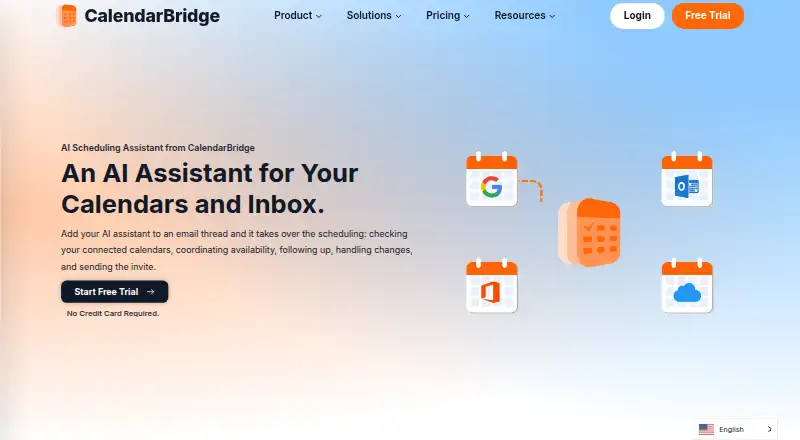
CalendarBridge AI Scheduling Assistant coordinates meetings through email for individuals and teams managing multiple calendars. Users can CC or forward a thread; the assistant checks connected calendars, proposes times that respect working hours and rules, communicates with invitees, follows up, and books after participants agree. It can also handle rescheduling and meeting updates, and create calendar events from forwarded emails, screenshots, or photos. Consultants, sales and executive teams, and operations groups are among the intended users. Web, iOS and Android apps are available.
Its email workflow is the defining strength: availability checking spans primary and secondary calendars, while time zone, working hours, buffers, and video conferencing can be configured. Integrations include Google Calendar, Microsoft 365, Outlook, iCloud, Google Meet, Microsoft Teams, and Zoom. That makes it relevant for people who coordinate across calendar providers and want scheduling to happen within email threads. Buyers whose process depends on another channel should compare alternatives.
According to the vendor's pricing page, the Basic plan is $5 per user per month with monthly billing or $4 with annual billing; both list unlimited event syncing, up to 10 scheduling pages, a unified calendar app, and the AI Executive Assistant. Premium is $10 monthly or $8 with annual billing, and Pro is $40 monthly or $32 annually; both list the assistant as enabled alongside those shared features. The page also presents a free plan and a 7-day free trial. There is a plan-description discrepancy: the Billing help page places AI Assistant availability on Premium and Pro, while the pricing page lists it on Basic. CalendarBridge is a fit for low-cost, multicalendar email automation, but buyers who require certainty about Basic's assistant access should clarify that before choosing a paid tier.
Your product? Our editors can test CalendarBridge AI Scheduling Assistant in depth and publish a review, labelled as paid · from $149/mo →
CalendarBridge AI Scheduling Assistant pricing
All 3 CalendarBridge AI Scheduling Assistant plans and prices →
CalendarBridge AI Scheduling Assistant fact sheet
| Free plan | Yes |
|---|---|
| Paid from | $4/user/mo |
| Calendar support | |
| Invitee messaging | Yes |
| Autonomous rescheduling | Yes |
| Team scheduling | Yes |
| Scheduling channels | |
| Monthly meeting limit | Not verified |
| Free trial | 7 days |
| Deployment | Cloud, Mobile |
| Platforms | Web, iOS, Android |
| Integrations | 7 integrations: Google Calendar, Microsoft 365, Outlook, iCloud, Google Meet, Microsoft Teams … |
| Pricing | Free plan · 7-day trial (source) |
| Website | calendarbridge.com |
| Facts checked | 19 Sep 2026 |
CalendarBridge AI Scheduling Assistant integrations
CalendarBridge AI Scheduling Assistant lists 7 integrations on its own site.
- Google Calendar
- Microsoft 365
- Outlook
- iCloud
- Google Meet
- Microsoft Teams
- Zoom
Alternatives to CalendarBridge AI Scheduling Assistant
- DayOtterFlexible scheduling for individuals and teams, with hosted and self-hosted options.9.4
- AriAri handles email-based scheduling, with free access capped at 10 meetings total.9.2
- Agentic CalendarsEmail-first scheduling with automatic booking, rescheduling and cancellation handling.9.0



See all CalendarBridge AI Scheduling Assistant alternatives →
CalendarBridge AI Scheduling Assistant vs the competition
- CalendarBridge AI Scheduling Assistant vs DayOtter
- CalendarBridge AI Scheduling Assistant vs Ari
- CalendarBridge AI Scheduling Assistant vs Agentic Calendars
- CalendarBridge AI Scheduling Assistant vs Schedulera AI Scheduling Agent
- CalendarBridge AI Scheduling Assistant vs Cal Autobot
- CalendarBridge AI Scheduling Assistant vs Remeet



Compare CalendarBridge AI Scheduling Assistant with any tool side by side →
Also Ranked In
CalendarBridge AI Scheduling Assistant is ranked in 2 of our directories.
Used CalendarBridge AI Scheduling Assistant? Be the first to review it
The editor score above is our own research. What this page doesn't have yet is a reader's view — what you used CalendarBridge AI Scheduling Assistant for, what worked and what didn't. No stars are seeded and no review is paid for; an editor reads every one before it appears.
Write a reviewTwo minutes · verified accounts only · read by an editor before it appears
Featured on iTechGuides

CalendarBridge AI Scheduling Assistant is listed in our AI Scheduling Assistants directory. Add the badge to your site — it links back to this page.
<a href="https://www.itechguides.com/products/calendarbridge-ai-scheduling-assistant/"><img src="https://www.itechguides.com/best/badge/calendarbridge-ai-scheduling-assistant.svg" alt="Featured on iTechGuides" width="230" height="46"></a>
Reviewed by iTechGuides Editors · Editorial team · Updated Oct 2026
Advertiser disclosure: iTechGuides is reader-supported. Vendors can pay for top positions in our rankings and for a place on other products' pages, and we may earn a commission when you click some links. Bought places stand at the number bought; this page and our disclosure say so. Paying vendors may get a fuller, more detailed review from our editors, and that review can change their score. How we rank.
Last updated · How we research and update