Buzz
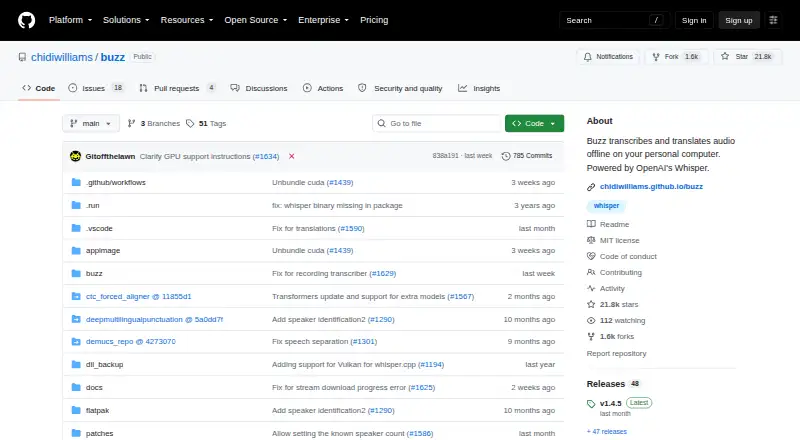
Buzz: A free, open-source desktop transcription tool with local models and automation. Ranked #22 of 46 in Transcription Software by our editors (6.9/10); pricing: Free plan; best for free desktop transcription with automation.
At a glance
- Editor score6.9 / 10
- PricingFree plan
- Best forFree desktop transcription with automation
- Free planYes
- Paid fromFree
- Facts checked20 Sep 2026
Where it wins
- Supports Windows, macOS, and Linux
- Offers speaker identification, word-level timings, and subtitle exports
- Adds watch folders and CLI scripting for automated workflows
Where it doesn't
- Export formats are limited to TXT, SRT, and VTT
- The workflow is centered on desktop computers rather than web access
- Remote speech recognition depends on the optional OpenAI API integration
Our verdict on Buzz
Buzz is a free, open-source desktop application for transcribing and translating audio locally on a personal computer. It supports audio and video files, YouTube links, and live microphone transcription, making it suitable for individuals who want a desktop workflow across Windows, macOS, or Linux. Its support for speaker identification, timestamps, and subtitle exports also fits interviews, recordings, and captioning tasks.
Its standout strength is flexibility around speech-recognition engines. Buzz supports Whisper, Whisper.cpp, Faster Whisper, and Hugging Face model families, while speech separation can be performed before transcription. Users can export TXT, SRT, or VTT files, retain word-level timings, and use live microphone transcription. The optional OpenAI API integration adds remote speech recognition alongside the local workflow. Watch folders and the command-line interface extend the product beyond one-off transcription by supporting automatic processing and scripting.
Buzz is most compelling for users who value open-source software, local processing, model choice, and automation without a paid plan. The trade-off is a focused desktop experience: exports are limited to TXT, SRT, and VTT, and remote recognition depends on the OpenAI API integration. Users seeking a browser-centered workspace, a broader connected application ecosystem, or a different export range may prefer an alternative. For desktop transcription, speaker-aware output, subtitle generation, and repeatable workflows, Buzz offers a capable feature set across the three major desktop operating systems.
Your product? Our editors can test Buzz in depth and publish a review, labelled as paid · from $149/mo →
Buzz pricing
Buzz fact sheet
| Free plan | Yes |
|---|---|
| Paid from | Free |
| Languages supported | Not verified |
| Included minutes | Not verified |
| Speaker identification | Yes |
| Timestamp support | Yes |
| Export formats | TXT, SRT, VTT |
| API access | Not verified |
| Deployment | Desktop |
| Platforms | Windows, macOS, Linux |
| Support | Docs, Community |
| Built for | Solo, Small business (editorial estimate) |
| Integrations | 3 integrations: OpenAI Whisper API, OpenAI-compatible AI, Ollama |
| Pricing | Free plan |
| Website | github.com |
| Facts checked | 20 Sep 2026 |
Buzz integrations
Buzz lists 3 integrations on its own site.
- OpenAI Whisper API
- OpenAI-compatible AI
- Ollama
Alternatives to Buzz
- Amazon TranscribeA low-cost AWS transcription service with broad workflow and analytics features.9.3
- Google Cloud Speech-to-TextA flexible speech API with strong transcription features and usage-based pricing.9.2
- WhisperA flexible free transcription engine for developers who can work with code.9.1


Also Ranked In
Buzz is ranked in 2 of our directories.
Used Buzz? Be the first to review it
The editor score above is our own research. What this page doesn't have yet is a reader's view — what you used Buzz for, what worked and what didn't. No stars are seeded and no review is paid for; an editor reads every one before it appears.
Write a reviewTwo minutes · verified accounts only · read by an editor before it appears
Featured on iTechGuides

Buzz is listed in our Transcription Software directory. Add the badge to your site — it links back to this page.
<a href="https://www.itechguides.com/products/buzz/"><img src="https://www.itechguides.com/best/badge/buzz.svg" alt="Featured on iTechGuides" width="230" height="46"></a>
Reviewed by iTechGuides Editors · Editorial team · Updated Oct 2026
Advertiser disclosure: iTechGuides is reader-supported. Vendors can pay for top positions in our rankings and for a place on other products' pages, and we may earn a commission when you click some links. Bought places stand at the number bought; this page and our disclosure say so. Paying vendors may get a fuller, more detailed review from our editors, and that review can change their score. How we rank.
Last updated · How we research and update