
Bunting Labs AI Vectorizer
Bunting Labs AI Vectorizer: A QGIS-focused AI vectorizer for tracing map lines and polygons with manual control. Ranked #22 of 26 in Image Vectorization Software by our editors (6.6/10); pricing: Paid; best for QGIS users digitizing maps with AI.
At a glance
- Editor score6.6 / 10
- PricingPaid
- Best forQGIS users digitizing maps with AI
- Free planNo
- Paid from$29/mo
- Facts checked20 Sep 2026
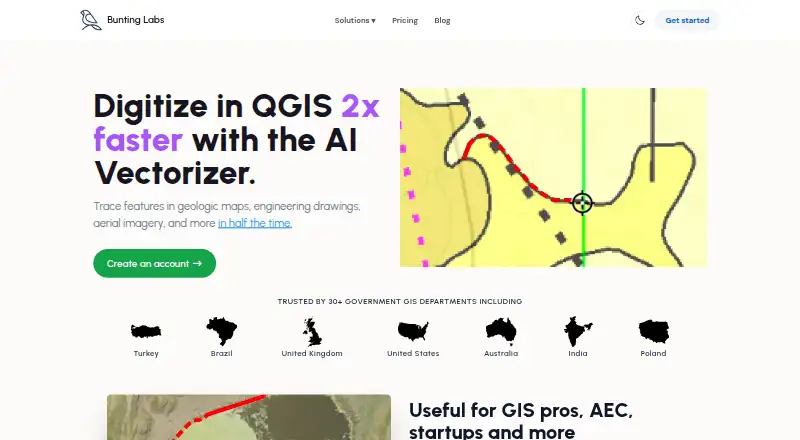
Where it wins
- AI traces line and polygon features inside QGIS
- Detects features by line style or polygon fill
- Exports vector layers for ArcGIS and CAD workflows
Where it doesn't
- No free plan is available
- The Personal plan is limited to 120 completions per day
- Focused on QGIS map digitization rather than general vectorization
Our verdict on Bunting Labs AI Vectorizer
Bunting Labs AI Vectorizer is a QGIS plugin for turning raster maps into editable vector layers. It is designed for GIS professionals, AEC teams, startups, and other organizations digitizing geologic maps, engineering drawings, aerial imagery, and similar source material. The workflow covers line and polygon features, with output written directly into vector layers. It is particularly suitable for QGIS users who want AI assistance without giving up control over the resulting geometry.
Pricing is structured around two monthly plans. Personal costs $29 per month and includes the AI Vectorizer for QGIS, 120 completions per day, and positioning for evaluation and non-commercial use. Its usage data is used to improve products. Professional costs $99 per month and adds unlimited AI Vectorizer usage, zero data retention, no training on data, and advanced data privacy. Annual contracts are available for both plans. There is no free plan, so the product is aimed at users with a defined need for ongoing map-digitization work.
The strongest fit is a QGIS-centered workflow: installation is handled through the QGIS plugin repository, while automatic detection can identify features by line style or polygon fill. Users can override AI output, correct errors, and make manual completions with keyboard controls. Raster maps can be processed into LineString, MultiLine, or Polygon target layers, and the resulting vector layers can support ArcGIS and CAD workflows. Choose it when AI-assisted tracing and editable GIS output matter more than broad image-vectorization coverage; choose a general-purpose vectorizer for work outside this map-digitization focus.
Your product? Our editors can test Bunting Labs AI Vectorizer in depth and publish a review, labelled as paid · from $149/mo →
Bunting Labs AI Vectorizer pricing
All 2 Bunting Labs AI Vectorizer plans and prices →
Bunting Labs AI Vectorizer fact sheet
| Free plan | No |
|---|---|
| Paid from | $29/mo |
| Batch conversion | Not verified |
| Tracing modes | Not verified |
| Available platforms | Desktop |
| Vector output formats | GeoPackage, Shapefile, other vector formats |
| Batch file limit | Not verified |
| Maximum color count | Not verified |
| Deployment | Cloud, Desktop |
| Support | |
| Built for | Small business, Mid-market, Enterprise (editorial estimate) |
| Integrations | 3 integrations: QGIS, ArcGIS, CAD |
| Pricing | Paid (source) |
| Website | buntinglabs.com |
| Facts checked | 20 Sep 2026 |
Bunting Labs AI Vectorizer integrations
Bunting Labs AI Vectorizer lists 3 integrations on its own site.
- QGIS
- ArcGIS
- CAD
Alternatives to Bunting Labs AI Vectorizer
- VectorItA free offline vectorizer with detailed tracing controls and broad desktop export options.9.4
- EdgeSVGA developer-focused engine for automated, measurable raster-to-SVG conversion.9.3
- Adobe CaptureA free mobile vectorization tool for Creative Cloud workflows, with broad Adobe integrations.9.2



See all Bunting Labs AI Vectorizer alternatives →
Used Bunting Labs AI Vectorizer? Be the first to review it
The editor score above is our own research. What this page doesn't have yet is a reader's view — what you used Bunting Labs AI Vectorizer for, what worked and what didn't. No stars are seeded and no review is paid for; an editor reads every one before it appears.
Write a reviewTwo minutes · verified accounts only · read by an editor before it appears
Featured on iTechGuides

Bunting Labs AI Vectorizer is listed in our Image Vectorization Software directory. Add the badge to your site — it links back to this page.
<a href="https://www.itechguides.com/products/bunting-labs-ai-vectorizer/"><img src="https://www.itechguides.com/best/badge/bunting-labs-ai-vectorizer.svg" alt="Featured on iTechGuides" width="230" height="46"></a>
Reviewed by iTechGuides Editors · Editorial team · Updated Oct 2026
Advertiser disclosure: iTechGuides is reader-supported. Vendors can pay for top positions in our rankings and for a place on other products' pages, and we may earn a commission when you click some links. Bought places stand at the number bought; this page and our disclosure say so. Paying vendors may get a fuller, more detailed review from our editors, and that review can change their score. How we rank.
Last updated · How we research and update