
Bullzip PDF Printer
Bullzip PDF Printer: A Windows PDF printer with useful automation, signing, encryption, and upload features. Ranked #30 of 45 in PDF Creation Software by our editors (6.2/10); pricing: Free plan; best for windows PDF printing with automation options.
At a glance
- Editor score6.2 / 10
- PricingFree plan
- Best forWindows PDF printing with automation options
- Free planYes
- Paid from$29/user one-time
- Facts checked21 Sep 2026
Where it wins
- Prints PDFs from Windows applications with configurable paths and filenames
- Supports watermarks, encryption, signatures, PDF/A-1b, and document merging
- Offers command-line, COM/ActiveX, .NET, FTP, and SFTP automation
Where it doesn't
- Core workflow is focused on Windows desktop printing
- Commercial features require separate one-time licenses
- Community edition is limited to personal use
Our verdict on Bullzip PDF Printer
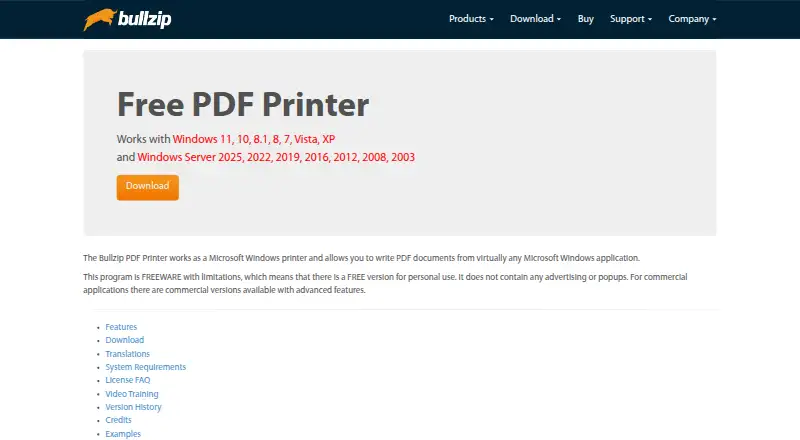
Bullzip PDF Printer is a Windows virtual printer that creates PDF and other output files from Windows applications. It suits individuals and organizations that want to add PDF creation to existing desktop workflows rather than adopt a browser-based document platform. Its scope includes configurable output destinations and filenames, watermarks, background documents, document properties, password protection, AES encryption, digital signatures, PDF/A-1b output, and document merging.
Pricing is structured around a free Community edition and three paid, one-time licenses. Community supports personal use and printing to PDF from Windows applications. Standard costs $29 for a single-user license and adds merging with an existing document, multiple PDF printers, and offline installation. Professional costs $69 and adds Terminal Server, RDP, and Citrix support, along with AES encryption and digital signing using certificate files. Expert costs $139 and adds certificate-store signing, SFTP upload, and printing created PDFs to another printer. The paid tiers provide a clear path from basic desktop output to managed environments and certificate-based workflows.
Automation is the product’s strongest differentiator beyond virtual printing. Command-line control, COM/ActiveX, and a Microsoft .NET API support application-driven PDF generation, while FTP and SFTP extend delivery options. Multiple printer instances and option sets can help separate output configurations, and the Professional and Expert editions address Terminal Server, RDP, and Citrix environments. Bullzip PDF Printer is a good fit for Windows-centered teams that need local printing plus document processing or automation. It is less suitable for buyers seeking a broad cloud platform or a workflow centered on non-Windows applications.
Your product? Our editors can test Bullzip PDF Printer in depth and publish a review, labelled as paid · from $149/mo →
Bullzip PDF Printer pricing
All 4 Bullzip PDF Printer plans and prices →
Bullzip PDF Printer fact sheet
| Free plan | Yes |
|---|---|
| Paid from | $29/user one-time |
| Data merge | Not verified |
| Bulk PDF generation | Not verified |
| API access | Yes |
| Maximum pages | Not verified |
| Input sources | Windows applications; PDF files |
| Fillable form creation | Not verified |
| Deployment | Desktop |
| Deployment | Desktop |
| Platforms | Windows |
| Support | Community, Docs, Tickets |
| Built for | Solo, Small business, Mid-market, Enterprise (editorial estimate) |
| Integrations | 8 integrations: COM/ActiveX, Microsoft .NET, Command line, FTP, SFTP, Citrix … |
| Pricing | Free plan (source) |
| Website | bullzip.com |
| Facts checked | 21 Sep 2026 |
Bullzip PDF Printer integrations
Bullzip PDF Printer lists 8 integrations on its own site.
- COM/ActiveX
- Microsoft .NET
- Command line
- FTP
- SFTP
- Citrix
- Windows Terminal Server
- RDP
Alternatives to Bullzip PDF Printer
- Wondershare PDFelementA broad PDF toolkit covering editing, OCR, forms, conversion, signatures, and AI workflows.9.3
- Adobe PDF Services APIA broad PDF automation API for enterprise document workflows and integrations.9.2
- PDFCreatorA Windows-focused PDF converter for batch processing, automation, and controlled output.9.1



See all Bullzip PDF Printer alternatives →
Used Bullzip PDF Printer? Be the first to review it
The editor score above is our own research. What this page doesn't have yet is a reader's view — what you used Bullzip PDF Printer for, what worked and what didn't. No stars are seeded and no review is paid for; an editor reads every one before it appears.
Write a reviewTwo minutes · verified accounts only · read by an editor before it appears
Featured on iTechGuides

Bullzip PDF Printer is listed in our PDF Creation Software directory. Add the badge to your site — it links back to this page.
<a href="https://www.itechguides.com/products/bullzip-pdf-printer/"><img src="https://www.itechguides.com/best/badge/bullzip-pdf-printer.svg" alt="Featured on iTechGuides" width="230" height="46"></a>
Reviewed by iTechGuides Editors · Editorial team · Updated Oct 2026
Advertiser disclosure: iTechGuides is reader-supported. Vendors can pay for top positions in our rankings and for a place on other products' pages, and we may earn a commission when you click some links. Bought places stand at the number bought; this page and our disclosure say so. Paying vendors may get a fuller, more detailed review from our editors, and that review can change their score. How we rank.
Last updated · How we research and update