BookMacster
BookMacster: A focused Mac app for cross-browser syncing, cleanup, and bookmark organization. Ranked #17 of 43 in Bookmark Managers by our editors (7.0/10); pricing: 9-day trial; best for mac users consolidating bookmarks across browsers.
At a glance
- Editor score7.0 / 10
- Pricing9-day trial
- Best forMac users consolidating bookmarks across browsers
- Free planNo
- Paid from$24.95 one-time
- Facts checked23 Sep 2026
Where it wins
- Continuously syncs bookmarks among supported desktop browsers.
- Finds duplicates, verifies links, and repairs redirects.
- Supports tags, folder hierarchies, and multiple Firefox and Chrome profiles.
Where it doesn't
- Desktop app coverage is limited to macOS.
- No mobile apps are available.
- Syncing with Pinboard, Delicious, and Diigo is manual.
Our verdict on BookMacster
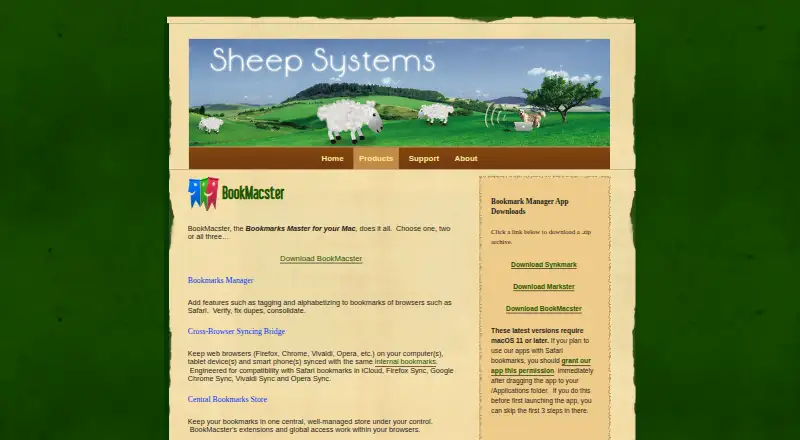
BookMacster is a macOS app for keeping bookmarks in a central collection and organizing them with tags, folders, or both. It is aimed at Mac users who want bookmarks to stay consistent across desktop browsers rather than maintaining separate collections. Browser extensions add import and export options and a toolbar button for saving pages to a BookMacster collection, while the main app handles organization and syncing.
Its strongest fit is a mixed-browser setup. BookMacster continuously syncs with Safari, Firefox, Chrome, Vivaldi, Chromium, and Brave, and supports multiple Firefox and Chrome profiles. It can also sync manually with Pinboard, Delicious, and Diigo. The wider integration list includes iCloud, iCab, Opera, OmniWeb, Epic, and Roccat, though continuous syncing is specified for the supported browser set rather than every listed service. Link verification and redirect repair, duplicate removal, and automatic alphabetizing of selected folders address routine cleanup alongside syncing.
The Regular License costs $24.95 as a one-time purchase and covers one user. A demo license lasts 3 days and can be requested up to three times, for 9 active demo days total. The trade-off is its narrow platform reach: the app is for macOS, and there are no mobile apps. That makes BookMacster a sensible choice for a solo Mac user consolidating browser bookmarks, especially when cleanup matters; users who need mobile access or automatic syncing with bookmark services should look elsewhere.
Your product? Our editors can test BookMacster in depth and publish a review, labelled as paid · from $149/mo →
BookMacster pricing
All 1 BookMacster plans and prices →
BookMacster fact sheet
| Free plan | No |
|---|---|
| Paid from | $24.95 one-time |
| Full-text search | Not verified |
| Browser extension | Yes |
| Mobile apps | No |
| Web archiving | Not verified |
| Saved item limit | Not verified |
| Duplicate detection | Yes |
| Free trial | 9 days |
| Deployment | Desktop, Browser extension |
| Platforms | macOS, Chrome extension |
| Support | Docs |
| Built for | Solo, Small business (editorial estimate) |
| Integrations | 19 integrations: Safari, Firefox, Google Chrome, Vivaldi, Chromium, Brave … |
| Pricing | 9-day trial (source) |
| Website | sheepsystems.com |
| Facts checked | 23 Sep 2026 |
BookMacster integrations
BookMacster lists 19 integrations on its own site.
- Safari
- Firefox
- Google Chrome
- Vivaldi
- Chromium
- Brave
- iCab
- Opera
- OmniWeb
- Epic
- Roccat
- Pinboard
- Delicious
- Diigo
- iCloud
- Firefox Sync
- Chrome Sync
- Vivaldi Sync
- Opera Sync
Alternatives to BookMacster
- Raindrop.ioA feature-rich bookmark manager for saving, organizing, searching, and sharing links.9.3
- DiigoA research-focused bookmark manager with annotation, archiving, search, and collaboration.9.1
- Start.meA flexible bookmark dashboard with strong sharing and workspace features, but limited archival depth.9.0



See all BookMacster alternatives →
Used BookMacster? Be the first to review it
The editor score above is our own research. What this page doesn't have yet is a reader's view — what you used BookMacster for, what worked and what didn't. No stars are seeded and no review is paid for; an editor reads every one before it appears.
Write a reviewTwo minutes · verified accounts only · read by an editor before it appears
Featured on iTechGuides

BookMacster is listed in our Bookmark Managers directory. Add the badge to your site — it links back to this page.
<a href="https://www.itechguides.com/products/bookmacster/"><img src="https://www.itechguides.com/best/badge/bookmacster.svg" alt="Featured on iTechGuides" width="230" height="46"></a>
Reviewed by iTechGuides Editors · Editorial team · Updated Oct 2026
Advertiser disclosure: iTechGuides is reader-supported. Vendors can pay for top positions in our rankings and for a place on other products' pages, and we may earn a commission when you click some links. Bought places stand at the number bought; this page and our disclosure say so. Paying vendors may get a fuller, more detailed review from our editors, and that review can change their score. How we rank.
Last updated · How we research and update