
Balabolka
Balabolka: A capable free Windows reader and audio exporter, with separate voice setup and commercial licensing. Ranked #162 of 222 in Text-to-Speech Software by our editors (3.0/10); pricing: Free plan; best for windows users needing document-to-audio conversion.
At a glance
- Editor score3.0 / 10
- PricingFree plan
- Best forWindows users needing document-to-audio conversion
- Free planYes
- Commercial useYes
- Facts checked20 Sep 2026
Where it wins
- Supports DOCX, EPUB, PDF, PPTX, XLSX, HTML and other formats
- Exports WAV, MP3, MP4, OGG, OPUS and WMA audio
- Offers pronunciation rules, batch conversion and command-line generation
Where it doesn't
- Windows-only platform coverage
- Requires separately installed speech engines and voices
- Commercial use requires an €80 one-time license
Our verdict on Balabolka
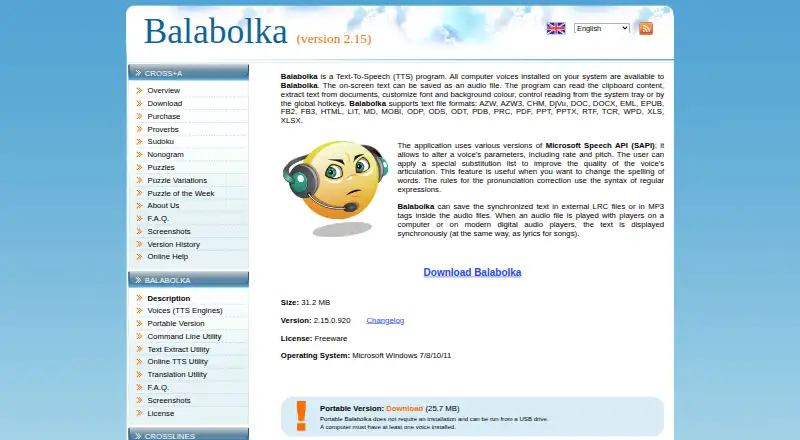
Balabolka is a Windows desktop text-to-speech application for users who want to read documents aloud or convert written content into audio. It works with installed computer voices and supports formats including DOCX, EPUB, PDF, PPTX, XLSX and HTML. Users can adjust voice rate and pitch, read clipboard content, apply pronunciation substitutions, and save synchronized text in LRC files or MP3 ID3 tags. Its fit is strongest for Windows users handling documents locally rather than teams seeking a cloud-based speech platform.
The pricing structure is straightforward. The Freeware plan supports non-commercial use. Commercial use requires a separate Commercial license priced at €80 one-time, which covers commercial use of the software. Balabolka does not include voices, so voice engines must be installed separately, and voice licensing remains the user's responsibility. A portable edition can run without installation, while the command-line utility supports speech generation and audio export through Microsoft Speech API and Microsoft Speech Platform interfaces. These options suit repeatable conversion workflows and users who want more control than basic read-aloud software provides.
Its main strength is breadth within a desktop workflow: it combines broad document support, multiple audio export formats, pronunciation substitution lists, regular-expression rules, spell-checking through Hunspell and Windows spell-checking, and batch conversion. The trade-off is a narrow platform and voice model. Windows users with suitable installed voices get a practical document-to-audio tool, but people seeking built-in voices, broader platform coverage, or a cloud-oriented ecosystem should choose an alternative. Balabolka is the better fit when local files, portability, and command-line generation matter more than cross-platform access.
Your product? Our editors can test Balabolka in depth and publish a review, labelled as paid · from $149/mo →
Balabolka pricing
All 2 Balabolka plans and prices →
Balabolka fact sheet
| Free plan | Yes |
|---|---|
| Paid from | Not verified |
| Commercial use | Yes |
| Voice cloning | Not verified |
| API access | Yes |
| Languages | Not verified |
| Maximum input | Not verified |
| Export formats | WAV, MP3, MP4, OGG, OPUS, WMA |
| Platforms | Windows |
| Deployment | Desktop |
| Platforms | Windows |
| Support | Docs |
| Built for | Solo, Small business (editorial estimate) |
| Integrations | 2 integrations: Microsoft Speech API (SAPI), Microsoft Speech Platform |
| Pricing | Free plan (source) |
| Website | cross-plus-a.com |
| Facts checked | 20 Sep 2026 |
Balabolka integrations
Balabolka lists 2 integrations on its own site.
- Microsoft Speech API (SAPI)
- Microsoft Speech Platform
Alternatives to Balabolka
- ElevenLabsAffordable voice cloning with multilingual generation, dubbing, streaming, and API access.9.4
- Google Cloud Text-to-SpeechA broad, API-only TTS service for developers building voice-enabled products.9.3
- Azure AI SpeechA broad, production-ready TTS platform for teams building voice applications.9.2


See all Balabolka alternatives →
Used Balabolka? Be the first to review it
The editor score above is our own research. What this page doesn't have yet is a reader's view — what you used Balabolka for, what worked and what didn't. No stars are seeded and no review is paid for; an editor reads every one before it appears.
Write a reviewTwo minutes · verified accounts only · read by an editor before it appears
Featured on iTechGuides

Balabolka is listed in our Text-to-Speech Software directory. Add the badge to your site — it links back to this page.
<a href="https://www.itechguides.com/products/balabolka/"><img src="https://www.itechguides.com/best/badge/balabolka.svg" alt="Featured on iTechGuides" width="230" height="46"></a>
Reviewed by iTechGuides Editors · Editorial team · Updated Oct 2026
Advertiser disclosure: iTechGuides is reader-supported. Vendors can pay for top positions in our rankings and for a place on other products' pages, and we may earn a commission when you click some links. Bought places stand at the number bought; this page and our disclosure say so. Paying vendors may get a fuller, more detailed review from our editors, and that review can change their score. How we rank.
Last updated · How we research and update