Autotracer
Autotracer: A free web converter with useful tracing controls and clear file-size limits. Ranked #14 of 26 in Image Vectorization Software by our editors (7.5/10); pricing: Free plan; best for occasional free web conversions.
At a glance
- Editor score7.5 / 10
- PricingFree plan
- Best forOccasional free web conversions
- Free planYes
- Paid fromFree
- Facts checked20 Sep 2026
Where it wins
- Free browser-based raster-to-vector conversion
- Exports EPS, SVG, AI, and PDF files
- Offers color, smoothing, despeckling, and background controls
Where it doesn't
- Uploads are limited to 6 MB
- Images are limited to 5000×5000 pixels
- Color reduction supports up to 256 colors
Our verdict on Autotracer
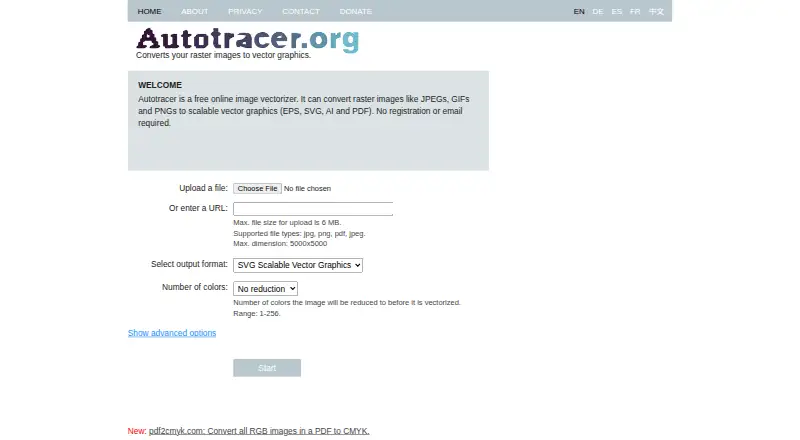
Autotracer is a browser-based service for converting raster images, including JPEG, GIF, and PNG files, into scalable vector graphics. It is aimed at people who need occasional image vectorization without installing software or creating an account. Users can upload a file or provide an image URL, then export the result in EPS, SVG, AI, or PDF format. No registration or email is required, which keeps the basic conversion process focused on the image itself.
The pricing structure is straightforward: Autotracer is free, with no paid tier described here. That makes it suitable for one-off conversions, small design tasks, and users who need access to several common vector output formats without a subscription. The web-only platform also means the service fits workflows that can send images through a browser, rather than projects requiring a dedicated desktop application or broader platform coverage.
Its controls provide more than a single automatic trace. Color reduction can be set from 1 to 256 colors, while smoothing, despeckling, and white-background exclusion help shape the conversion output. The main constraint is scale: uploads can be no larger than 6 MB, and image dimensions are capped at 5000×5000 pixels. Those limits make Autotracer a practical choice for occasional, moderate-sized conversions, but users handling larger source files or more demanding vectorization workflows should choose an alternative with higher input limits.
Your product? Our editors can test Autotracer in depth and publish a review, labelled as paid · from $149/mo →
Autotracer pricing
Autotracer fact sheet
| Free plan | Yes |
|---|---|
| Paid from | Free |
| Batch conversion | Not verified |
| Tracing modes | Not verified |
| Available platforms | Web |
| Vector output formats | EPS, SVG, AI, PDF |
| Batch file limit | Not verified |
| Maximum color count | 256 colors |
| Deployment | Cloud |
| Platforms | Web |
| Built for | Solo, Small business (editorial estimate) |
| Pricing | Free plan |
| Website | autotracer.org |
| Facts checked | 20 Sep 2026 |
Alternatives to Autotracer
- VectorItA free offline vectorizer with detailed tracing controls and broad desktop export options.9.4
- EdgeSVGA developer-focused engine for automated, measurable raster-to-SVG conversion.9.3
- Adobe CaptureA free mobile vectorization tool for Creative Cloud workflows, with broad Adobe integrations.9.2



See all Autotracer alternatives →
Used Autotracer? Be the first to review it
The editor score above is our own research. What this page doesn't have yet is a reader's view — what you used Autotracer for, what worked and what didn't. No stars are seeded and no review is paid for; an editor reads every one before it appears.
Write a reviewTwo minutes · verified accounts only · read by an editor before it appears
Featured on iTechGuides

Autotracer is listed in our Image Vectorization Software directory. Add the badge to your site — it links back to this page.
<a href="https://www.itechguides.com/products/autotracer/"><img src="https://www.itechguides.com/best/badge/autotracer.svg" alt="Featured on iTechGuides" width="230" height="46"></a>
Reviewed by iTechGuides Editors · Editorial team · Updated Oct 2026
Advertiser disclosure: iTechGuides is reader-supported. Vendors can pay for top positions in our rankings and for a place on other products' pages, and we may earn a commission when you click some links. Bought places stand at the number bought; this page and our disclosure say so. Paying vendors may get a fuller, more detailed review from our editors, and that review can change their score. How we rank.
Last updated · How we research and update