
Autograph
Autograph: A free desktop tool for motion graphics, compositing, tracking, and lightweight VFX. Ranked #17 of 37 in Visual Effects Software by our editors (7.0/10); pricing: Free plan; best for free motion graphics and lightweight compositing.
At a glance
- Editor score7.0 / 10
- PricingFree plan
- Best forFree motion graphics and lightweight compositing
- Free planYes
- Paid fromFree
- Facts checked20 Sep 2026
Where it wins
- Free for individuals and commercial teams
- Combines compositing, rotoscoping, tracking, and 3D workflows
- Supports OpenFX, EXR, ACES, OCIO, and responsive outputs
Where it doesn't
- Available only on Windows and macOS
- Some Universe and Red Giant tools require separate licenses
- A narrower fit than full VFX software for broader production needs
Our verdict on Autograph
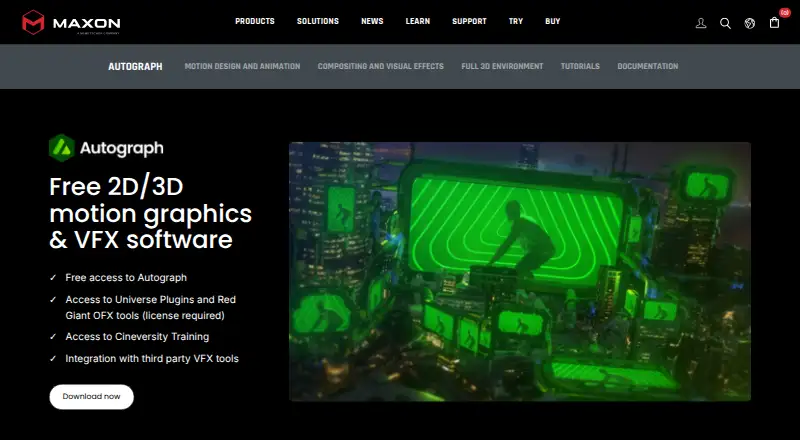
Autograph is Maxon’s desktop software for motion graphics, visual effects, compositing, and 2D/3D projects. It is aimed at motion designers, 2D and 3D artists, compositors, content creators, teams, studios, agencies, and commercial creative groups. The published positioning makes it particularly suitable for people who want a free environment for animated graphics and lightweight compositing, with support for both layered 2D work and 3D assets.
Its feature set covers a substantial range of visual-effects workflows. Users can work with a rotoscoping toolkit, 2D and planar tracking, an OpenUSD-based 3D environment, GPU-optimized native effects, and real-time Filament rendering. The software also supports OpenFX and Shadertoy, along with integrations for Universe plugins, Red Giant OFX tools, RE:Vision Effects, BorisFX, and Digital Anarchy. Multi-channel EXR, Photoshop layers, ProRes, ACES, and OCIO workflows support production pipelines that need established image and color-management formats. Responsive compositions extend projects across multiple output formats.
According to Maxon’s pricing information, Autograph is currently free for individuals and commercial teams, which makes its combined motion-graphics, compositing, and tracking feature set accessible without a listed subscription tier. However, Universe and Red Giant OFX tools may require separate licenses. The software is limited to Windows and macOS, so it suits desktop teams working within those platforms. Choose Autograph for free motion graphics, 2D/3D compositing, roto, tracking, and format-flexible output. Consider a broader VFX application instead when your work requires a more expansive production scope than this focused desktop environment provides.
Questions about Autograph
What does Autograph run on? Windows and macOS. It runs as a desktop app.
What does Autograph integrate with? 7 integrations, including Universe plugins, Red Giant OFX tools, OpenFX plugins, Shadertoy and RE:Vision Effects.
Who is Autograph built for? Solo users, small businesses, mid-market companies and enterprises (our editorial estimate).
Your product? Our editors can test Autograph in depth and publish a review, labelled as paid · from $149/mo →
Autograph pricing
Autograph fact sheet
| Free plan | Yes |
|---|---|
| Paid from | Free |
| Node-based compositing | Not verified |
| Keying tools | Not verified |
| Rotoscoping tools | Yes |
| 3D camera tracking | Yes |
| Simulation tools | Not verified |
| Supported platforms | Windows, macOS |
| Render engine | Gpu |
| Deployment | Desktop |
| Platforms | Windows, macOS |
| Support | Email, Phone, Docs |
| Built for | Solo, Small business, Mid-market, Enterprise (editorial estimate) |
| Integrations | 7 integrations: Universe plugins, Red Giant OFX tools, OpenFX plugins, Shadertoy, RE:Vision Effects, BorisFX … |
| Pricing | Free plan |
| Website | maxon.net |
| Facts checked | 20 Sep 2026 |
Autograph integrations
Autograph lists 7 integrations on its own site.
- Universe plugins
- Red Giant OFX tools
- OpenFX plugins
- Shadertoy
- RE:Vision Effects
- BorisFX
- Digital Anarchy
Alternatives to Autograph
- NukeA deep compositing system for professional film, television, and large-scale post-production.9.4
- Autodesk FlameA professional finishing suite combining compositing, editing, grading, tracking, and AI-assisted isolation.9.2
- FusionA broad VFX toolkit with a free Resolve version and a $295 Studio option.9.1



See all Autograph alternatives →
Also Ranked In
Autograph is ranked in 3 of our directories.
Used Autograph? Be the first to review it
The editor score above is our own research. What this page doesn't have yet is a reader's view — what you used Autograph for, what worked and what didn't. No stars are seeded and no review is paid for; an editor reads every one before it appears.
Write a reviewTwo minutes · verified accounts only · read by an editor before it appears
Featured on iTechGuides

Autograph is listed in our Visual Effects Software directory. Add the badge to your site — it links back to this page.
<a href="https://www.itechguides.com/products/autograph/"><img src="https://www.itechguides.com/best/badge/autograph.svg" alt="Featured on iTechGuides" width="230" height="46"></a>
Reviewed by iTechGuides Editors · Editorial team · Updated Nov 2026
Advertiser disclosure: iTechGuides is reader-supported. Vendors can pay for top positions in our rankings and for a place on other products' pages, and we may earn a commission when you click some links. Bought places stand at the number bought; this page and our disclosure say so. Paying vendors may get a fuller, more detailed review from our editors, and that review can change their score. How we rank.
Last updated · How we research and update