
AutoCut
AutoCut: A focused AI plugin for speeding podcast, multicam, caption, and short-form edits. Ranked #33 of 78 in AI Video Editors by our editors (6.1/10); pricing: 14-day trial; best for creators automating podcast and multicam edits.
At a glance
- Editor score6.1 / 10
- Pricing14-day trial
- Best forCreators automating podcast and multicam edits
- Free planNo
- Paid from$9.90/user/mo
- Text-based editingYes
- Facts checked24 Sep 2026
Where it wins
- Automates silence removal, captions, camera switching, and reframing
- Creates B-roll, shorts, chapters, zooms, and translated subtitles
- Integrates with Adobe Premiere Pro and DaVinci Resolve
Where it doesn't
- No free plan is available
- Desktop support is limited to Windows and macOS
- Basic Plan includes only AutoCut Silences
Our verdict on AutoCut
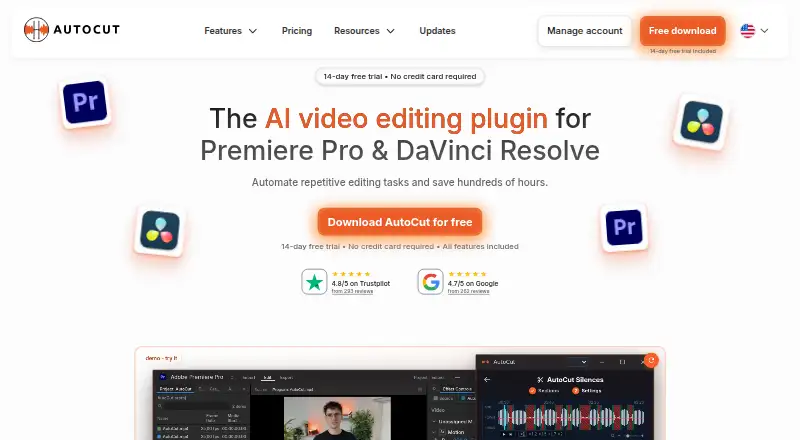
AutoCut is an AI-powered video-editing plugin for Adobe Premiere Pro and DaVinci Resolve. It is designed for video editors, creators, podcasters, agencies, and other users who want to automate repetitive work inside desktop editing applications. Its feature set covers silence detection and removal, caption generation and subtitle translation, transcript editing, podcast and multicamera edits, camera-angle switching, zooms, B-roll and image insertion, short-clip creation, profanity filtering, YouTube chapters, and social-format reframing with subject centering.
Pricing is structured around three plans. The Basic Plan costs $6.60 per user per month with annual billing and includes AutoCut Silences. The AI Plan costs $14.90 per user per month with annual billing and adds AutoCaptions, AutoCut Podcast, AutoCut Angles, AutoZoom, and AutoViral. The Enterprise Plan costs $19.90 per user per month with monthly billing and includes all AI Plan features, priority support, team licensing, and centralized billing. A 14-day trial provides an evaluation period, while the paid-only model means there is no free plan. Checkout currency and regional pricing can depend on location.
AutoCut’s strongest fit is for workflows that repeatedly process spoken-word, podcast, or multicamera footage and need edits prepared within an existing NLE. Premiere Pro and DaVinci Resolve integration keeps the product focused on established desktop editing environments rather than functioning as a standalone editor. The AI Plan is the most relevant tier for creators who need captions, angle switching, reframing, shorts, and other automated production tasks; the Basic Plan is narrower, while Enterprise adds team-oriented administration. Choose AutoCut when repetitive editing is the main bottleneck. Consider another option if you need broader platform coverage or a free ongoing plan.
Your product? Our editors can test AutoCut in depth and publish a review, labelled as paid · from $149/mo →
AutoCut pricing
All 3 AutoCut plans and prices →
AutoCut fact sheet
| Free plan | No |
|---|---|
| Paid from | $9.90/user/mo |
| Text-based editing | Yes |
| Automatic captions | Yes |
| Silence removal | Yes |
| AI audio cleanup | Yes |
| Maximum export resolution | Not verified |
| Supported platforms | macOS, Windows |
| Free trial | 14 days · no card needed |
| Deployment | Desktop |
| Platforms | Windows, macOS |
| Support | Email, Community, Docs |
| Built for | Solo, Small business, Mid-market, Enterprise (editorial estimate) |
| Integrations | 2 integrations: Adobe Premiere Pro, DaVinci Resolve |
| Pricing | 14-day trial (source) |
| Website | autocut.com |
| Facts checked | 24 Sep 2026 |
AutoCut integrations
AutoCut lists 2 integrations on its own site.
- Adobe Premiere Pro
- DaVinci Resolve
Alternatives to AutoCut
- DaVinci ResolveA full post-production suite with an unusually capable free version.9.4
- Adobe PremiereA deep Adobe-centered editor for professional video work and collaborative production.9.3
- Avid Media ComposerA deep editor for teams needing transcript tools, high-resolution media, and shared projects.9.1


See all AutoCut alternatives →
Also Ranked In
AutoCut is ranked in 2 of our directories.
Used AutoCut? Be the first to review it
The editor score above is our own research. What this page doesn't have yet is a reader's view — what you used AutoCut for, what worked and what didn't. No stars are seeded and no review is paid for; an editor reads every one before it appears.
Write a reviewTwo minutes · verified accounts only · read by an editor before it appears
Featured on iTechGuides

AutoCut is listed in our AI Video Editors directory. Add the badge to your site — it links back to this page.
<a href="https://www.itechguides.com/products/autocut/"><img src="https://www.itechguides.com/best/badge/autocut.svg" alt="Featured on iTechGuides" width="230" height="46"></a>
Reviewed by iTechGuides Editors · Editorial team · Updated Oct 2026
Advertiser disclosure: iTechGuides is reader-supported. Vendors can pay for top positions in our rankings and for a place on other products' pages, and we may earn a commission when you click some links. Bought places stand at the number bought; this page and our disclosure say so. Paying vendors may get a fuller, more detailed review from our editors, and that review can change their score. How we rank.
Last updated · How we research and update