
Autochart.ai
Autochart.ai: A flexible medical scribe with specialty templates, multilingual support, and limited EMR connectivity. Ranked #20 of 30 in AI Medical Scribe Software by our editors (6.6/10); pricing: Paid; best for budget-conscious clinicians needing specialties.
At a glance
- Editor score6.6 / 10
- PricingPaid
- Best forBudget-conscious clinicians needing specialties
- Free planNo
- Paid from$29/mo
- Ambient captureYes
- Facts checked22 Sep 2026
Where it wins
- Starts at $29 per month with customizable clinical note templates
- Supports 70+ specialties and 100+ input and output languages
- Offers web, desktop, mobile, Chrome extension, and API access
Where it doesn't
- No active EMR integrations are available currently
- Advanced workflow features require higher-priced plans
- No free plan; the free offer is limited to 10 Intensive-tier charts
Our verdict on Autochart.ai
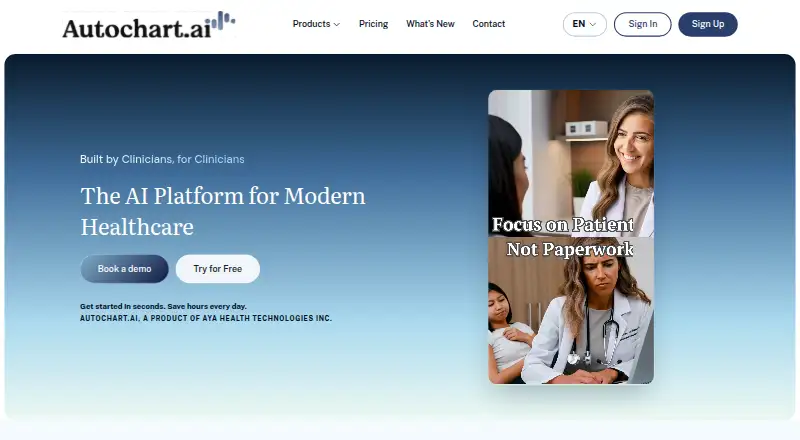
Autochart.ai is an AI medical scribe for individual healthcare professionals, clinics, and healthcare organizations. It records patient encounters or accepts dictated summaries, then generates clinical notes, referrals, communications, handouts, and transcripts. Clinicians can choose SOAP, SBAR, or custom note types, use prompts and templates for 70+ specialties, and work with 100+ input and output languages. The product supports medical report, lab result, and image uploads, as well as real-time clinical dictation and mobile use.
The published monthly plans start with Starter at $29 per month, covering AI note generation, full note templates and customization, integrations and browser extension access, plus AI chat and communication tools. Daily costs $49 per month and adds built-in video and phone calls, file uploads and attachments, and patient and provider communication. Intensive costs $79 per month and adds a patient management dashboard, real-time dictation, EMR and API integrations, and Quick Insights and analytics. Enterprise uses custom pricing and includes custom integrations and dedicated support. The vendor also presents a limited free offer of 10 Intensive-tier charts as a trial rather than a free plan.
Platform coverage is broad: Autochart.ai is available on web, Windows, macOS, iOS, Android, Chrome extension, and API. Clinicians can copy generated notes into any EMR, while the Chrome extension supports note transfer. However, the current offering has no active EMR integrations, which may add manual steps to established documentation workflows. Autochart.ai suits clinicians who value specialty coverage, multilingual documentation, file uploads, and flexible note formats at a relatively low entry price. Organizations that require active EMR connectivity as a core workflow should consider a product with those integrations already available.
Your product? Our editors can test Autochart.ai in depth and publish a review, labelled as paid · from $149/mo →
Autochart.ai pricing
All 4 Autochart.ai plans and prices →
Autochart.ai fact sheet
| Free plan | No |
|---|---|
| Paid from | $29/mo |
| Ambient capture | Yes |
| EHR integrations | 0 |
| Languages supported | Not verified |
| Note formats | Both |
| Specialty templates | Yes |
| Mobile app coverage | Both |
| Patient consent tools | Yes |
| Deployment | Cloud, Mobile, Browser extension |
| Platforms | Web, Windows, macOS, iOS, Android, Chrome extension |
| Compliance & security | SOC 2, GDPR, HIPAA, 2FA |
| Support | Email, Live chat, Docs |
| Built for | Solo, Small business, Mid-market, Enterprise (editorial estimate) |
| Pricing | Paid (source) |
| Website | autochart.ai |
| Facts checked | 22 Sep 2026 |
Alternatives to Autochart.ai
- Microsoft Dragon CopilotA mature clinical documentation assistant with broad workflows but limited pricing transparency.9.1
- AbridgeA deep clinical documentation platform for health systems with EHR-connected workflows.8.8
- DeepScribeA specialty-focused ambient scribe with EHR sync, coding, and customization.8.6



See all Autochart.ai alternatives →
Used Autochart.ai? Be the first to review it
The editor score above is our own research. What this page doesn't have yet is a reader's view — what you used Autochart.ai for, what worked and what didn't. No stars are seeded and no review is paid for; an editor reads every one before it appears.
Write a reviewTwo minutes · verified accounts only · read by an editor before it appears
Featured on iTechGuides

Autochart.ai is listed in our AI Medical Scribe Software directory. Add the badge to your site — it links back to this page.
<a href="https://www.itechguides.com/products/autochart-ai/"><img src="https://www.itechguides.com/best/badge/autochart-ai.svg" alt="Featured on iTechGuides" width="230" height="46"></a>
Reviewed by iTechGuides Editors · Editorial team · Updated Oct 2026
Advertiser disclosure: iTechGuides is reader-supported. Vendors can pay for top positions in our rankings and for a place on other products' pages, and we may earn a commission when you click some links. Bought places stand at the number bought; this page and our disclosure say so. Paying vendors may get a fuller, more detailed review from our editors, and that review can change their score. How we rank.
Last updated · How we research and update