
AutoBuild
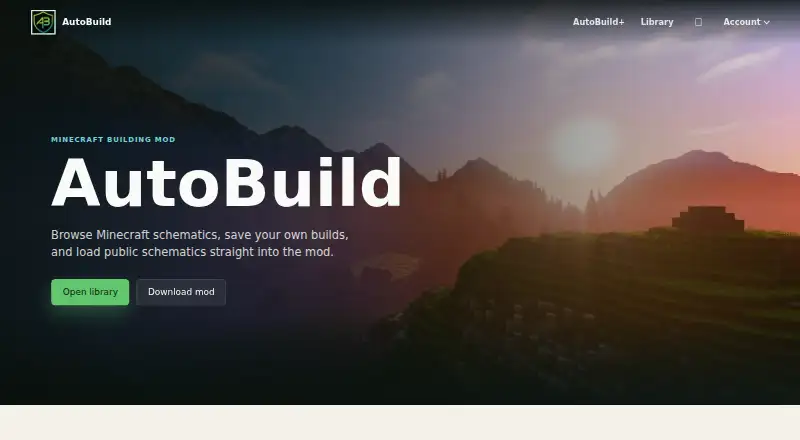
AutoBuild: A free, open-source Fabric mod for safer automated Minecraft building. Ranked #7 of 42 in Minecraft Schematic Tools by our editors (7.7/10); pricing: Free plan; best for free automated building with material safety.
At a glance
- Editor score7.7 / 10
- PricingFree plan
- Best forFree automated building with material safety
- Free planYes
- Paid fromFree
- 3D previewYes
- Facts checked22 Sep 2026
Where it wins
- Ghost-block previews support moving, rotating, and flipping structures
- Material tracking includes nearby chest and barrel collection
- Safety checks, build history, and undo help protect existing builds
Where it doesn't
- Built for Minecraft: Java Edition rather than other Minecraft editions
- Desktop deployment limits it to desktop platforms
- Multiplayer projects require client and server installation
Our verdict on AutoBuild
AutoBuild is a free, open-source Fabric mod for Minecraft: Java Edition that loads, previews, transforms, and automatically places schematic files. It is aimed at solo players, small teams, and server projects working on survival builds, creative construction, or repetitive in-game structures. Users can load .schem and .litematic files, position ghost-block previews, and choose how much automation they want during placement.
Its most useful distinction is the combination of automated building and material safety. AutoBuild supports block-by-block, layer-by-layer, and instant building modes, while tracking required and missing materials. It can collect supplies from nearby chests and barrels, and safety checks help avoid replacing existing blocks. Build history and undo controls add a way to reverse construction changes. These features suit players who want automation without giving up control over materials or existing structures.
AutoBuild also connects building work with a community platform for browsing, uploading, and loading shared schematics. Selected structures can be exported as schematics, extending the workflow beyond a single build. The trade-off is platform and edition scope: it is a desktop Fabric mod for Minecraft: Java Edition, and multiplayer projects need client and server installation. Players looking for automated schematic placement, previews, material tracking, and safety controls should consider AutoBuild; those using another Minecraft edition or seeking a broader platform tool should choose an alternative.
Your product? Our editors can test AutoBuild in depth and publish a review, labelled as paid · from $149/mo →
AutoBuild pricing
AutoBuild fact sheet
| Free plan | Yes |
|---|---|
| Paid from | Free |
| Supported file formats | .schem, .litematic |
| Available platforms | Desktop |
| 3D preview | Yes |
| Placement workflow | In-game |
| World import | Not verified |
| Format conversion | Not verified |
| Batch processing | Not verified |
| Deployment | Desktop |
| Support | Email, Community |
| Built for | Solo, Small business, Mid-market (editorial estimate) |
| Pricing | Free plan (source) |
| Website | autobuildmc.com |
| Facts checked | 22 Sep 2026 |
Alternatives to AutoBuild
- Schematic UtilityA focused free plugin for command-based WorldEdit schematic placement.9.1
- ServerSideBuildsA self-hosted plugin for projecting and managing schematics without client-side mods.8.5
- Easy Block EditorA free in-game editor with collaboration, projections and broad schematic-format support.8.4


See all AutoBuild alternatives →
AutoBuild vs the competition
- AutoBuild vs Schematic Utility
- AutoBuild vs ServerSideBuilds
- AutoBuild vs Easy Block Editor
- AutoBuild vs Create Build Gun
- AutoBuild vs Litematica
- AutoBuild vs MagicalChalk

Compare AutoBuild with any tool side by side →
Used AutoBuild? Be the first to review it
The editor score above is our own research. What this page doesn't have yet is a reader's view — what you used AutoBuild for, what worked and what didn't. No stars are seeded and no review is paid for; an editor reads every one before it appears.
Write a reviewTwo minutes · verified accounts only · read by an editor before it appears
Featured on iTechGuides

AutoBuild is listed in our Minecraft Schematic Tools directory. Add the badge to your site — it links back to this page.
<a href="https://www.itechguides.com/products/autobuild/"><img src="https://www.itechguides.com/best/badge/autobuild.svg" alt="Featured on iTechGuides" width="230" height="46"></a>
Reviewed by iTechGuides Editors · Editorial team · Updated Oct 2026
Advertiser disclosure: iTechGuides is reader-supported. Vendors can pay for top positions in our rankings and for a place on other products' pages, and we may earn a commission when you click some links. Bought places stand at the number bought; this page and our disclosure say so. Paying vendors may get a fuller, more detailed review from our editors, and that review can change their score. How we rank.
Last updated · How we research and update