
Apache OpenOffice Impress
Apache OpenOffice Impress: A free, open-source desktop option for presentations across Windows, macOS, and Linux. Ranked #31 of 93 in Presentation Software by our editors (6.3/10); pricing: Free plan; best for free offline presentations across desktop systems.
At a glance
- Editor score6.3 / 10
- PricingFree plan
- Best forFree offline presentations across desktop systems
- Free planYes
- Paid fromFree
- Founded2000
- Facts checked20 Sep 2026
Where it wins
- Free and open source across Windows, macOS, and Linux
- Imports and exports Microsoft PowerPoint .ppt and .pptx files
- Presenter Screen includes previews, timing, and speaker notes
Where it doesn't
- No verified real-time collaboration features
- No verified integrations with external services
- No verified AI presentation features
Our verdict on Apache OpenOffice Impress
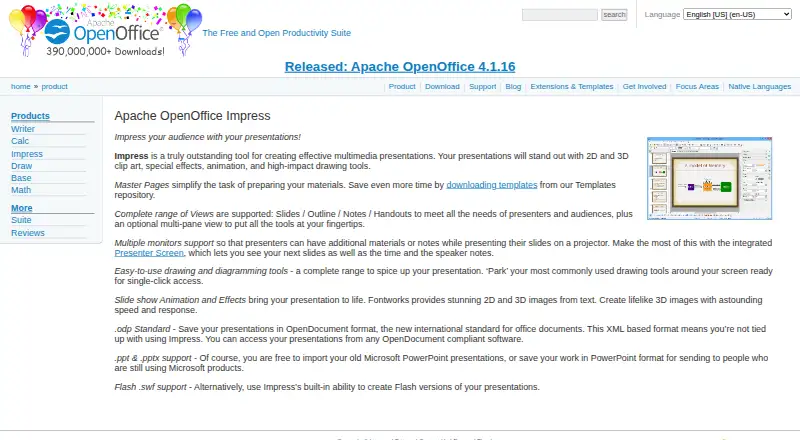
Apache OpenOffice Impress is a desktop presentation application in the Apache OpenOffice productivity suite. It is designed for individuals and teams that need free presentation software across Windows, GNU/Linux, and macOS. Its feature set covers multimedia presentations, animation and slide-show effects, drawing tools, 2D and 3D clip art, master pages, templates, and multiple working views. Presenter Screen support adds next-slide preview, timing, and speaker notes for live delivery.
Platform and file-format coverage are central strengths. Impress supports Windows, macOS, and Linux, while its native OpenDocument Presentation format provides an open file option. It can also import and export Microsoft PowerPoint .ppt and .pptx files, which makes it suitable for workflows that exchange presentations with PowerPoint users. Multiple-monitor support, outline and notes views, handout views, and multimedia capabilities broaden its use beyond basic slide creation. Flash .swf export is also included among its presentation features.
The trade-off is a narrower ecosystem than modern cloud presentation products. Real-time collaboration, external integrations, and AI features are not verified as part of the product offering. That makes Impress a practical choice for users who prioritize free desktop software, broad operating-system coverage, presenter controls, templates, and PowerPoint file compatibility. Organizations that need shared online editing, connected workflows, or AI-assisted presentation features should choose a product built around those capabilities instead.
Your product? Our editors can test Apache OpenOffice Impress in depth and publish a review, labelled as paid · from $149/mo →
Apache OpenOffice Impress pricing
Apache OpenOffice Impress fact sheet
| Free plan | Yes |
|---|---|
| Paid from | Free |
| AI assistance | Not verified |
| Real-time collaboration | Not verified |
| PowerPoint import | Yes |
| PowerPoint export | Yes |
| Offline access | Not verified |
| Presenter mode | Yes |
| Supported platforms | Windows, GNU/Linux, macOS |
| Deployment | Desktop |
| Platforms | Windows, macOS, Linux |
| Support | Community, Docs |
| Built for | Solo, Small business, Mid-market, Enterprise (editorial estimate) |
| Pricing | Free plan |
| Website | openoffice.org |
| Facts checked | 20 Sep 2026 |
Alternatives to Apache OpenOffice Impress
- Microsoft PowerPointA broad presentation workspace spanning web, desktop, mobile, collaboration, AI, and rehearsal tools.9.4
- Apple KeynoteA polished free presentation tool for Apple ecosystem users, with optional AI features.9.1
- Zoho ShowA capable free option for teams that need collaboration, offline work, and PPTX support.9.0



See all Apache OpenOffice Impress alternatives →
Used Apache OpenOffice Impress? Be the first to review it
The editor score above is our own research. What this page doesn't have yet is a reader's view — what you used Apache OpenOffice Impress for, what worked and what didn't. No stars are seeded and no review is paid for; an editor reads every one before it appears.
Write a reviewTwo minutes · verified accounts only · read by an editor before it appears
Featured on iTechGuides

Apache OpenOffice Impress is listed in our Presentation Software directory. Add the badge to your site — it links back to this page.
<a href="https://www.itechguides.com/products/apache-openoffice-impress/"><img src="https://www.itechguides.com/best/badge/apache-openoffice-impress.svg" alt="Featured on iTechGuides" width="230" height="46"></a>
Guides on presentation software
- 5 Best AI Presentation and PowerPoint Design Tools in 2026Aug 2026
- Best AI Tools for Effortless Presentation Design Compared 2025: 2026 Buyer’s UpdateAug 2026
- Best Presentation Apps for iPad and iPhone: Keynote, PowerPoint, Google Slides, Canva, and PreziAug 2026
Reviewed by iTechGuides Editors · Editorial team · Updated Oct 2026
Advertiser disclosure: iTechGuides is reader-supported. Vendors can pay for top positions in our rankings and for a place on other products' pages, and we may earn a commission when you click some links. Bought places stand at the number bought; this page and our disclosure say so. Paying vendors may get a fuller, more detailed review from our editors, and that review can change their score. How we rank.
Last updated · How we research and update