AnyMP4 Video Enhancement
AnyMP4 Video Enhancement: A Windows and macOS desktop enhancer with 4K upscaling and a $49.95 lifetime license. Ranked #15 of 40 in Video Upscaling Software by our editors (7.3/10); pricing: 7-day trial; best for desktop users seeking a low-cost lifetime license.
At a glance
- Editor score7.3 / 10
- Pricing7-day trial
- Best forDesktop users seeking a low-cost lifetime license
- Paid from$25/mo
- Max output resolution4k
- Facts checked24 Sep 2026
Where it wins
- Upscales video resolution up to 4K with AI assistance
- Combines noise removal, stabilization and frame-rate enhancement
- Lifetime license includes upgrades and supports one PC
Where it doesn't
- Desktop-only, with no browser-based workflow
- Lifetime license covers one PC, not multiple devices
- Feature set centers on enhancement and basic editing tools
Our verdict on AnyMP4 Video Enhancement
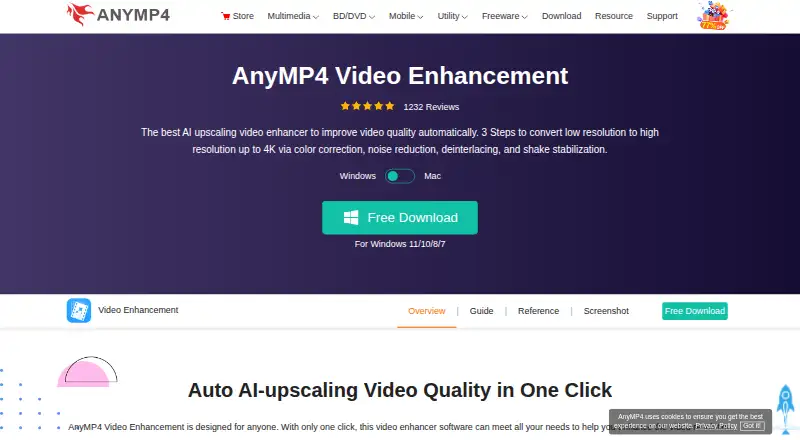
AnyMP4 Video Enhancement is desktop software for improving and editing video on Windows and macOS. It suits solo users and small teams looking to upscale lower-resolution footage, reduce noise or shaking, and make basic edits without moving to a browser-based workflow. AI-assisted resolution enhancement reaches up to 4K, and the app also adjusts brightness and contrast, trims and crops clips, rotates or flips video, and adds watermarks or 3D effects.
The published plans show a 7-day free trial and three priced licenses. The 1 Month License costs $25 per month for one PC and includes one month of free upgrades; it auto-renews, with cancellation available at any time. The Lifetime License costs $49.95 one time for one PC and includes lifetime free upgrades. A 5-User License costs $249.75 one time and covers five PCs, also with lifetime upgrades. The Team & Business License offers multiple-team and multi-device choices, volume discounts, and free 24/7 technical support. A 30-day refund period is also listed. The one-time individual license is the clearest fit for desktop users who prefer a single purchase over recurring billing.
Batch enhancement and GPU acceleration are practical additions for processing multiple files, while the combination of stabilization, frame-rate enhancement, noise removal, and simple editing gives the software broader utility than resolution scaling alone. Its scope remains focused on desktop enhancement and editing; buyers needing a browser workflow or a more extensive post-production environment should consider alternatives. Email is listed as a support channel, and free 24/7 technical support is specified for the Team & Business License. Choose AnyMP4 for a compact desktop workflow and affordable lifetime access; look elsewhere if desktop processing or its enhancement-centered feature set does not match your needs.
Your product? Our editors can test AnyMP4 Video Enhancement in depth and publish a review, labelled as paid · from $149/mo →
AnyMP4 Video Enhancement pricing
All 4 AnyMP4 Video Enhancement plans and prices →
AnyMP4 Video Enhancement fact sheet
| Free plan | Not verified |
|---|---|
| Paid from | $25/mo |
| Max output resolution | 4k |
| Max upscale factor | Not verified |
| AI enhancement | Yes |
| Frame interpolation | Yes |
| Batch processing | Yes |
| Processing mode | Desktop |
| Supported platforms | Windows, macOS |
| Free trial | 7 days |
| Money-back guarantee | 30 days |
| Deployment | Desktop |
| Platforms | Windows, macOS |
| Support | Email · 24/7 |
| Built for | Solo, Small business (editorial estimate) |
| Pricing | 7-day trial (source) |
| Website | anymp4.com |
| Facts checked | 24 Sep 2026 |
Alternatives to AnyMP4 Video Enhancement
- Topaz VideoA broad AI toolkit for editors working with low-quality, legacy, or demanding video.8.9
- HitPaw VikPeaA broad AI video toolkit with 8K output and a free preview, but a high monthly entry price.8.8
- AVCLabs Video Enhancer AIA capable local video restoration suite for Windows and macOS, without a free plan.8.6


See all AnyMP4 Video Enhancement alternatives →
Used AnyMP4 Video Enhancement? Be the first to review it
The editor score above is our own research. What this page doesn't have yet is a reader's view — what you used AnyMP4 Video Enhancement for, what worked and what didn't. No stars are seeded and no review is paid for; an editor reads every one before it appears.
Write a reviewTwo minutes · verified accounts only · read by an editor before it appears
Featured on iTechGuides

AnyMP4 Video Enhancement is listed in our Video Upscaling Software directory. Add the badge to your site — it links back to this page.
<a href="https://www.itechguides.com/products/anymp4-video-enhancement/"><img src="https://www.itechguides.com/best/badge/anymp4-video-enhancement.svg" alt="Featured on iTechGuides" width="230" height="46"></a>
Guides on video upscaling software
Reviewed by iTechGuides Editors · Editorial team · Updated Oct 2026
Advertiser disclosure: iTechGuides is reader-supported. Vendors can pay for top positions in our rankings and for a place on other products' pages, and we may earn a commission when you click some links. Bought places stand at the number bought; this page and our disclosure say so. Paying vendors may get a fuller, more detailed review from our editors, and that review can change their score. How we rank.
Last updated · How we research and update