
Any Video Converter
Any Video Converter: A broad converter with a capable free tier and paid options for GPU and AI features. Ranked #5 of 74 in Video Converter Software by our editors (8.8/10); pricing: Free plan; best for flexible conversion with a free starting tier.
At a glance
- Editor score8.8 / 10
- PricingFree plan
- Best forFlexible conversion with a free starting tier
- Free planYes
- Paid from$39.95/yr
- Supported platformsCross-platform
- Founded2003
- Facts checked20 Sep 2026
Where it wins
- Free plan includes 1000+ formats, compression, downloads, and basic editing
- Supports batch conversion, GPU acceleration, audio extraction, and 4K video
- Offers web, Windows, and macOS access with DVD workflows
Where it doesn't
- Paid plans start at $19.95 per month
- AI creation credits and enhancement are limited to Ultimate
- It is proprietary rather than open-source software
Our verdict on Any Video Converter
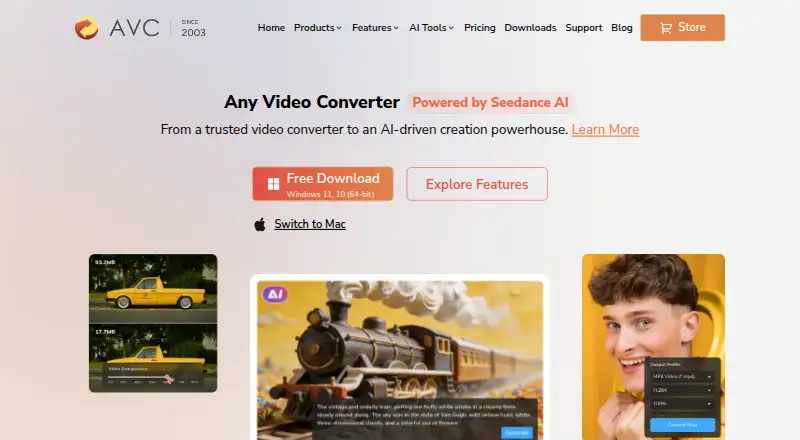
Any Video Converter combines browser-based tools with desktop software for Windows and macOS. It is designed for people who need to convert video or audio between common formats, extract audio, compress files, make basic edits, or handle 4K conversion. The free plan covers unlimited video downloads, conversion across 1000+ formats, unlimited video compression, and basic video editing. Desktop processing also supports large files, configurable encoding options, and DVD ripping and burning workflows.
Pricing gives buyers several ways to move beyond the free plan. Pro costs $19.95 per month, $39.95 per year, or $49.95 as a one-time purchase, adding GPU acceleration, batch conversion, HD and 4K screen recording, and DVD burning. Ultimate costs $29.95 per month, $59.95 per year, or $69.95 as a one-time purchase, with GPU acceleration, batch conversion, AI creation credits, and AI video enhancement. The published plans also show monthly, yearly auto-renewal, and one-time purchase options, so the right tier depends on whether recording, DVD tools, or AI capabilities matter more than keeping conversion free.
Its main strength is breadth: Any Video Converter covers video and audio conversion, compression, editing, downloads, extraction, batch work, GPU acceleration, and 4K output across web, Windows, and macOS. That makes it a practical fit for varied conversion workflows rather than a narrowly focused utility. However, buyers who only need basic conversion can stay with Free, while those requiring AI features need Ultimate. Users specifically seeking open-source software should consider an alternative, since Any Video Converter is proprietary.
Your product? Our editors can test Any Video Converter in depth and publish a review, labelled as paid · from $149/mo →
Any Video Converter pricing
All 3 Any Video Converter plans and prices →
Any Video Converter fact sheet
| Free plan | Yes |
|---|---|
| Paid from | $39.95/yr |
| Supported platforms | Cross-platform |
| Output formats | MP4, MOV, MKV, M2TS, M4V, MPEG, AVI, WMV, ASF, OGV, WEBM; audio: MP3, M4A, OGG, WAV, AAC, FLAC, OPUS |
| Batch conversion | Yes |
| Hardware acceleration | Yes |
| Maximum output resolution | 4k |
| Audio extraction | Yes |
| Money-back guarantee | 30 days |
| Deployment | Cloud, Desktop |
| Platforms | Web, Windows, macOS |
| Support | Docs |
| Built for | Solo, Small business, Mid-market (editorial estimate) |
| Pricing | Free plan (source) |
| Website | any-video-converter.com |
| Facts checked | 20 Sep 2026 |
Alternatives to Any Video Converter
- FFmpegA powerful open-source toolkit for technical media workflows across major desktop platforms.9.4
- HandBrakeA capable free converter for everyday desktop encoding, presets, queues, and disc sources.9.3
- Adobe Media EncoderA deep Adobe-centered encoder for teams managing complex media pipelines.9.2



See all Any Video Converter alternatives →
Any Video Converter vs the competition
- Any Video Converter vs FFmpeg
- Any Video Converter vs HandBrake
- Any Video Converter vs Adobe Media Encoder
- Any Video Converter vs Wondershare UniConverter
- Any Video Converter vs MediaCoder
- Any Video Converter vs DivX Converter



Compare Any Video Converter with any tool side by side →
Also Ranked In
Any Video Converter is ranked in 2 of our directories.
Used Any Video Converter? Be the first to review it
The editor score above is our own research. What this page doesn't have yet is a reader's view — what you used Any Video Converter for, what worked and what didn't. No stars are seeded and no review is paid for; an editor reads every one before it appears.
Write a reviewTwo minutes · verified accounts only · read by an editor before it appears
Featured on iTechGuides

Any Video Converter is listed in our Video Converter Software directory. Add the badge to your site — it links back to this page.
<a href="https://www.itechguides.com/products/any-video-converter/"><img src="https://www.itechguides.com/best/badge/any-video-converter.svg" alt="Featured on iTechGuides" width="230" height="46"></a>
Reviewed by iTechGuides Editors · Editorial team · Updated Oct 2026
Advertiser disclosure: iTechGuides is reader-supported. Vendors can pay for top positions in our rankings and for a place on other products' pages, and we may earn a commission when you click some links. Bought places stand at the number bought; this page and our disclosure say so. Paying vendors may get a fuller, more detailed review from our editors, and that review can change their score. How we rank.
Last updated · How we research and update