ADA: Automated Data Analyst
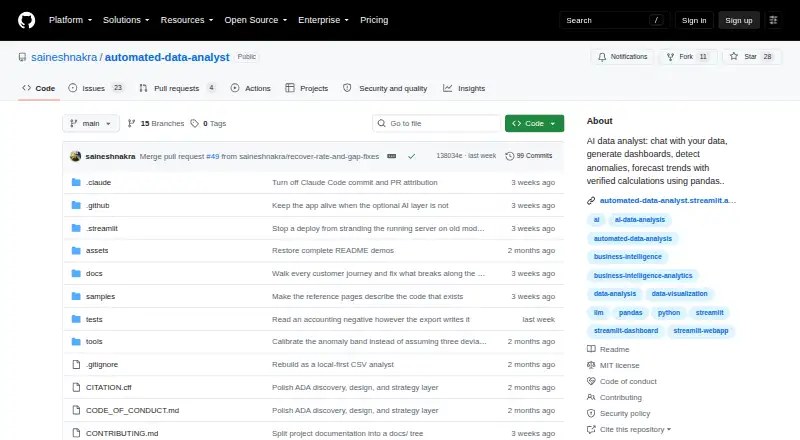
ADA: Automated Data Analyst: Explore CSV and Excel files with automated dashboards, anomaly flags, and forecasts. Ranked #19 of 27 in AI Data Analysis Tools by our editors (6.6/10); pricing: Free plan; best for open-source CSV and Excel exploratory analysis.
At a glance
- Editor score6.6 / 10
- PricingFree plan
- Best forOpen-source CSV and Excel exploratory analysis
- Free planYes
- Paid fromFree
- Natural-language queriesYes
- Facts checked19 Sep 2026
Where it wins
- Automatically detects metric, date, and segment columns.
- Creates dashboards, anomaly flags, and guarded baseline forecasts.
- Exports executive briefs as Markdown and cleaned data as CSV.
Where it doesn't
- File imports are limited to CSV and Excel formats.
- Uploads are capped at 25.
- Optional AI query planning and narrative require your own API key.
Our verdict on ADA: Automated Data Analyst
ADA: Automated Data Analyst turns CSV and Excel files into exploratory analysis, making it a fit for people who want to inspect spreadsheet data without starting with a hand-built dashboard. It detects metric, date, and segment columns, then presents trend, segment-breakdown, waterfall, and heatmap dashboards. Plain-English questions return answers with displayed calculations, while anomaly flags and guarded baseline forecasts add ways to investigate changes. Its open-source focus suits users who value running and examining the application themselves; teams looking for a wider data platform may need a different tool.
File handling is deliberately spreadsheet-focused: ADA imports .csv, .xlsx, and .xlsm files, with uploads capped at 25. The available exports are Markdown executive briefs and cleaned CSV files. When self-hosted, calculations and charts run locally with pandas. The project also has a hosted Streamlit demo, but that is separate from self-hosting. This makes ADA a reasonable choice for exploratory work centered on files, especially when local execution matters, rather than a fit for workflows built around broader data sources.
The optional AI layer can assist with query planning and strategic narrative, but requires an API key supplied by the user. The core file analysis includes plain-English questions and displayed calculations, so the AI layer is not the only way to ask about data. ADA is best suited to analysts or spreadsheet users seeking open-source profiling, dashboards, and lightweight forecasting. It is less suitable for buyers who need verified integrations or SQL connections, or who want AI features without bringing an API key.
Your product? Our editors can test ADA: Automated Data Analyst in depth and publish a review, labelled as paid · from $149/mo →
ADA: Automated Data Analyst pricing
ADA: Automated Data Analyst fact sheet
| Free plan | Yes |
|---|---|
| Paid from | Free |
| File imports | .csv, .xlsx, .xlsm |
| SQL connections | Not verified |
| Natural-language queries | Yes |
| AI visualizations | Not verified |
| Maximum upload size | 25 MB |
| Export formats | Markdown, CSV |
| Team collaboration | Not verified |
| Deployment | Cloud, Self-hosted, Desktop |
| Platforms | Web, Windows |
| Pricing | Free plan |
| Website | github.com |
| Facts checked | 19 Sep 2026 |
Alternatives to ADA: Automated Data Analyst
- H2O.aiA broad enterprise suite for automated ML, forecasting, governance, and deployment.9.1
- Julius AIAsk questions of files and connected data, then generate charts, analysis, and reports.8.8
- VeezooConversational analytics with governed metrics, broad warehouse support, and sales-led pricing.8.5



See all ADA: Automated Data Analyst alternatives →
Used ADA: Automated Data Analyst? Be the first to review it
The editor score above is our own research. What this page doesn't have yet is a reader's view — what you used ADA: Automated Data Analyst for, what worked and what didn't. No stars are seeded and no review is paid for; an editor reads every one before it appears.
Write a reviewTwo minutes · verified accounts only · read by an editor before it appears
Featured on iTechGuides

ADA: Automated Data Analyst is listed in our AI Data Analysis Tools directory. Add the badge to your site — it links back to this page.
<a href="https://www.itechguides.com/products/ada-automated-data-analyst/"><img src="https://www.itechguides.com/best/badge/ada-automated-data-analyst.svg" alt="Featured on iTechGuides" width="230" height="46"></a>
Reviewed by iTechGuides Editors · Editorial team · Updated Oct 2026
Advertiser disclosure: iTechGuides is reader-supported. Vendors can pay for top positions in our rankings and for a place on other products' pages, and we may earn a commission when you click some links. Bought places stand at the number bought; this page and our disclosure say so. Paying vendors may get a fuller, more detailed review from our editors, and that review can change their score. How we rank.
Last updated · How we research and update