
ActOne Screenplay
ActOne Screenplay: A free, open-source screenplay workspace for Windows and Linux writers. Ranked #16 of 27 in Screenwriting Software by our editors (6.8/10); pricing: Free plan; best for open-source Windows and Linux writers.
At a glance
- Editor score6.8 / 10
- PricingFree plan
- Best forOpen-source Windows and Linux writers
- Free planYes
- Paid fromFree
- Facts checked20 Sep 2026
Where it wins
- Live Fountain formatting with screenplay pagination and outline navigation
- Local revision snapshots, pacing analytics, and production breakdown tags
- PDF and Final Draft XML export with local or custom-API AI backends
Where it doesn't
- Supports Windows and Linux, with no listed macOS version
- Beta software may not suit teams seeking a mature production platform
- AI connections require Ollama, LM Studio, or user-provided API keys
Our verdict on ActOne Screenplay
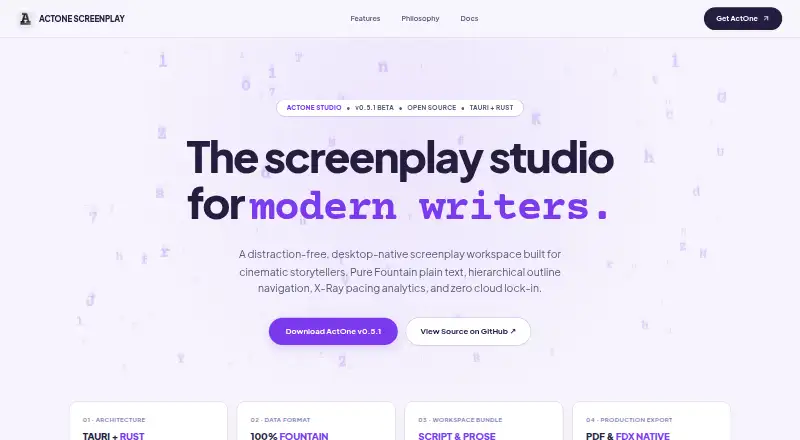
ActOne Screenplay is a free, open-source desktop application for screenwriters and filmmakers working on Windows or Linux. It edits Fountain plain text while showing live screenplay formatting and pagination, and it combines writing, outlining, revision tracking, analytics, and production preparation in one local workspace. Multi-script projects can include Markdown prose notes, making the application suitable for writers developing several scripts or keeping supporting material alongside a draft. Its focus is practical screenwriting rather than broad, cloud-based collaboration.
The writing and development tools cover several stages of a screenplay workflow. Hierarchical outline navigation uses scene markers and synopses, while X-Ray provides pacing and dialogue analytics. Local timestamped revision snapshots support draft history without requiring online sync. Production breakdown tagging covers props, wardrobe, stunts, and VFX, extending the application beyond drafting. When a script is ready to share or move into another workflow, ActOne exports to PDF and Final Draft XML. These features make it a strong fit for writers who want structured planning and production-oriented metadata alongside Fountain editing.
ActOne also emphasizes local operation. The application runs without mandatory sign-ins or online sync dependencies, and its AI co-pilot can connect to Ollama, LM Studio, or custom API keys. That arrangement suits users who want control over their AI backend, but it adds configuration choices rather than providing a single managed service. The official site identifies ActOne as beta software, so writers seeking a more established platform may prefer an alternative. Choose ActOne for free, open-source, offline screenplay work on Windows or Linux; choose elsewhere if macOS support, mature team collaboration, or a non-beta product is essential.
Your product? Our editors can test ActOne Screenplay in depth and publish a review, labelled as paid · from $149/mo →
ActOne Screenplay pricing
ActOne Screenplay fact sheet
| Free plan | Yes |
|---|---|
| Paid from | Free |
| Real-time collaboration | Not verified |
| Offline mode | Yes |
| Revision tracking | Yes |
| Production breakdown tools | Yes |
| Supported platforms | Windows, Linux |
| Export formats | PDF, FDX |
| Deployment | Desktop |
| Platforms | Windows, Linux |
| Support | Community, Docs |
| Built for | Solo, Small business (editorial estimate) |
| Integrations | 3 integrations: Ollama, LM Studio, custom API keys |
| Pricing | Free plan |
| Website | iyal.ink |
| Facts checked | 20 Sep 2026 |
ActOne Screenplay integrations
ActOne Screenplay lists 3 integrations on its own site.
- Ollama
- LM Studio
- custom API keys
Alternatives to ActOne Screenplay
- Final DraftA mature, full-scope screenwriting suite for writing through production.9.3
- CeltxA strong fit for writers who need production planning beyond screenplay formatting.9.1
- WriterDuetA flexible screenwriting workspace for teams that need collaboration and extensive exports.8.8



See all ActOne Screenplay alternatives →
Used ActOne Screenplay? Be the first to review it
The editor score above is our own research. What this page doesn't have yet is a reader's view — what you used ActOne Screenplay for, what worked and what didn't. No stars are seeded and no review is paid for; an editor reads every one before it appears.
Write a reviewTwo minutes · verified accounts only · read by an editor before it appears
Featured on iTechGuides

ActOne Screenplay is listed in our Screenwriting Software directory. Add the badge to your site — it links back to this page.
<a href="https://www.itechguides.com/products/actone-screenplay/"><img src="https://www.itechguides.com/best/badge/actone-screenplay.svg" alt="Featured on iTechGuides" width="230" height="46"></a>
Reviewed by iTechGuides Editors · Editorial team · Updated Oct 2026
Advertiser disclosure: iTechGuides is reader-supported. Vendors can pay for top positions in our rankings and for a place on other products' pages, and we may earn a commission when you click some links. Bought places stand at the number bought; this page and our disclosure say so. Paying vendors may get a fuller, more detailed review from our editors, and that review can change their score. How we rank.
Last updated · How we research and update