
Accentize SpectralBalance
Accentize SpectralBalance: A focused dialogue EQ plugin for matching takes, not a general-purpose mixing suite. Ranked #26 of 41 in AI Audio Mixing Software by our editors (5.4/10); pricing: 7-day trial; best for post-production editors matching dialogue EQ.
At a glance
- Editor score5.4 / 10
- Pricing7-day trial
- Best forPost-production editors matching dialogue EQ
- Free planNo
- Paid from€199 one-time
- Stem separationNo
- Founded2019 · Darmstadt, Germany
- Facts checked24 Sep 2026
Where it wins
- Matches dialogue EQ to a reference recording, with real-time dynamic mode
- Custom reference profiles and static EQ support post-production workflows
- VST3, AU, and AAX formats fit a range of DAWs and video editors
Where it doesn't
- Focused on dialogue EQ rather than general-purpose mixing
- Costs €199 as a one-time license
- Runs on desktop for Windows and macOS
Our verdict on Accentize SpectralBalance
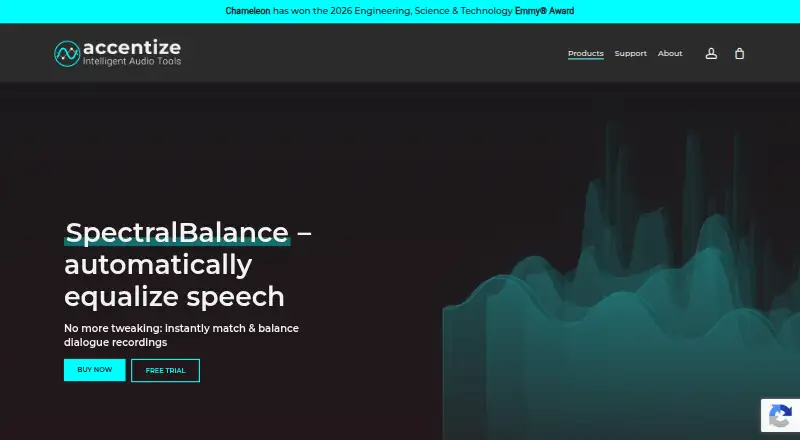
For dialogue post-production, SpectralBalance is a reference-based EQ plugin that analyzes a target recording and shapes another signal toward its spectral characteristics. ADR, voice replacement, and consistency across dialogue takes are its clearest use cases; Accentize also positions it for podcast work. It is a focused tool for editors who need tonal matching, not a broad AI mixing suite for balancing an entire production.
The central workflow is useful when dialogue has to match a reference sound. Dynamic mode adapts EQ in real time, while static EQ mode offers a post-production option; custom reference profiles let editors reuse target sounds. The EQ curve can also be fine-tuned with conventional EQ controls, and the plugin supports mono and stereo channels. That makes it suitable for targeted dialogue work where a reference is available, but it does not cover stem separation or automatic dynamics, so buyers seeking wider mix automation should look elsewhere.
According to the published pricing, SpectralBalance License costs €199 as a one-time payment and includes a plugin license; the listed price includes VAT. There is no free plan, but a 7-day free trial is available. It runs on Windows and macOS as a desktop plugin, with VST3, AU, and AAX formats. Listed hosts and integrations include Pro Tools, Cubase, Reaper, Ableton Live, Logic Pro, Adobe Premiere, Final Cut, and DaVinci Resolve. Pick it if reference-based dialogue EQ fits an existing post-production workflow; consider another tool if you need general mix features or a different scope than dialogue matching. Support is offered by email.
Your product? Our editors can test Accentize SpectralBalance in depth and publish a review, labelled as paid · from $149/mo →
Accentize SpectralBalance pricing
All 1 Accentize SpectralBalance plans and prices →
Accentize SpectralBalance fact sheet
| Free plan | No |
|---|---|
| Paid from | €199 one-time |
| DAW plugin | Yes |
| Stem separation | No |
| Automatic EQ | Yes |
| Automatic dynamics | No |
| Spatial processing | Stereo |
| Maximum track count | Not verified |
| Plugin formats | Vst |
| Free trial | 7 days |
| Deployment | Desktop |
| Platforms | Windows, macOS |
| Support | |
| Built for | Solo, Small business, Mid-market (editorial estimate) |
| Integrations | 8 integrations: Avid Pro Tools, Steinberg Cubase, Reaper, Ableton Live, Logic Pro, Adobe Premiere … |
| Pricing | 7-day trial (source) |
| Website | accentize.com |
| Facts checked | 24 Sep 2026 |
Accentize SpectralBalance integrations
Accentize SpectralBalance lists 8 integrations on its own site.
- Avid Pro Tools
- Steinberg Cubase
- Reaper
- Ableton Live
- Logic Pro
- Adobe Premiere
- Final Cut
- DaVinci Resolve
Alternatives to Accentize SpectralBalance
- iZotope Neutron 5A deep AI-assisted mixing suite for producers who want detailed control inside a DAW.9.2
- iZotope Nectar 4A focused vocal suite with AI assistance, harmonies, effects, and unmasking.7.9
- EZmix 3A flexible preset-led mixing tool, but not a complete automatic full-mix solution.7.9



See all Accentize SpectralBalance alternatives →
Used Accentize SpectralBalance? Be the first to review it
The editor score above is our own research. What this page doesn't have yet is a reader's view — what you used Accentize SpectralBalance for, what worked and what didn't. No stars are seeded and no review is paid for; an editor reads every one before it appears.
Write a reviewTwo minutes · verified accounts only · read by an editor before it appears
Featured on iTechGuides

Accentize SpectralBalance is listed in our AI Audio Mixing Software directory. Add the badge to your site — it links back to this page.
<a href="https://www.itechguides.com/products/accentize-spectralbalance/"><img src="https://www.itechguides.com/best/badge/accentize-spectralbalance.svg" alt="Featured on iTechGuides" width="230" height="46"></a>
Reviewed by iTechGuides Editors · Editorial team · Updated Oct 2026
Advertiser disclosure: iTechGuides is reader-supported. Vendors can pay for top positions in our rankings and for a place on other products' pages, and we may earn a commission when you click some links. Bought places stand at the number bought; this page and our disclosure say so. Paying vendors may get a fuller, more detailed review from our editors, and that review can change their score. How we rank.
Last updated · How we research and update