
Aardman Animator
Aardman Animator: A capable free Android starter app with practical capture and editing tools. Ranked #15 of 29 in Stop Motion Software by our editors (7.5/10); pricing: Free plan; best for free Android beginners and classrooms.
At a glance
- Editor score7.5 / 10
- PricingFree plan
- Best forFree Android beginners and classrooms
- Free planYes
- Paid fromFree
- Onion skinningYes
- Founded1972 · Bristol, United Kingdom
- Facts checked20 Sep 2026
Where it wins
- Free access to capture, editing, audio, and export tools
- Onion skinning and timeline controls support frame-by-frame work
- Exposure, playback, MP4 export, and social sharing are included
Where it doesn't
- Available on Android rather than across multiple platforms
- Export centers on MP4 files and social sharing
- Audio features focus on recording dialogue and sound effects
Our verdict on Aardman Animator
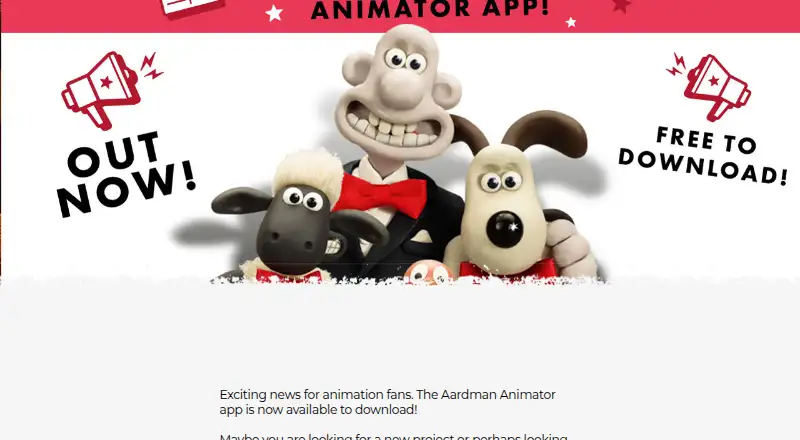
Aardman Animator is a free mobile app for creating stop-motion animations on Android. It is aimed at beginners and enthusiasts, making it suitable for classroom activities, first animation projects, and users who want to capture scenes with a phone or tablet. The app combines frame capture with an automatic timer, onion skinning for viewing previous frames, and a timeline for deleting, duplicating, and moving frames. Portrait and landscape shooting support different filming setups.
Its strongest area is the capture-to-edit workflow. Fixed or autofocus options and exposure controls give users more control over how each frame is recorded, while onion skinning helps align successive movements. Playback-speed adjustment provides a way to review the animation at a chosen pace. Dialogue and sound-effects recording extend the project beyond silent visuals, and MP4 export with social sharing gives finished animations a practical publishing path. These features cover the core needs of an introductory stop-motion project without adding a paid pricing tier.
The main trade-off is platform scope: Aardman Animator is available on Android, so it is a narrower fit for teams or classrooms working across different operating systems. Its output is centered on MP4 and social sharing, and its audio tools are focused on recording dialogue and sound effects rather than presenting a broader production suite. Choose it for accessible, mobile-first stop-motion capture and straightforward frame editing, especially when Android devices are already available. Consider another option when cross-platform access or a wider export and post-production workflow is a priority.
Your product? Our editors can test Aardman Animator in depth and publish a review, labelled as paid · from $149/mo →
Aardman Animator pricing
Aardman Animator fact sheet
| Free plan | Yes |
|---|---|
| Paid from | Free |
| Onion skinning | Yes |
| Live frame capture | Yes |
| Exposure controls | Yes |
| Timeline editing | Yes |
| Audio support | Yes |
| Supported platforms | android |
| Deployment | Mobile |
| Platforms | Android |
| Compliance & security | GDPR |
| Support | |
| Built for | Solo, Small business (editorial estimate) |
| Pricing | Free plan |
| Website | shaunthesheep.com |
| Facts checked | 20 Sep 2026 |
Alternatives to Aardman Animator
- DragonframeA deep professional toolkit with broad hardware support and a high one-time price.9.4
- MOTK ShootA capable open-source capture studio with camera control, editing, audio, and recovery tools.9.2
- Stop Motion StudioA broad stop-motion toolkit with capture, editing, camera controls, audio, and compositing.8.9


See all Aardman Animator alternatives →
Used Aardman Animator? Be the first to review it
The editor score above is our own research. What this page doesn't have yet is a reader's view — what you used Aardman Animator for, what worked and what didn't. No stars are seeded and no review is paid for; an editor reads every one before it appears.
Write a reviewTwo minutes · verified accounts only · read by an editor before it appears
Featured on iTechGuides

Aardman Animator is listed in our Stop Motion Software directory. Add the badge to your site — it links back to this page.
<a href="https://www.itechguides.com/products/aardman-animator/"><img src="https://www.itechguides.com/best/badge/aardman-animator.svg" alt="Featured on iTechGuides" width="230" height="46"></a>
Reviewed by iTechGuides Editors · Editorial team · Updated Oct 2026
Advertiser disclosure: iTechGuides is reader-supported. Vendors can pay for top positions in our rankings and for a place on other products' pages, and we may earn a commission when you click some links. Bought places stand at the number bought; this page and our disclosure say so. Paying vendors may get a fuller, more detailed review from our editors, and that review can change their score. How we rank.
Last updated · How we research and update