
4K Slideshow Maker
4K Slideshow Maker: A capable free choice for personal slideshows across Windows, macOS, and Linux. Ranked #6 of 23 in Photo Slideshow Makers by our editors (7.9/10); pricing: Free plan; best for free, cross-platform slideshow creation.
At a glance
- Editor score7.9 / 10
- PricingFree plan
- Best forFree, cross-platform slideshow creation
- Free planYes
- Paid fromFree
- Facts checked20 Sep 2026
Where it wins
- Free across Windows, macOS, and Ubuntu Linux
- Includes music, transitions, effects, and Ken Burns
- Exports to 4K Ultra HD, YouTube, Facebook, and Apple devices
Where it doesn't
- Music is added from a local library
- Instagram importing covers photos rather than videos
- Export options are centered on listed device and platform presets
Our verdict on 4K Slideshow Maker
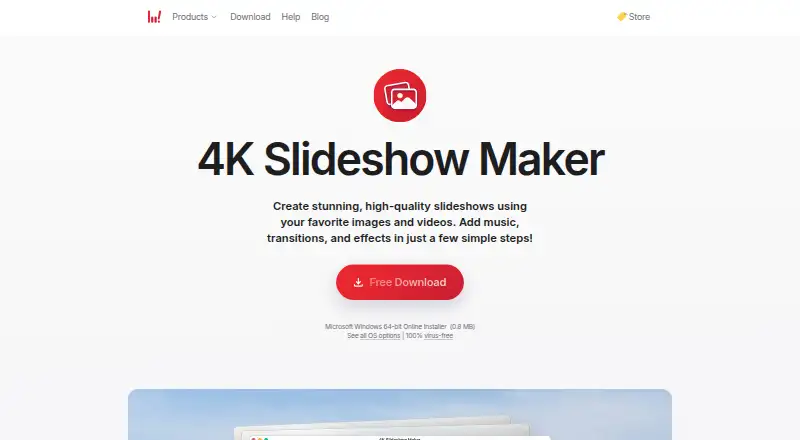
4K Slideshow Maker is free desktop software for turning photos and videos into shareable slideshows. It is aimed at personal projects, special occasions, and school projects, with versions for Windows, macOS, and Ubuntu Linux. The workflow covers the core tasks: arrange media, add local music, apply transitions and effects, adjust slide order and transition duration, use the Ken Burns effect, preview the result, and export a video.
Its strongest fit is breadth across common slideshow needs without a paid tier. The published Free plan includes creating slideshows from photos and videos, plus music, transitions, and effects. Export presets cover Windows Standard, Mac OS Standard, iPhone, iPad, YouTube, Facebook, and 4K Ultra HD. You can also play the result as a local video file, review it in the preview player, or upload through Facebook and YouTube options. That makes the product practical for users who want a straightforward desktop workflow and recognizable destination presets rather than a larger editing suite.
The feature set remains focused on slideshow assembly. Music comes from a local music library, and Instagram support is described for importing photos. The listed controls emphasize sequencing, timing, visual effects, previewing, and export, so it is a better match for image-led presentations than for projects requiring a wider production workflow. Choose it if free access, cross-platform desktop support, and 4K or social export presets matter most. Consider another tool if your project depends on a broader set of editing and publishing capabilities beyond those listed here.
Your product? Our editors can test 4K Slideshow Maker in depth and publish a review, labelled as paid · from $149/mo →
4K Slideshow Maker pricing
All 1 4K Slideshow Maker plans and prices →
4K Slideshow Maker fact sheet
| Free plan | Yes |
|---|---|
| Paid from | Free |
| Maximum photos | Not verified |
| Caption tools | Not verified |
| Audio upload | Yes |
| Export formats | Windows Standard, Mac OS Standard, iPhone, iPad, YouTube, Facebook, 4K Ultra HD |
| Playback options | Local video file, preview player, Facebook upload, YouTube upload |
| Supported platforms | Windows, macOS, Ubuntu Linux |
| Money-back guarantee | 180 days |
| Deployment | Desktop |
| Platforms | Windows, macOS, Linux |
| Compliance & security | GDPR |
| Support | |
| Built for | Solo, Small business (editorial estimate) |
| Integrations | 3 integrations: Instagram, Facebook, YouTube |
| Pricing | Free plan (source) |
| Website | 4kdownload.com |
| Facts checked | 20 Sep 2026 |
4K Slideshow Maker integrations
4K Slideshow Maker lists 3 integrations on its own site.
- YouTube
Alternatives to 4K Slideshow Maker
- MAGIX Photostory deluxeA feature-rich Windows slideshow editor for personal photo and video projects.8.9
- PhotoStageA versatile slideshow maker with broad export options and a non-commercial free version.8.7
- Icecream Slideshow MakerA capable free Windows slideshow maker with paid 4K, DVD, and cloud-upload features.8.4



See all 4K Slideshow Maker alternatives →
4K Slideshow Maker vs the competition
- 4K Slideshow Maker vs MAGIX Photostory deluxe
- 4K Slideshow Maker vs PhotoStage
- 4K Slideshow Maker vs Icecream Slideshow Maker
- 4K Slideshow Maker vs Ashampoo Slideshow Studio HD 4
- 4K Slideshow Maker vs Smilebox
- 4K Slideshow Maker vs Photopia



Compare 4K Slideshow Maker with any tool side by side →
Used 4K Slideshow Maker? Be the first to review it
The editor score above is our own research. What this page doesn't have yet is a reader's view — what you used 4K Slideshow Maker for, what worked and what didn't. No stars are seeded and no review is paid for; an editor reads every one before it appears.
Write a reviewTwo minutes · verified accounts only · read by an editor before it appears
Featured on iTechGuides

4K Slideshow Maker is listed in our Photo Slideshow Makers directory. Add the badge to your site — it links back to this page.
<a href="https://www.itechguides.com/products/4k-slideshow-maker/"><img src="https://www.itechguides.com/best/badge/4k-slideshow-maker.svg" alt="Featured on iTechGuides" width="230" height="46"></a>
Reviewed by iTechGuides Editors · Editorial team · Updated Oct 2026
Advertiser disclosure: iTechGuides is reader-supported. Vendors can pay for top positions in our rankings and for a place on other products' pages, and we may earn a commission when you click some links. Bought places stand at the number bought; this page and our disclosure say so. Paying vendors may get a fuller, more detailed review from our editors, and that review can change their score. How we rank.
Last updated · How we research and update