
2FAGuard
2FAGuard: A focused Windows authenticator with encrypted local backups and flexible distribution. Ranked #94 of 111 in Authenticator Apps by our editors (3.0/10); pricing: Free plan; best for windows users wanting encrypted local OTP backups.
At a glance
- Editor score3.0 / 10
- PricingFree plan
- Best forWindows users wanting encrypted local OTP backups
- Free planYes
- Paid fromFree
- Facts checked22 Sep 2026
Where it wins
- Encrypted local backups, exports, account names, and notes
- Windows Hello and hardware security key support
- Microsoft Store, installer, and portable versions
Where it doesn't
- Windows-only application
- Focused on TOTP authentication codes
- Local storage rather than a broader multi-device workflow
Our verdict on 2FAGuard
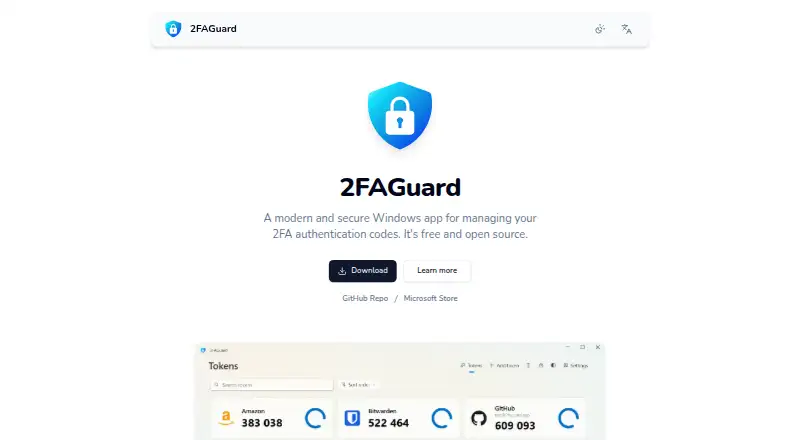
2FAGuard is a free, open-source Windows application for generating and managing TOTP authentication codes. It is aimed at Windows users who want local control over account data, encrypted backups, and a straightforward alternative to a broader cross-platform authenticator. Tokens can be added through QR codes or manual entry, and existing tokens can be imported from other authenticator applications. Windows 10 version 1809 or later is required.
The published product details show one Free plan with TOTP authentication, encrypted local data, import and export, Windows Hello support, and a portable version. Its security-focused feature set extends beyond token generation: 2FAGuard encrypts token secrets, account names, and notes locally, while exports can be encrypted backups, TOTP URI lists, or QR codes. Automatic locking adds another local access control, and support for hardware security keys gives users more than one way to protect access to the application.
Platform fit is the main consideration. Microsoft Store, App Installer, and portable distributions give Windows users several installation paths, while dark mode, multilingual support, autostart, and system-tray minimization cover common desktop preferences. The product remains narrowly focused on Windows-based TOTP management and local storage, so it is a stronger choice for users prioritizing encrypted local backups than for those seeking a mobile, web, or synchronized multi-device authenticator. Choose 2FAGuard when Windows support and local protection are central requirements; consider a broader alternative when device coverage is the priority.
Your product? Our editors can test 2FAGuard in depth and publish a review, labelled as paid · from $149/mo →
2FAGuard pricing
All 1 2FAGuard plans and prices →
2FAGuard fact sheet
| Free plan | Yes |
|---|---|
| Paid from | Free |
| Code type | Totp |
| Push approvals | Not verified |
| Encrypted backup | Yes |
| Multi-device sync | Not verified |
| Team administration | Not verified |
| Supported platforms | Windows |
| Deployment | Desktop |
| Platforms | Windows |
| Support | Email, Community, Docs |
| Built for | Solo, Small business (editorial estimate) |
| Pricing | Free plan (source) |
| Website | 2faguard.app |
| Facts checked | 22 Sep 2026 |
Alternatives to 2FAGuard
- Proton AuthenticatorA mature free option for secure 2FA codes across mobile and desktop platforms.9.4
- Google AuthenticatorA free, straightforward authenticator with offline codes, sync, and QR transfers.9.2
- AuthyA focused free authenticator for mobile users who need synced TOTP tokens.9.1


See all 2FAGuard alternatives →
Used 2FAGuard? Be the first to review it
The editor score above is our own research. What this page doesn't have yet is a reader's view — what you used 2FAGuard for, what worked and what didn't. No stars are seeded and no review is paid for; an editor reads every one before it appears.
Write a reviewTwo minutes · verified accounts only · read by an editor before it appears
Featured on iTechGuides

2FAGuard is listed in our Authenticator Apps directory. Add the badge to your site — it links back to this page.
<a href="https://www.itechguides.com/products/2faguard/"><img src="https://www.itechguides.com/best/badge/2faguard.svg" alt="Featured on iTechGuides" width="230" height="46"></a>
Reviewed by iTechGuides Editors · Editorial team · Updated Oct 2026
Advertiser disclosure: iTechGuides is reader-supported. Vendors can pay for top positions in our rankings and for a place on other products' pages, and we may earn a commission when you click some links. Bought places stand at the number bought; this page and our disclosure say so. Paying vendors may get a fuller, more detailed review from our editors, and that review can change their score. How we rank.
Last updated · How we research and update