
Windows Errors? Fix Them Before They Spread
Repair common Windows errors and clear accumulated junk for a smoother, more stable PC - no reinstall needed.Free scan · no reinstallOutdated Drivers Are Slowing You Down
One free scan finds every outdated or missing driver and matches the right update for your exact hardware.Free scan · exact hardware matchiTechGuides is reader-supported. When you buy through links on our site, we may earn an affiliate commission. As an Amazon Associate I earn from qualifying purchases. Learn more
Sabse pehle pata karein ki playlist PRISM Live Studio ke andar webpage source se chal rahi hai, PRISM ke kisi media source se, ya PRISM ke bahar YouTube app/browser mein. In teeno playback paths ke causes alag ho sakte hain. PRISM ki documentation kuch webpage video aur audio ke normal tarah se na chalne ki general limitation batati hai, lekin YouTube playlist ke is exact skip issue ka confirmed cause ya guaranteed fix nahi deti.
1. Pehle jaanchein playlist kahan chal rahi hai
PRISM Live Studio mein playlist ka skip dekhkar turant app, network ya video file ko dosh dena sahi nahi hoga. Pehle source identify karein:
- Webpage source: YouTube webpage PRISM ke andar source ke roop mein khuli hai.
- PRISM media source: Video PRISM ke kisi source se chal rahi hai. PRISM ke desktop documentation mein Media Source aur Music Playlist Source alag source types ke roop mein listed hain.
- PRISM ke bahar: Playlist alag YouTube app ya browser mein chalti hai, PRISM mein nahi.
Agar playlist PRISM ke bahar chal rahi hai, to PRISM source playback ki limitation us skip ki wajah ho, yeh zaroori nahi.
What’s actually slowing this PC down?
Pick the symptom - the matching free tool is one click away.
2. Agar playlist PRISM ke webpage source mein hai
Wahi playlist usi device par seedhe YouTube app ya browser mein chala kar dekhein. Agar wahan theek chale, lekin PRISM ke webpage source mein skip ho, to farq playback path ka ho sakta hai. PRISM FAQ ke mutabik technical constraints ki wajah se kuch webpages ke videos aur sounds normal tarah se nahi chal sakte (PRISM FAQ). Yeh ek diagnostic possibility hai—FAQ YouTube playlist ko naam se nahi batata aur is symptom ko confirmed cause nahi maanta.
#1 Best Overall

- DETACHABLE DESIGN & UNIVERSAL COMPATIBILITY — Features a convenient detachable structure with secure hand-tightened screws for quick assembly and easy storage. The Desview T3 teleprompter for DSLR and mirrorless cameras supports iPad, tablets, and smartphones up to 10 inches. It includes built-in dual cold shoe mounts on top for LED lights and microphones, plus a 10 ft reading distance that ensures comfortable eye contact with the lens.
- 9-PIECE LENS ADAPTER KIT INCLUDED — Comes with 49/52/55/58/62/67/72/77/82 mm camera lens adapters for a secure, tight fit on your DSLR or mirrorless camera. It fully supports a 24mm+ horizontal shooting angle, allowing for wide-angle setups without vignetting. Enjoy a bigger, clearer view for your professional video recording.
- PREMIUM 70/30 BEAM SPLITTER GLASS — Equipped with industry-standard 70/30 beam splitter glass featuring 26 anti-reflection coated layers. This delivers outstanding light transmission and zero visual distortion for effortless script reading, strictly ensuring natural eye contact. The durable 7H hardness surface and included protective lid safeguard the teleprompter during transport and daily use.
- EASY SETUP FOR CONTENT CREATORS — Experience an effortless 1-minute setup without any complex tools. Simply mount the teleprompter to your camera via the adapter ring, or attach your smartphone using the included phone clamp. It is the perfect prompting solution for YouTube videos, live streaming, vlogging, and remote teaching.
- BLUETOOTH REMOTE & SMART APP CONTROL — Scroll through your scripts hands-free with the included Bluetooth remote. Easily adjust play/pause, slow down, and speed up on the fly. The free DESVIEW app seamlessly syncs with the remote controller and is fully compatible with both Android and iOS devices, elevating your professional prompting experience.
Agar YouTube ke bahar bhi wahi entries skip hoti hain, to sirf PRISM ko cause na samjhein. Note karein ki har entry skip hoti hai ya sirf kuch videos, aur issue app/browser dono mein dikhta hai ya nahi.
3. Agar PRISM source se video chala rahe hain
Media Source: local files ke liye
PRISM Media Source ko device par stored audio ya video files chalane ke liye describe karta hai. Agar aapke paas aisi supported local video files hain jinhe chalane ka adhikar aapke paas hai, to ek file ko Media Source se chala kar comparison karein. PRISM is source ke liye media resolution ko stream resolution se match karne ki salah deta hai, taaki be-wajah quality loss na ho (PRISM Media Source guide).
Yeh YouTube playlist import karne ka documented tareeqa nahi hai. YouTube playlist URL ko local-file workflow samajhkar use na karein, aur access restrictions ko bypass karne ki koshish na karein.
Rank #2
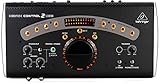
- Studio Monit Controller with VCA Control USB Audio Interface
- All-in-one Master Volume controller, Source selector, Monitor switcher and Talkback box
- Premium, ultra-low noise and high headroom studio control and communication center
- Built-in Talkback microphone with Level control for direct communication with musicians
Music Playlist Source: YouTube player nahi
PRISM Music Playlist Source ko PC par stored music ya PRISM ke diye music ke liye describe karta hai; documentation ise YouTube playlist player nahi batati (PRISM Music Playlist Source guide). Isliye ise YouTube playlist ke skip ka pakka fix na samjhein.
Independent reader supportYour contribution helps us test, update, and keep practical guides available for everyone.4. Support ko bhejne se pehle yeh details jama karein
- PRISM Live Studio ka exact version.
- Device aur operating system.
- Playlist ka exact playback path: webpage source, Media Source, Music Playlist Source, ya PRISM ke bahar.
- Kya har playlist entry skip hoti hai ya keval kuch specific videos.
- Kya wahi playlist YouTube app/browser mein normal chalti hai.
- Issue ko dobara dikhane ke chhote, spasht steps.
In jaankariyon ke saath PRISM support se sampark karein. Official documentation is symptom ke liye koi specific network, codec, account, ya app-reset step confirm nahi karti; bina evidence ke inhe pakka fix kehna theek nahi hoga. PRISM ke source types aur unke istemal ke liye official desktop guide bhi dekhein.
5. Or let it run in the cloud
Agar aapka alag goal YouTube par uploaded videos ko 24/7 live rakhna hai, StreamNeo PRISM playlist skip ka repair ya PRISM ka replacement nahi hai: yeh uploaded videos ko YouTube par cloud se loop karta hai. Video upload karein, YouTube stream key add karein, phir go live karein. Computer ya home connection ko chalu rakhne ki zaroorat nahi; har quality ke liye ek flat per-slot price hai, uploaded quality ko 4K 60fps tak bina re-encode stream karta hai, aur YouTube stream drop hone par automatic recovery karta hai. Pehla din card ke bina free hai. Monthly plan $9.99 per month hai. StreamNeo ke baare mein jaaniye ya free day shuru karein.
Quick Recap
Product prices and availability are accurate as of the date/time indicated and are subject to change. Any price and availability information displayed on Amazon at the time of purchase will apply.
Recommended Free Tools

