
The Tool Desk
Outbyte Driver Updater FREEScan for outdated or missing drivers - takes under a minuteDriver Scan →Outbyte PC Repair FREERepair Windows errors before they cause bigger problemsFix Now →iTechGuides is reader-supported. When you buy through links on our site, we may earn an affiliate commission. As an Amazon Associate I earn from qualifying purchases. Learn more
To help a Pixel battery last longer, start with the screen: lower brightness, shorten screen timeout, and consider turning off Always-on Display or Smooth Display. Also turn off hotspot or tethering when you are done. These are optional tradeoffs, not a guaranteed way to gain a few hours: Google’s guidance describes them qualitatively and does not say how many hours any user should expect.
Which Pixel settings are worth trying first?
Google’s battery-life guidance identifies display use and active connectivity as areas to review. Try one change at a time so you can tell whether it helps your own routine. Settings names and availability can vary by Pixel model and Android version.
| Setting | What changing it does | Tradeoff or availability |
|---|---|---|
| Brightness | Lowering screen brightness reduces display demand. | The screen may be harder to see, especially outdoors. |
| Screen timeout | A shorter timeout turns the screen off sooner when you stop using the phone. | You may need to wake the screen more often while reading or following instructions. |
| Always-on Display | Turning it off removes the always-visible glance information. | You will need to wake the phone to check that information. |
| Smooth Display | Turning it off avoids the higher refresh rate on supported Pixel models. | Scrolling and motion may look less fluid; availability and refresh behavior differ by model. |
| Hotspot or tethering | Turning it off when unused stops the phone from sharing its connection. | Other devices will lose that shared connection. |
Google says Smooth Display increases battery use on supported phones, but does not give a per-setting estimate. See Google’s Pixel screen and display settings for model-specific details.
How to adjust display settings
On many Pixels, display controls are under Settings > Display. Labels and exact paths can differ by model or Android version; use Settings search if a label is not where expected.
#1 Best Overall

- Designed for Google Pixel Series: Experience the power of USB PD 3.0 with PPS fast charging technology with this 30W USB-C charger block. This ARCCRA Type C fast Charger charges your Google Pixel 11/10/9 up to 60% in just 30 minutes, helping you work efficiently. Ideal for when you need a quick charge before heading out
- 6FT Pixel Charger Cord: Built to last, this tangle-free 6FT USB C cable withstands 15,000+ bends and features reversible USB-C connectors on both ends. This USB C to USB C cable supports PD fast charging up to 60W (20V/3A) and data transfer speeds 480Mbps. The 6ft Type C cable gives flexibility to charge from a couch, desk, or nightstand while still using your Google Pixel 11
- Widely Compatibility: 30W USB C Fast wall charger for Google Pixel 11/11 Pro/11 Pro XL/11 Pro Fold/10/10 Pro/10 Pro XL/10 Pro Fold/9/9 Pro/9 Pro XL/9 Pro Fold/8/8a/8 Pro/7/7a/7 Pro/6/6a/6 Pro/5/5a/4/4a 5G/4 XL/3a/3a XL, Pixel Tablet, Pixel Slate, Pixelbook, Samsung Galaxy S26/S25/S24/S23/S22/S21/S20/Ultra, Note 20/10, LG, Moto, Tablet, Android Phones, and more USB-C devices
- Safe and Reliable: This pixel fast charger features a smart IC chip that automatically adjusts current to match your device's needs. Multiple safety protection systems prevent overcharging, overheating and short circuits to keep your devices safe. This Google Pixel charger supports USB PD 3.0 and meets safety standards for fast charging
- What You Get: 1 x 30W Fast USB C Wall Charger Block, 1 x 6FT Type C to Type C Charging Cable Cord. One bundle covers all your needs at home, office, or on the go. If you have any questions or issues, please get in touch with us. Our dependable customer care will keep online 24/7 and respond to you with a suitable solution
- Lower brightness to the lowest level that remains comfortable to read.
- Choose a shorter screen timeout if the display often stays on after you put the phone down.
- Turn off Always-on Display if glanceable information is less useful to you than conserving power.
- If your Pixel offers Smooth Display, disable it if you are comfortable with less fluid motion.
- Try Dark theme if you prefer it. Google lists it among its battery-saving suggestions, but does not quantify the benefit.
Keep Adaptive Battery and app optimization on
These are not settings to disable for battery savings. Google says Adaptive Battery is on by default and learns from recent app use to limit background activity for apps used less often. As Google puts it, “The Pixel battery continuously learns your behaviors and optimizes itself based on your most recent app usage.” Read Google’s Adaptive Battery and battery optimization guidance.
After a new setup or factory reset, Google says optimization can take a few weeks. Battery optimization is also generally best left enabled for individual apps: turning it off can let an app run more while unused and consume more power. Google notes that some essential services do not offer an optimization control. Background limits can affect performance or delay notifications, so an app’s behavior may change.
Rank #2

- The Google 45W USB-C Power Charger delivers fast and efficient charging for your Pixel devices
- The charger works with all your Google Pixel devices, including Pixel phones, Pixel Buds, the Pixel Tablet, and even your laptop[1,2]
- Powers up your Google Pixel 9 Pro XL to 70% battery in about 30 minutes[3]
- The Google 45W USB-C Power Charger is mindfully made with 47% recycled plastics[4]
- Please refer to the product description section below for all applicable legal disclaimers denoted by the bracketed numbers in the preceding bullet points (e.g., [1], [2], etc.)
Use Battery Saver with its effects in mind
Battery Saver can extend runtime when charge is low, but it does so by restricting some activity. Google says it can delay low-priority notifications, turn off Smooth Display on supported Pixels, and, on a compatible phone, may use 4G instead of 5G depending on the operator network. Those changes can affect responsiveness, display smoothness, and connectivity. See Google’s Battery Saver instructions for details.
Do these 3 things before closing this tab:
1Clear out junk files and repair common Windows errors2Scan for outdated or missing drivers - takes under a minute3Repair Windows errors before they cause bigger problemsCheck connectivity and unusual drain
Switch off sharing when you are finished
Turn off hotspot or tethering when no other device needs the Pixel’s connection. Google also documents Adaptive connectivity for Pixel 4a (5G) and later, including Fold, but availability may vary; some US carriers may limit the feature. Check your phone’s settings rather than assuming every Pixel or carrier exposes the same controls.
Rank #3
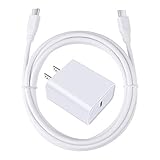
- 【PD USB-C Charger Kit】: The USB-C Charging Rapidly Charger and C-C Cable compatible with Google Pixel 11/11 Pro/11 Pro XL/11 Pro Fold, 10a/10/10 Pro/10 Pro XL/10 Pro Fold, 9a/9/9 Pro XL/9 Pro/9 Pro Fold, 8a/8/8 Pro, 7a/7/7 Pro, 6a/6 Pro/6, 5/5a, 4/4a/4xl, 3/3a/3xl, 2/2xl, xl, Pixel 3a xl/4a xl, Pixel C Tab, Google Chromebook Pixel, Pad Pro 12.9 Gen 6/5/4/3 and Pad Pro 11 Gen 2/1, Pad Air 4 which is USB C port, Samsung Galaxy S26 S25 S24 S23 S22 S21 FE S20 Ultra A17 A16 A15 A14 A13 5G A37 A36 A35 A57 A56 A55 A54 A53 A04s A03s A10E A20 A50 A21 A11, and more.
- 【20W USB Power Delivery】: The Type-C charger with future-proof fast charging technology that will charge your google pixel phone up to 50% battery level in 30 minutes, full charging in only 1hour and 10 minutes, which is 75% faster than standard USB charger. (★★★Note: this charger won't charge rapidly if the device does not support the charging rapidly.)
- 【6ft Type C to C Cable】: PD 60W USB C to C Charging Cable support 480Mbps data syncing between your phone and laptop. Power output up to 3Amp which is 75% faster than standard USB cable. 6ft Type -C Cord let you can work and charge your any Type-C enabled device anywhere.
- 【Safe & Reliable Wall Charger】: The Charging Block match safety standard to protect your laptop or cellphone from over-load voltage/current, short current and high-temperature. Full charging Galaxy S26, S25, S24, S23, S22 in only 1.5 h, save over one hours.
- 【What You Get】: 2 in1 USB C Fast Charger Kit(White) including 1-Pack 20W PD Wall Charger, 1-Pack 60W 6ft Type-C to C Cable. We provide 7x24 hours friendly customer service. If you have any question while using usb c charger kit, please tell us, we promise to solve your problems within 24 Hours!
Find apps or recent changes that may be using power
If drain remains unusual, review battery use by app and consider whether a recently installed or heavily used app is responsible. Google notes that extra drain for a few days after a software update can be normal while the phone downloads and optimizes software. Its battery-drain troubleshooting guidance gives further steps. General battery and charging guidance is available from Google Pixel Help.
Independent reader supportYour contribution helps us test, update, and keep practical guides available for everyone.What to expect from these changes
Google does not publish a fixed number of hours gained from these settings. Results depend on the phone, its software, signal conditions, apps, and how you use the screen and connectivity. Treat “a few hours” as an individual result that would need to be measured on a specific device—not as a typical or guaranteed outcome. If you want to assess a change, compare similar days and usage, and avoid changing several settings at once.
Quick Recap
Rank #4

- 60W Fast Charging for Pixel 11/10/9 Series: This USB C charger block delivers a total power output of up to 60W. The 60W type c super fast charger takes roughly 30 minutes to charge for your Pixel 11 up to 55%, offering a super-fast charging experience for your daily demands
- Dual USB-C Port Simultaneously Charging: The 60W Pixel charger is equipped with two USB C ports, allowing you to charge your Pixel phone and Pixel tablet simultaneously to minimize waiting time. And when you connect two devices, power will be distributed efficiently between ports to ensure you get the best charge
- 6FT Pixel Charger Cord: The 6feet USB C to C fast charging cable adopts a reversible design for easy insertion and supports 60W output (Max) and 480Mbps (Max) transfer speed. With 6foot long type c fast charging cord, it is suitable for all usage scenarios and is an ideal for home, office and travel
- 60W Type C Fast Charger Compatibility: The 60W dual USB C charger block is compatible with Google Pixel 11/11 Pro/11 Pro XL/11 Pro Fold/10/10a/10 Pro/10 Pro XL/10 Pro Fold/9/9a/9 Pro/9 Pro XL/9 Pro Fold/8/7/6/5, iPhone Duo, iPhone 18 Pro/18 Pro Max/17/17e/17 Pro/17 Pro Max/Air/16/16e/16 Plus/16 Pro/16 Pro Max/15/15 Plus/15 Pro/15 Pro Max, iPad Pro/Air/Mini, Samsung Galaxy S26/S25/S24/S23/S22 Ultra/Z Fold/Z Flip, Moto, LG, Tablet, Laptop, Android Phones, and other USB C devices
- What You Get: 2 x 60W Dual Port USB C Wall Charger Power Adapter, 2 x 6FT Long USB C to USB C Charger Cable Cord, 12-month replacement. Compact and portable, take this 60W USB C charger with you or your family wherever you go, ensuring that you never run out of power when you need it the most
Product prices and availability are accurate as of the date/time indicated and are subject to change. Any price and availability information displayed on Amazon at the time of purchase will apply.

