
What’s actually slowing this PC down?
Pick the symptom - the matching free tool is one click away.
iTechGuides is reader-supported. When you buy through links on our site, we may earn an affiliate commission. As an Amazon Associate I earn from qualifying purchases. Learn more
A PC data bus carries the bits—the information—transferred between computer components. In the classic system-bus model, it is one of three functional pathways: the data bus moves values, the address bus identifies the location or device involved, and control signals coordinate the operation. This model is useful for understanding a transfer, but it does not mean every modern PC uses one shared physical bus.
What is a PC data bus?
A bus is a communication pathway governed by an agreed protocol. MIT OpenCourseWare describes a bus as “system architect jargon for a collection of wires used to transfer data using a pre-determined communication protocol” in its Computation Structures Spring 2017 annotated lesson (MIT OpenCourseWare).
In the traditional system-bus model, the data bus is the part that carries the payload values themselves. A transfer can move data toward the processor, such as when the processor reads memory, or away from it, such as when the processor writes a value. The exact physical arrangement varies by computer architecture; the model describes the functions involved, not a universal wiring diagram. (United States Air Force Academy ECE 315, Lesson 17 – Computer Architecture; MIT OpenCourseWare)
Do these 3 things before closing this tab:
1Clear out junk files and repair common Windows errors2Fix the driver behind crashes, sound loss and screen glitches3Repair Windows errors before they cause bigger problemsHow data, address, and control buses differ
These names distinguish functions in the classic teaching model, not necessarily three separate physical components in every PC.
#1 Best Overall

- Screw-in VGA cable with 15-pin male input and output
- Supports resolutions at 800x600 (SVGA), 1024x768 (XGA), 1600x1200 (UXGA), 1920x1080P and up for high resolution LCD and LED monitors
- The VGA cord engineered with molded strain relief connectors for durability, grip treads for easy plugging and unplugging, and finger-tightened screws for a secure connection
- Links VGA-equipped computer to any display with 15-pin VGA port
- Cable Length : 1.8M/ 6Ft;Jacket Material : PVC
| Part of the model | What it does | Example question it answers |
|---|---|---|
| Data bus | Carries the value being transferred. | What information is moving? |
| Address bus | Identifies the memory location or I/O endpoint involved. | Where is the transfer directed? |
| Control bus | Coordinates the operation and its timing, including whether it is a read or write. | What operation is happening, and when? |
This division appears in instructional descriptions of system buses and computer architecture. (United States Air Force Academy ECE 315; IEEE Technology Navigator, “System buses”; MIT OpenCourseWare)
What happens during a memory read?
- The processor identifies the memory location it wants to read; the address function specifies where the request is directed.
- Control signals indicate that the operation is a read and coordinate the transaction.
- Memory returns the requested value over the data pathway.
This sequence illustrates how the three functions work together. It is a conceptual example, not a claim that every PC implements the exchange using the same wires or physical bus. (United States Air Force Academy ECE 315; MIT OpenCourseWare)
Rank #2

- DB9 RS232 Serial Cable, DB9 Serial Extension Cable of Double Shielded with foil & Metal Braided, D-SUB 9 pin Male to Female Cable
- Suitable for CAN bus and RS485 communication, meeting various industrial and personal project requirements.
- Constructed with premium materials for exceptional durability and long-term use.
- Features a carefully engineered DB9 connector with wide compatibility, enabling easy connection to various devices.
- 9-wire configuration supports complex network connections and enhances data processing capabilities.
What does bus width mean?
Bus width needs context. Data width describes how many data bits can be transferred at a time in a given design. Address width describes how many address bits are available to represent locations. They are different properties: a wider data path does not, by itself, establish how many locations the system can address, and address width does not state how many payload bits move at once. There is no single data-bus width that applies to all PCs.
Free tools Windows power users keep installed
One-click scans. No signup required.
How the classic bus model relates to modern PCs
The three-part model remains helpful for learning what information a computer must exchange and what each function contributes. Modern systems, however, use multiple interconnects and signaling arrangements; they are not necessarily built around one shared system bus. PCI Express (PCIe), for example, is a serial I/O interconnect. PCI-SIG describes it as a general-purpose serial interconnect with configurable lane widths (PCI-SIG, “FAQ: PCI Express”).
Rank #3

- The data of the controller can be flexibly adjusted, specifically for CAN communication.
That distinction matters: PCIe is not simply a new name for the traditional data bus. A classic shared-bus diagram groups communication by function, while a modern interconnect such as PCIe has its own organization and role in connecting components. Useful comparison questions include whether communication is shared or point-to-point, parallel or serial, how bandwidth scales, and which components or interfaces the link serves. (MIT OpenCourseWare; PCI-SIG)
Independent reader supportYour contribution helps us test, update, and keep practical guides available for everyone.In brief: which bus does what?
- Data bus: carries the values being transferred.
- Address bus: identifies the location or endpoint.
- Control bus: coordinates the operation, including read or write and timing.
Together, these terms describe a classic functional model of computer communication. They should not be mistaken for a complete physical map of a current PC.
Quick Recap
Best Value
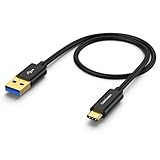
- USB 3.2 10Gbps Data Transfer: Gen2 USB 3.2 Type-A to Type-C Cable supports super speed data transmission up to 10Gbps. You can transfer HD movies or songs in seconds with your USB C SSD (Note: This cable does not support data transfer or charging between two laptops, nor does it support video output, USB 3.2 is backward Compatible with USB 3.1, USB 3.0, USB 2.0 )
- Great Carplay Cable for Android Auto: If anyone has connection issues with their Android Auto, this is the cable for you. Please check whether your Android Auto supports the OTG function. If so, please check whether the OTG function in the system is enabled.
- Great Compatibility: This USB A to C cable is compatible with USB C External SSD and other USB-C/Thunderbolt 3 devices. Works Perfectly with all OTG Phones, Such as Galaxy S24/S24 Ultra/S24+/S23, iPhone 15/15 Pro Max /15 Plus, and More...
- Premium Material: We tested the premium material used in the production of our CableCreation items with other items, and we are sure it provides a greater degree of cable durability, stability, and long life. The Premium aluminum alloy shell and gold-plated connector add additional durability and stability to this cable, which makes it more reliable than normal cables, a must-have for daily use.
- What You’ll Get: 1x3FT CableCreation USB A to C cable, with our 24-month product replacement date and lifetime 24/7 friendly technical support.
Rank #4
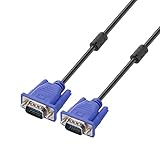
- Cable length approximate: 1.5 meters / 4.9 feet;package: 1x Pack (4.9FT ) VGA Cable
- Apply for any devices with a VGA(15-pin) interface: LED/LCD Monitor,Projector,PC,Laptop,TV etc
- Usage: Connects PC or laptop to the projector, LCD monitor, and other video display system through VGA connections
- Connector: HDDB15 15-pin (male to male).Screw-in VGA cable with 15-pin male input and output.Extended male-to-male VGA video for your monitor
- Resolutions: Supports SVGA (800x600) ,XGA (1024x768) , UXGA (1600x1200), WSXGA (1680x1050), 1080P Full HD(1920x1080) and up for high resolution LCD and LED monitors
Product prices and availability are accurate as of the date/time indicated and are subject to change. Any price and availability information displayed on Amazon at the time of purchase will apply.
Recommended Free Tools

