
The Tool Desk
Outbyte PC Repair FREEClear out junk files and repair common Windows errorsFree Scan →Outbyte Driver Updater FREEFix the driver behind crashes, sound loss and screen glitchesFind Drivers →iTechGuides is reader-supported. When you buy through links on our site, we may earn an affiliate commission. As an Amazon Associate I earn from qualifying purchases. Learn more
A PayPal Business account is PayPal’s account option for accepting payments for commercial activity and using merchant-focused tools. In the US, PayPal says it is free to open and has no monthly maintenance fee, but processing payments can incur transaction fees. You do not need to form an LLC to apply as a sole proprietor, according to PayPal’s US signup guidance.
What is a PayPal Business account?
It is an account for people and organizations receiving payments for goods or services. PayPal distinguishes commercial use from personal account use and identifies PayPal Checkout as one of its business products. Its signup page recommends a Business account for merchants operating under a company or group name, and describes features such as limited employee access and a customer-service email alias.
Those are PayPal’s descriptions of its account and services, not a statement that every business feature is enabled automatically for every account. Product availability and terms can depend on the tool and the account.
Outdated Drivers Are Slowing You Down
One free scan finds every outdated or missing driver and matches the right update for your exact hardware.Free scan · exact hardware matchWindows Errors? Fix Them Before They Spread
Repair common Windows errors and clear accumulated junk for a smoother, more stable PC - no reinstall needed.Free scan · no reinstallWhat can you do with a PayPal Business account?
Accept payments online
PayPal Checkout provides a hosted payment flow for PayPal payments and major cards. Other payment methods may depend on the product and eligibility. PayPal also describes Expanded Checkout as a more merchant-managed setup, with different card pricing from PayPal Checkout. See PayPal’s US Checkout page for the product details and current pricing.
#1 Best Overall

- No app or device requirement: Share your dot.Profile with anyone, as others don't need an app or a dot.device to receive your information.
- Hassle-free sharing: Easily share your dot.Profile with unlimited free shares of your digital business card.
- Simple sharing process: Tap your dot.device to a compatible phone or scan the dot.Profile QR code to share your profile. Compatible with a wide range of phones.
- Update information on the go: Keep your dot.Profile up to date by easily modifying and updating your information as it changes, ensuring you always have the most accurate details.
- Privacy and security: Protect your information with dot, as no passwords are ever needed to link your social accounts. Dot uses only usernames and links to create your digital business card.
Send invoices
You can send invoices through PayPal. PayPal says customers can pay an invoice using their preferred payment method even if they do not have a PayPal account.
Take in-person or manually entered payments
PayPal’s small-business overview lists point-of-sale options for in-person payments and a virtual terminal for manually entered payments. These are separate offerings, not requirements for opening an account; confirm their current availability and terms for your use case on PayPal’s US small-business page.
Rank #2

- FREE FOREVER, NO SUBSCRIPTION: Other NFC business cards charge you a monthly fee to keep sharing. Blinq doesn't. Share your digital card and manage unlimited contacts with context, at no ongoing cost, on any iPhone or Android.
- YOUR BRAND, YOUR CARD: Add your logo, links, colors, and photos, and make the card unmistakably yours. Update your details anytime in the Blinq app, so you'll never need to reprint when something changes.
- TAP TO SHARE INSTANTLY: Tap your card or scan the QR code, and your profile lands on any iPhone or Android in seconds. Ask for theirs back and Blinq saves it automatically, with context, no typing required.
- NO APP NEEDED FOR THEM TO RECEIVE YOUR CARD: Whoever you meet, they don't need the Blinq app or a Blinq card of their own. A tap or a scan, and your details are on their phone, every time.
- MORE THAN A DIGITAL CARD: Scan a paper card, use the AI notetaker to summarize your conversation, and let Blinq enrich the contact so nothing about that meeting slips away. This is the AI contacts app for people who meet people, free from day one.
Upgrade a Personal account
PayPal says an existing Personal account can be upgraded through account settings. Its signup page says users can provide business information and retain account history. Follow the prompts shown in your account, since available options may vary.
Free tools Windows power users keep installed
One-click scans. No signup required.
Personal vs. Business account
PayPal describes Personal accounts as intended for personal use and Business accounts as suited to commercial activity and merchant tools. This comparison covers the distinctions established in PayPal’s US account comparison and signup information; it does not determine tax treatment, legal obligations, or every account limit.
Rank #3

- PAYMENT OPTIONS: Stickers state Accepts all major credit cards including American Express, Mastercard, Visa, and Discover for customer convenience
- SURCHARGE NOTICE: Clear 3% surcharge disclosure for all credit card transactions, helping maintain payment transparency
- PROFESSIONAL DESIGN: Clean, easy-to-read text layout with recognizable credit card logos for instant recognition
- BUSINESS DISPLAY: Ideal for retail windows, payment windows, and point-of-sale areas to inform customers about payment policies
| Area | Personal account | Business account |
|---|---|---|
| Intended activity | Personal account use, as described by PayPal | Commercial activity and merchant tools, as described by PayPal |
| Business payment products | Access to business products is not established by the cited comparison | PayPal identifies Checkout among its business products |
| Business identity and team use | Not addressed in the cited Business signup description | PayPal describes a customer-service email alias and limited employee access |
| Opening and ongoing account cost | Not stated in the cited sources | PayPal says US accounts are free to open with no monthly maintenance fee; transaction fees may apply |
Can a sole proprietor use PayPal Business without an LLC?
Yes. PayPal’s US signup guidance says a sole proprietor does not need an LLC or another formal business entity to open a Business account. It says a sole proprietor may use their own name and Social Security number instead of an EIN. That does not mean every applicant has identical verification requirements or that PayPal’s account guidance replaces legal or tax advice.
What information do you need to sign up?
PayPal’s US signup page lists these details for opening a Business account:
Rank #4
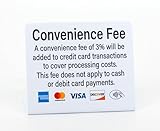
- PRACTICAL DESIGN: High-quality Convenience Fee counter sign clearly displays credit card payment option and 3% convenience fee notice for credit card transactions. Sign states fee does not apply to cash or debit card transactions.
- CLEAR VISIBILITY: Bold text and clean layout ensure easy readability from a comfortable viewing distance
- VERSATILE DISPLAY: 3 pack of signs is suitable for retail stores, restaurants, service businesses, and other point-of-sale locations. Freestanding signs are easy to display on any flat surface such as a counter or desk
- PRACTICAL SIZE: 5" x 4" Compact dimensions make it ideal for counter display at payment areas
- Full legal name
- Email address and password
- Tax ID or Social Security number
- Business description
- Business bank account details
PayPal also recommends confirming your email address and linking and confirming a bank account or card after opening the account. Those onboarding steps do not guarantee immediate access to every feature.
- Go to PayPal’s US Business account signup page and start the application.
- Provide the personal and business information requested in the signup flow.
- Confirm your email address, then follow PayPal’s instructions to link and confirm a bank account or card.
How much does a PayPal Business account cost?
For the US, PayPal says there is no fee to open a Business account and no monthly maintenance fee. That refers to the account itself—not to accepting payments. PayPal’s US fee schedule, last updated October 1, 2026, lists transaction charges that vary by payment type and service. The listed standard commercial and invoicing rates show a fixed fee of $0.49 for US-dollar transactions.
Best Value

- HIGHLY VISIBLE BOTH DAY AND NIGHT - Combination of aluminum plate and high reflective film .
- NO FADING - The surface is covered with an optical protective film. So that the graphics and wordings will withstand the elements and will not fade, no matter the sun, rain, or other extreme weather.
- HIGH QUALITY, LONG LASTING - We use only first-class materials to manufacture our signs. Made from 100% rust free strong aluminum, and will stay good as new even after many years of indoor or outdoor use.
- PRE-DRILLED HOLES FOR EASY MOUNTING - All of our premium signs have 4 pre-drilled holes and can be easily mounted on every surface. No need for adhesive or special equipment!
- PERFECT SIZE - 12x8 inch, We have carefully designed this sign, considering every aspect. This unique size gives the ability for the wording to stand out and be easily understood without creating an aggressive environment!
| US transaction category | PayPal fee schedule figure |
|---|---|
| Standard domestic PayPal Checkout and Guest Checkout | 3.49% plus $0.49 fixed fee |
| Standard credit and debit card payments | 2.99% plus $0.49 fixed fee |
| PayPal Pay Later options | 4.99% plus $0.49 fixed fee |
| International commercial transactions | An additional 1.50% percentage-based fee on top of the applicable domestic fee, subject to PayPal’s definitions and terms |
These are US schedule figures for the named transaction categories, not one universal fee for every Business account payment. Product setup, payment type, and other circumstances can change the applicable charge. Check PayPal’s current US merchant and business fee schedule before choosing a checkout setup or quoting a rate, and review the details for your specific transaction.
When is a Business account the better fit?
- You receive money for goods or services and want an account intended for commercial activity.
- You want to use merchant-focused tools such as Checkout or invoicing.
- You operate under a company or group name, or need the employee-access and customer-service-email features PayPal describes.
- You are a sole proprietor who wants to accept business payments without forming an LLC, subject to PayPal’s application and verification requirements.
A Personal account may be the more appropriate choice for personal account use. If you are deciding based on fees, compare the precise payment method and product you expect to use—not just the absence of an account-opening or monthly fee.
Quick Recap
Product prices and availability are accurate as of the date/time indicated and are subject to change. Any price and availability information displayed on Amazon at the time of purchase will apply.
Recommended Free Tools

