
The Tool Desk
Outbyte PC Repair FREERepair Windows errors before they cause bigger problemsFix Now →Outbyte Driver Updater FREEScan for outdated or missing drivers - takes under a minuteDriver Scan →iTechGuides is reader-supported. When you buy through links on our site, we may earn an affiliate commission. As an Amazon Associate I earn from qualifying purchases. Learn more
The NVIDIA Quadro M1200 is a 2017 mobile workstation GPU with 640 CUDA cores, 4GB of GDDR5 VRAM, a 128-bit bus, and roughly 45W rated graphics power. In 2026, the M1200 remains suitable for office work, 2D CAD, older professional software, and light 3D, but it is not a good choice for modern AI, ray tracing, demanding 4K production, or a future-proof new laptop.
The M1200 is most often found inside used Dell Precision, HP ZBook, and Lenovo ThinkPad workstation laptops. The GPU specification alone does not determine whether one of those machines is worth buying: CPU performance, RAM, SSD condition, battery health, cooling, display outputs, driver availability, and the seller’s return policy can matter just as much.
Key takeaways
- The NVIDIA Quadro M1200 is a first-generation Maxwell mobile workstation GPU announced on January 13, 2017, with 640 CUDA cores and 4GB of GDDR5 memory.
- The M1200 is broadly comparable to older mobile GPUs such as the Quadro M2000M, Quadro P600, and GeForce GTX 960M in aggregate performance, but laptop power limits and cooling can change the result.
- The M1200 is useful for office work, 2D CAD, older CAD and DCC software, modest 3D viewports, and older games, but its 4GB VRAM limit makes large modern scenes and high-resolution textures difficult.
- The M1200 has CUDA Compute Capability 5.0, OpenCL 1.2, no RT cores, and no Tensor cores, so it is a poor platform for current AI, hardware ray tracing, and modern GPU-rendering workloads.
- A used M1200 laptop can be worthwhile only when the complete machine is inexpensive, reliable, and known to run the buyer’s exact application; a newer P-series, T-series, or RTX workstation is a better long-term target when the price premium is reasonable.
What is the NVIDIA Quadro M1200?
The NVIDIA Quadro M1200 is a standalone mobile professional GPU designed for workstation laptops rather than a conventional desktop graphics card. NVIDIA announced the M1200 on January 13, 2017, using the GM107 chip and first-generation Maxwell architecture. The GPU was intended for mobile workstations such as the Dell Precision 5520 and HP ZBook Studio G4.
The M1200’s historical selling point was professional application behavior rather than gaming speed alone. Quadro drivers were built around certified or optimized support for selected CAD, engineering, scientific-visualization, and digital-content-creation applications. That advantage is application- and driver-specific: a Quadro label does not mean every current version of every professional application is certified or performs well.
#1 Best Overall

- Four Mini DisplayPort 1.2 Connectors
- The NVIDIA Quadra K1200 offers incredible 3D application performance in a compact footprint.
- 3-Year Warranty
NVIDIA has since retired the Quadro branding for current professional products and now positions newer workstation GPUs under the NVIDIA RTX name. NVIDIA’s current Quadro product page is therefore best understood as a legacy-product and product-family reference, not as evidence that the M1200 is a current-generation GPU.
What are the NVIDIA Quadro M1200 specifications?
The NVIDIA Quadro M1200 has 640 CUDA/shader cores, 4GB of dedicated GDDR5 VRAM, a 128-bit memory bus, and approximately 80GB/s of memory bandwidth. The core clock is listed at approximately 991MHz, with a boost clock of approximately 1,150MHz.
| Specification | NVIDIA Quadro M1200 |
|---|---|
| Product class | Mobile professional/workstation GPU |
| Architecture | First-generation Maxwell |
| GPU chip | GM107 / N17P-Q1 |
| Manufacturing process | 28nm |
| CUDA/shader cores | 640 |
| Core clock | Approximately 991MHz |
| Boost clock | Approximately 1,150MHz |
| Graphics memory | 4GB dedicated GDDR5 |
| Memory bus | 128-bit |
| Effective memory speed | Approximately 5,000MHz |
| Approximate memory bandwidth | About 80GB/s |
| DirectX listing | DirectX 12 feature level 11_0 |
| OpenGL | OpenGL 4.5 |
| Shader Model | Shader Model 5.0 |
| CUDA compute capability | 5.0 |
| OpenCL | OpenCL 1.2 |
| Power figures | Approximately 45W TGP; some listings also report 32.5W TDP |
| Typical host system | Large mobile workstation laptop |
| Announcement date | January 13, 2017 |
These specifications are summarized from Notebookcheck’s Quadro M1200 specifications and benchmarks, with GM107 and memory details also listed by TechPowerUp’s mobile GDDR5 GPU database.
Crashes, No Sound, or Screen Glitches?
Random freezes, missing sound and display glitches usually trace back to one bad driver. Find and replace yours safely.Free scan · under a minutePC Slower Than It Used to Be?
A free scan shows the junk files, broken settings and background clutter dragging Windows down - then fixes them in one click.Free scan · Windows 10 & 11What do the M1200 power figures mean?
The approximately 45W figure should be treated as a rated graphics power value, while the separately reported 32.5W figure is a TDP listing. TGP and TDP are not interchangeable measurements, and neither number guarantees the power behavior of every laptop.
Laptop manufacturers can configure firmware, cooling, boost behavior, and power limits differently. An M1200 in a thick workstation with strong cooling can sustain different clocks from an M1200 in a thinner design. The laptop’s CPU may also share thermal and electrical headroom with the GPU.
Is the Quadro M1200 a desktop graphics card?
No. The Quadro M1200 is primarily a mobile GPU intended to be purchased as part of a complete workstation laptop. The GPU is generally soldered into the laptop or installed on a proprietary mobile module, depending on the machine, and is not normally an upgradeable desktop-style PCIe card.
Sellers may also write “M1200M” inconsistently in listings. Buyers should verify the exact laptop model, hardware ID, and GPU information rather than relying on a seller’s abbreviated title.
Recommended Free Tools
How fast is the Quadro M1200?
The Quadro M1200 is an entry-level-to-midrange legacy workstation GPU by current standards. Notebookcheck describes its gaming performance as roughly comparable to the GeForce GTX 960M and places it near the Quadro M2000M and Quadro P600 in aggregate comparisons.
Rank #2

- Chipset Manufacturer: NVIDIA
- Chipset Line: Quadro
- Chipset Model: T600
- Standard Memory: 4 GB
- Memory Technology: GDDR6
Notebookcheck reports approximately 3,759–3,900 in 3DMark Fire Strike overall, with an average around 3,846, and approximately 4,118–4,165 in Fire Strike Graphics, with an average around 4,142. Those are sampled results from particular laptops, not guaranteed scores for every M1200 system. CPU model, RAM configuration, BIOS settings, cooling, and GPU power limits can materially change laptop benchmark results. See the Notebookcheck benchmark table for the tested systems and sample context.
| Comparison GPU | Relationship to M1200 | Practical interpretation |
|---|---|---|
| Quadro M1000M | Older Maxwell workstation GPU | The M1200 is generally the preferable choice when the rest of the laptop is comparable. |
| Quadro M2000M | Similar broad Maxwell performance class | Results can be close; laptop power limits and cooling may decide the outcome. |
| GeForce GTX 960M | Roughly comparable in aggregate gaming performance | The GeForce model may be better optimized for games, while the Quadro targets professional software behavior. |
| Quadro P600 | Newer Pascal-generation workstation class | Often comparable or somewhat faster, with a newer architecture and more favorable software age. |
| Quadro P1000 | Newer Pascal workstation GPU | A better used-workstation target when the price difference is small. |
| NVIDIA T1000/T1200 | Newer Turing-generation workstation class | More sensible for buyers seeking better modern software support and features without moving to RTX-class hardware. |
Benchmark comparisons are useful for positioning, but they should not be treated as portable performance guarantees. Two laptops with the same M1200 can behave differently because of cooling, processor choice, RAM channel configuration, firmware, and sustained power limits.
What can the Quadro M1200 handle in 2026?
The M1200 can still handle general productivity and moderate legacy professional workloads. The most defensible way to judge the GPU is by application and scene complexity rather than by its “Quadro” name or 4GB memory label.
What’s actually slowing this PC down?
Pick the symptom - the matching free tool is one click away.
| Workload | 2026 verdict | Main limitation |
|---|---|---|
| Office, web, and media playback | Easily adequate | The age of the GPU is rarely the limiting factor. |
| Multiple monitors | Usually feasible | Available resolutions and refresh rates depend on the laptop’s physical ports and display routing. |
| 2D CAD | Good for older and moderate projects | Application version and driver support still need verification. |
| Basic 3D CAD | Usable | Large assemblies and advanced visual effects can exceed the GPU’s capacity. |
| Large CAD assemblies | Risky | 4GB VRAM, old architecture, and laptop cooling can become limiting factors. |
| Blender or similar viewport work | Usable for modest scenes | Modern effects, complex geometry, and GPU rendering are slow. |
| GPU rendering | Slow by current standards | No hardware ray-tracing acceleration and limited VRAM. |
| Modern ray tracing | Not a sensible choice | The M1200 has no hardware RT cores. |
| AI and machine learning | Obsolete for most modern workloads | There are no Tensor cores, only 4GB VRAM, and modern software may drop Maxwell support. |
| Light 4K video editing | Possible in selected workflows | Codec support, timeline effects, software version, storage, and CPU performance may be more restrictive than the nominal GPU specification. |
| Older or eSports games | Often playable | Actual performance depends on the game, resolution, laptop, and driver. |
| Modern AAA gaming | Generally unsuitable | Old compute performance, 4GB VRAM, and missing modern hardware features. |
| Modern VR | Not a sensible choice | The M1200 lacks the performance and feature headroom expected by current VR workloads. |
Is the Quadro M1200 good for CAD and 3D design?
The Quadro M1200 is still usable for 2D drafting, older versions of CAD applications, basic 3D modeling, and small-to-medium assemblies when the exact software version supports the GPU. The M1200’s professional driver history can be valuable in a legacy workstation application, but certification must be checked for the specific application and version.
The M1200 is a weaker choice for large assemblies, high-resolution textures, complex scenes, real-time effects, and current rendering features. The 4GB VRAM capacity is often more important than the 640 CUDA-core count in these workloads. When the scene or assembly exceeds available VRAM, performance can deteriorate sharply or the application may fall back to system memory.
“The software launches” and “the GPU is officially supported and performs well” are different outcomes. A current CAD or DCC application may run with generic graphics support, may no longer certify the M1200, or may require a driver branch that the laptop manufacturer no longer distributes.
Is the Quadro M1200 good for gaming?
The M1200 can play older games and some lightweight or competitive games, but it should not be purchased as a gaming-first GPU. Its approximate GTX 960M-level aggregate positioning provides a rough guide, not a fixed frame-rate promise.
Game performance depends on the laptop’s processor, cooling system, RAM configuration, display resolution, power profile, and the game version. Professional drivers also prioritize workstation stability and professional applications rather than game-specific optimization. A comparable GeForce laptop may provide better gaming performance for the same price, although a GeForce GPU does not necessarily provide Quadro-class application certification.
Rank #3

- The new NVIDIA Quadro P1000 combines the latest GPU architecture and display technologies, delivering up to 60% better performance than the previous generation.
- Powered by NVIDIA Quadro Pascal GPU technology, the NVIDIA Quadro P1000 is the most powerful low-profile professional graphics solution available, providing professional users with the most memory and best performance available in a small form factor workstation graphics card.
- The NVIDIA Quadro P1000’s advanced and power efficient NVIDIA Quadro Pascal architecture GPU, 4K and 5K display support, and extensive ISV certification provide the most powerful low profile graphics solution available, delivering the performance and capabilities required by demanding professional applications in a compact and powerful professional graphics card.
- An expansive visual workspace of up to four 4K displays lets professionals view their designs, scenes or projects in stunning detail.
The 4GB VRAM limit is a particular concern in newer games. Low or medium settings and reduced resolution may avoid some texture and stutter problems, but the M1200 lacks hardware ray tracing and newer graphics features. No fixed FPS number should be assumed without testing the exact laptop and game.
Can the Quadro M1200 run CUDA or modern AI software?
The M1200 supports CUDA Compute Capability 5.0 and OpenCL 1.2, so the GPU can run some legacy CUDA and OpenCL applications. CUDA support does not mean that the M1200 is compatible with current CUDA toolkits, machine-learning frameworks, precompiled packages, or modern generative-AI software.
Before recommending the M1200 for a CUDA application, verify all of the following:
Free tools Windows power users keep installed
One-click scans. No signup required.
- The application’s minimum supported CUDA compute capability.
- The maximum CUDA Toolkit version compatible with the application.
- Whether prebuilt binaries still include Maxwell support.
- Whether the framework requires newer instructions or Tensor Core features.
- Whether a suitable NVIDIA driver exists for the laptop’s operating system.
- Whether 4GB of VRAM is sufficient for the intended dataset, model, or batch size.
The M1200 has no Tensor cores and no RT cores. NVIDIA’s newer RTX A1000 workstation GPU, for example, includes RT cores, Tensor cores, 8GB of GDDR6 memory, and AV1 decode support. Those features make a newer RTX workstation substantially more appropriate for current AI-assisted applications, ray-traced visualization, and modern GPU workflows.
The M1200 can be useful for learning older CUDA concepts or running a known legacy application. It is not a practical platform for serious current model training, large-model inference, or modern GPU-accelerated generative workflows.
Which drivers should you install for the Quadro M1200?
Install the exact laptop manufacturer’s graphics driver first, then test the intended application. There is no universal “best” M1200 driver because driver availability depends on the laptop model, operating system, OEM support, BIOS, and NVIDIA’s legacy package policy.
- Identify the exact laptop model and service tag or serial number.
- Open the laptop manufacturer’s support page and select the correct operating system.
- Check the OEM graphics package, Intel integrated-graphics package, BIOS, chipset drivers, and docking firmware.
- Create a restore point before replacing a working legacy driver.
- Install the OEM NVIDIA driver and test display switching, sleep and wake, external monitors, docking, brightness controls, and the target professional application.
- Consider a generic NVIDIA package only if the OEM driver lacks a required compatibility fix and the laptop’s hybrid-graphics behavior has been documented for that package.
OEM drivers matter because mobile workstations may use Intel/NVIDIA hybrid graphics, Optimus display routing, vendor-specific power management, docking firmware, and BIOS-level GPU power limits. A generic driver can improve compatibility with some newer software, but it can also break display switching, docking, sleep, brightness, or external-monitor behavior.
Do these 3 things before closing this tab:
1Scan for outdated or missing drivers - takes under a minute2Repair Windows errors before they cause bigger problems3Fix the driver behind crashes, sound loss and screen glitchesWhat should you do if a driver update breaks the laptop?
- Reboot into Safe Mode if the graphics driver causes a boot loop or unusable display.
- Use Device Manager or the laptop manufacturer’s recovery process to roll back the driver.
- Reinstall the OEM NVIDIA graphics package.
- Reinstall the Intel integrated-graphics driver if Optimus switching or external displays are affected.
- Check BIOS and chipset drivers if sleep, docking, or display output remains broken.
- Use a clean-driver utility only as an advanced troubleshooting step, not as the default procedure for every driver change.
Check the laptop manufacturer’s support page before assuming that an operating-system upgrade or generic driver is supported. The cited NVIDIA professional-laptop page is useful for understanding current workstation product routes, but it does not establish universal operating-system support for every older M1200 laptop.
Rank #4

- 1280 CUDA Cores deliver powerful graphics and compute performance
- 5 GB of fast GDDR5x GPU memory holds large models or scenes
- Ideal for 3D Design and FHD video editing, and medical imaging systems (ultrasound)
- Drives up to four displays at 5K resolution with 30-bit color
- Compatible with NVIDIA CUDA, NVIDIA nView and Mosaic
Should you buy a Quadro M1200 laptop in 2026?
A Quadro M1200 laptop can be a reasonable low-cost used workstation when the complete machine is reliable and the intended workload is modest. The M1200 should be treated as a legacy feature rather than the main reason to buy the computer.
| Buy an M1200 laptop when… | Avoid an M1200 laptop when… |
|---|---|
| The price is very low and the machine has a return option. | The seller cannot identify the exact laptop model or provide a stress test. |
| The workload is office work, 2D CAD, or light 3D. | You need modern AI, hardware ray tracing, or current high-end rendering. |
| The exact application and version are known to run correctly. | You use large scenes, high-resolution textures, or large CAD assemblies. |
| You value workstation construction, ports, and serviceability. | You want current AAA gaming or modern VR performance. |
| You can verify battery health, cooling, storage, and driver condition. | You need long-term driver and application support. |
| A newer workstation costs substantially more than the M1200 system. | A P-series, T-series, or RTX professional laptop is available for a modest premium. |
What should you check before buying?
Hardware checklist
- Exact laptop model and service tag.
- CPU generation and core count.
- Installed RAM, upgradeability, and whether memory operates in dual-channel mode.
- SSD health, capacity, and interface.
- Battery health and charger wattage.
- Display resolution, refresh rate, and physical condition.
- External display connectors and docking compatibility.
- Cooling condition, fan noise, and evidence of thermal throttling.
- Whether the GPU is soldered or installed on a proprietary module.
Software checklist
- The exact application and version you plan to use.
- Operating-system support for the complete laptop, not only the GPU.
- Available OEM graphics, BIOS, chipset, and docking drivers.
- CUDA or OpenCL requirements if compute matters.
- Whether the application requires certified workstation hardware.
- Whether the laptop manufacturer still provides firmware and driver downloads.
Used-system condition checklist
- Run a sustained GPU load and watch for crashes, artifacts, abnormal temperatures, and throttling.
- Test sleep and wake, brightness controls, Optimus switching, and external displays.
- Check battery runtime, keyboard, hinges, ports, speakers, webcam, and charger.
- Check SSD health and confirm that the laptop is not protected by a BIOS password or enterprise-management lock.
- Confirm Windows activation or the operating-system licensing situation.
- Prefer a seller offering a meaningful return period and clear condition description.
Battery wear, thermal throttling, display artifacts, proprietary chargers, and non-upgradeable graphics hardware can turn a cheap M1200 laptop into an expensive repair project. The complete laptop matters more than the GPU specification in isolation.
Independent reader supportYour contribution helps us test, update, and keep practical guides available for everyone.What are the best alternatives to the Quadro M1200?
The best alternative depends on whether the buyer wants a slightly newer used workstation, a current professional laptop, or a desktop workstation for rendering and AI. NVIDIA’s newer professional products are not direct performance-equivalence claims for the M1200; they are newer product classes with features the M1200 lacks.
| Alternative | What changes from the M1200 | Best fit |
|---|---|---|
| Quadro P600 | Newer Pascal-generation mobile/workstation class; often comparable or somewhat faster in modern workloads. | Budget used workstation buyers who want a newer legacy platform. |
| Quadro P1000 | Newer Pascal architecture with better forward compatibility and generally stronger professional performance. | Used-workstation buyers when the price premium is small. |
| NVIDIA T1000/T1200 | Newer Turing-generation workstation GPUs with a more current feature and software position. | Buyers seeking a current-ish professional laptop without RTX-class hardware. |
| NVIDIA RTX A1000 | Ampere-class workstation GPU with 8GB GDDR6, RT cores, Tensor cores, and AV1 decode support. | Compact professional graphics, ray tracing, and AI acceleration. |
| NVIDIA RTX 2000 Ada Generation | Modern Ada workstation GPU with 16GB GDDR6 ECC, RT cores, Tensor cores, and a 70W maximum power specification. | Large professional scenes, rendering, AI-assisted workflows, and longer useful life. |
| Current NVIDIA professional laptop | A complete current mobile workstation platform with newer RTX professional GPU options and vendor support. | Buyers who need mobility, current drivers, warranty, and sustained professional use. |
| Mainstream creator or gaming laptop | May offer better gaming or media performance without Quadro certification. | Buyers whose applications do not require certified workstation drivers. |
The official RTX 2000 Ada Generation specifications list 16GB of GDDR6 ECC memory, RT and Tensor cores, and a 70W maximum power specification. The RTX 2000 Ada is a desktop workstation card rather than a drop-in mobile replacement, so the chassis, power supply, cooling, and display setup must all be compatible.
NVIDIA’s cited product pages direct buyers toward partners, regional stores, or NVIDIA shopping routes instead of publishing one universal price. Used M1200 prices also vary by geography, RAM, storage, battery condition, warranty, and seller type. Any price comparison should therefore be dated and tied to a specific complete system.
Common Quadro M1200 misconceptions
“A 4GB Quadro is automatically good for 4GB gaming.”
False. VRAM capacity is only one part of gaming performance. The M1200’s older architecture, approximately 80GB/s memory bandwidth, driver priorities, and overall compute performance are more important than the 4GB label by itself.
“Quadro is automatically faster than GeForce.”
False. Quadro historically emphasized certified drivers, professional OpenGL behavior, and application stability. A similarly specified GeForce GPU may be faster in games, while the Quadro may be preferable in a certified professional workflow.
“The M1200 is an RTX GPU.”
False. The M1200 is a Maxwell-generation Quadro GPU. The M1200 has no RT cores and no Tensor cores.
Best Value
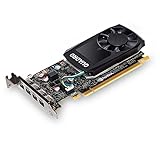
- The NVIDIA Quadro P600 is based on NVIDIA pascal architecture and delivers up to 70% more visualization performance than the NVIDIA previous generation Quadro K620.
- With over twice the Memory bandwidth of the previous generation you can work with larger models and assemblies with improved interactive manipulation performance during design and visualization.
- Tuned and tested drivers with support for the latest releases of OpenGL, DirectX, vulkan, and NVIDIA CUDA ensure compatibility with the latest versions of Professional applications.
- Creation and playback of HDR video with H.264 & hevc Encode and decode engines.
- Four mini-DisplayPort 1.4 connectors provide for twice the Display output capabilities of the previous generation.
“Any NVIDIA driver works equally well.”
Not necessarily. OEM laptop drivers can be important for Optimus, docking, display switching, power management, sleep, and brightness controls.
“CUDA support means modern AI compatibility.”
False. CUDA Compute Capability 5.0 permits some legacy CUDA workloads, but current toolkits, frameworks, binaries, and models may require newer compute capability, more VRAM, or hardware features that the M1200 does not have.
“Benchmark scores transfer directly between M1200 laptops.”
False. Cooling, CPU, RAM, BIOS, firmware, and power limits can materially change sustained performance, even when two laptops contain the same GPU.
Quick wins for a faster PC:
Fix the driver behind crashes, sound loss and screen glitchesFind Drivers →Clear out junk files and repair common Windows errorsFree Scan →Frequently Asked Questions
Is the NVIDIA Quadro M1200 still worth buying in 2026?
The NVIDIA Quadro M1200 is worth buying in 2026 only as a very inexpensive used-workstation feature for office work, 2D CAD, older professional software, or light 3D. The M1200 is not a sensible purchase for modern AI, ray tracing, large 3D scenes, current AAA gaming, or long-term software support.
How much VRAM does the Quadro M1200 have?
The NVIDIA Quadro M1200 has 4GB of dedicated GDDR5 VRAM on a 128-bit memory bus. The 4GB capacity can be restrictive for large CAD assemblies, high-resolution textures, complex 3D scenes, and current GPU-accelerated applications.
Does the Quadro M1200 support ray tracing?
The NVIDIA Quadro M1200 does not have hardware ray-tracing cores. The Maxwell-generation GPU can perform conventional graphics workloads, but it lacks the dedicated RT and Tensor hardware found in newer NVIDIA RTX workstation GPUs.
Can the Quadro M1200 run CUDA?
The NVIDIA Quadro M1200 supports CUDA Compute Capability 5.0 and OpenCL 1.2, so selected legacy CUDA applications can run. Current CUDA toolkits, machine-learning frameworks, and precompiled packages may require newer hardware or may no longer include Maxwell support.
Can the Quadro M1200 be upgraded in a laptop?
The NVIDIA Quadro M1200 is generally not user-upgradeable in an ordinary workstation laptop because it is soldered or installed on a proprietary mobile module. Buyers should select the complete laptop carefully instead of assuming that the GPU can be replaced later.
The Bottom Line
Bottom line: In 2026, the NVIDIA Quadro M1200 is a low-cost legacy workstation option, not a future-proof professional GPU. Buy an M1200 laptop only when the complete system is inexpensive, healthy, and confirmed to run the exact software you need. Choose a newer P-series, T-series, RTX A-series, or current professional laptop when you need modern drivers, ray tracing, AI acceleration, larger scenes, or a longer service life.
Quick Recap
Product prices and availability are accurate as of the date/time indicated and are subject to change. Any price and availability information displayed on Amazon at the time of purchase will apply.

