
iTechGuides is reader-supported. When you buy through links on our site, we may earn an affiliate commission. As an Amazon Associate I earn from qualifying purchases. Learn more
Pixel and Play is an open DIY game-console project that uses an Arduino Nano 33 BLE Sense and a NeoPixel matrix to create and run simple games. It is not a finished, mass-market console: builders use its library, circuit-board and enclosure files, and assembly resources to make their own. The project began as a fourth-year Creative Electronics module at the University of Málaga School of Telecommunications; Hackster published its project entry on February 20, 2020. Hackster project page
What is the NeoPixel Game Console?
The name refers here to Pixel and Play, an open hardware and software build designed to make interactive games on NeoPixel matrices easier to create. Its documented core combines an Arduino Nano 33 BLE Sense, an RGB NeoPixel matrix, and a custom PCB. The project provides software and fabrication resources rather than a preassembled console. Hackster project page
The custom PCB is described as adjusting logic levels between the Arduino and display and reducing the battery supply to 5 V for the Arduino. That is a description of this project’s circuit, not a general wiring or battery-safety guide; consult the project schematic and component documentation before building. Hackster project page
The Tool Desk
Outbyte Driver Updater FREEScan for outdated or missing drivers - takes under a minuteDriver Scan →Outbyte PC Repair FREEClear out junk files and repair common Windows errorsFree Scan →What parts does the build call for?
Hackster’s parts list names one Arduino Nano 33 BLE Sense, a generic RGB NeoPixel matrix, the custom PCB, and soldering supplies. Its fabrication tools include a 3D printer, soldering iron, and screwdriver or multitool. Hackster project page
#1 Best Overall

- 【Powerful Performance】Equipped with Xtensa 32-bit LX7 dual-core processor, 512KB SRAM, 8MB external PSRAM and 16MB Flash, providing strong support for smooth operation of retro games and complex embedded development projects.
- 【Stable Wireless Connection】Integrated 2.4GHz Wi-Fi and Bluetooth, enabling stable network communication and wireless connection with other smart devices, expanding more usage scenarios.
- 【Excellent Visual Experience】2.4 inch TFT-SPI screen with clear display and smooth picture refresh, restoring the classic texture of retro games and bringing immersive gaming experience.
- 【Multi-Platform Support】Compatible with multiple simulator platforms, supporting up to 13 classic retro game platforms, enabling you to relive a variety of classic games.
- 【Free Technical Support】Professional technical support team provides free consultation and problem-solving services to ensure a smooth learning and development process.
A separate project overview gives a more specific display recommendation: a 16×16 RGB matrix using WS2812B chips. It also lists two 3.7 V, 3000 mAh 18650 cells, a holder for two cells in series, PCB components, solder, wires, and small wood screws. Those are the overview’s stated build details, not a guarantee that every similarly named component will fit or work. Project overview
If sourcing a 16×16 WS2812B RGB LED matrix, check the project files and the particular listing for dimensions, voltage, wiring, and compatibility. The project materials do not establish current stock or pricing.
Rank #2

- 【A Different Retro Coding Arcade】 This Game Programming Learning Machine is the first arcade device in a big screen with a high resolution. We are able to use them to create their games in a fun and easy way through the blocks program, and the Retro allows for a self-defined game role, multiple game sceneries and plots design. It surprises you more with the bountiful built-in sensors and gives us more chances for creation.
- 【Create Rather than Play Games】Compared with traditional handheld game consoles, Retro Arcade's games are completely user-made, such as self-defined game roles, multiple game sceneries and plots design.
- 【STEM Education Gift 】In the process of programming learning, you can use Makecode graphical programming language or Python language to program Retro Arcade, which can quickly develop their computational thinking ability.
- 【Rich Free Tutorials Materials】(1)The bountiful guides of lessons and projects on the MakeCode website inspire users to keep exploring. (2)Wiki Tutorial Get: Wiki Tutorial Get: Pls enter "wiki.elecfreaks.com/en/retroarcade/" to learn. (3)Strong Technical Support—Pls click “elecfreaks” amazon store and click “Ask a question” to email us!
- 【Great Operating Feeling】(1)High resolution of 320*240, which is four times than that of the same industry. (2)Silicon buttons: The buttons are made of silicon in cross design,and has 8 command directional buttons and provides the best handing experience. (3)Environment shells: Made from ABS & PC environment-friendly materials, the shells have fine outlook with high durability and safety. (4)Built-in Sensors:Buzzer,photocell,gyroscope,vibration motor.Pls enter "wiki.elecfreaks.com/en/" to learn.
What software and project files are included?
The project materials point to an open hardware repository with enclosure STL files and PCB Gerbers, an Arduino library repository, an Instructables assembly guide, and an Arduino Library Manager installation route. The library description lists more than 40 processing-like functions, LED layout support and matrix transformations, drawing methods, image display, and sample games and demos. MatrixPaint, a Processing application, is intended for preparing images for the matrix. Hackster project page
What’s actually slowing this PC down?
Pick the symptom - the matching free tool is one click away.
The overview names Arduino IDE 1.8.10, Cura, Processing 3.5.4, KiCad 5.1.5, and SolidWorks 2019. These are versions cited in the 2020 project materials, not verified current minimum requirements. Check the build files and library instructions for what is needed with the versions you plan to use. Project overview
Rank #3
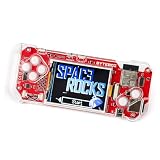
- DIY KIT FOR BEGINNERS: Begin an exciting journey by building your very own handheld game console! This DIY kit introduces beginners aged 11+ to the world of electronics and programming in a fun and engaging way.
- A CREATIVE DIY PROJECT: Boost critical thinking and creativity with hands-on experience, by building and programming the ByteBoi, you will explore the fundamentals of electronics, game design, and even pixel art, all while enhancing problem-solving skills.
- CUSTOMIZABLE PROGRAMMING: The console is open-source and fully programmable. Modify the provided code or write your own using Python or a Scratch-inspired visual coding environment, allowing for endless customization and learning opportunities.
- DESIGN, BUILD, AND PLAY: After assembling the console, enjoy pre-loaded retro games or get creative by coding your own. The CircuitBlocks programming environment lets beginners dive right in, while offering flexibility for more advanced learners to expand their projects.
Is Pixel and Play the same as the NeoPix Arcade Kit?
No. They are distinct projects with different hardware and purposes:
Quick Recap
Best Value

- 【Translucent acrylic】The microbit arcade has a transparent acrylic material with a circular arc design, which makes it feel better.Please note that the microbit motherboard must be inserted into the card slot to drive!
- 【2 Functions】The microbit arcade can not only remote control the micro:bit car, but also create games. Can bring more experience and fun.
- 【STEM Educational Gift】During the process of programming learning, You can use the Makecode graphical programming language to customize game characters, various game scenes and plot designs, which can quickly develop computational thinking skills.
- 【Rich Free Tutorials Materials】(1)The bountiful guides of lessons and projects on the MakeCode website inspire users to keep exploring. (2)Wiki Tutorial Get: Wiki Tutorial Get: Pls enter "wiki.elecfreaks.com/en/microbit/expansion-board/microbit-retro-arcade" to learn. (3)Strong Technical Support—Pls click “elecfreaks” amazon store and click “Ask a question” to email us!
- 【Operation keys and operation guide】micro:bit Retro Arcade is a color screen joystick expansion board for micro:bit V2, it contains a TFT 160*128 color screen, 4 directional buttons, 2 A/B buttons and a reset button. Please note that the microbit motherboard must be inserted into the card slot to drive!!!
Rank #4

- 【DIY Electronics Project with Interactive Functions】Build a complete electronic project through hands-on component assembly and soldering, then explore 7 built-in interactive functions after the project is completed.
- 【Three Difficulty Levels for Progressive Practice】Choose from three difficulty levels to match different experience levels. Practice soldering, component assembly, and basic electronics skills through a structured hands-on project.
- 【Hands-On Soldering and Electronics Learning】Designed for practical electronics learning through real component placement, soldering, and assembly. The project provides an engaging way to develop hands-on skills through making and testing.
- 【Designed for Teens 15+ and Adults】Designed for users aged 15 and above, suitable for individual practice, school projects, electronics workshops, and supervised group learning activities.
- 【Step-by-Step Manual and Video Guidance】Includes a color-printed step-by-step manual and video guidance to support component assembly, soldering, and operation, helping users complete the project with clear instructions.
| Project | Platform | Display | Purpose |
|---|---|---|---|
| Pixel and Play | Arduino Nano 33 BLE Sense | NeoPixel matrix | Open console build with a game library and matrix-oriented tools |
| Adafruit NeoPix Arcade Kit | Circuit Playground | 10 NeoPixels in a one-dimensional arc | Introductory one-dimensional game-coding kit |
What should builders verify before starting?
- Confirm that the exact matrix and other components match the project’s schematic and files; the overview’s recommended 16×16 WS2812B display is not a compatibility guarantee.
- Use the project’s schematic and component documentation to understand the PCB and power arrangement rather than treating the brief circuit description as stand-alone electrical advice.
- Check the current library instructions and project files before relying on software versions named in the 2020 overview.
- Expect to fabricate and assemble the enclosure and electronics; the project is a DIY build, and the cited materials do not establish that a tested, ready-to-use console is available.
Product prices and availability are accurate as of the date/time indicated and are subject to change. Any price and availability information displayed on Amazon at the time of purchase will apply.

