
PC Slower Than It Used to Be?
A free scan shows the junk files, broken settings and background clutter dragging Windows down - then fixes them in one click.Free scan · Windows 10 & 11Outdated Drivers Are Slowing You Down
One free scan finds every outdated or missing driver and matches the right update for your exact hardware.Free scan · exact hardware matchiTechGuides is reader-supported. When you buy through links on our site, we may earn an affiliate commission. As an Amazon Associate I earn from qualifying purchases. Learn more
There is no reliable single monthly price without the exact ThinkCentre Tiny model, its measured power draw while streaming, and your electricity rate. For a 30-day month, a computer drawing continuously at P watts uses P × 720 ÷ 1,000 kWh. Multiply that energy by your marginal electricity price per kWh to estimate the PC’s electricity cost.
Estimate the PC’s monthly electricity cost
The figures below are arithmetic examples, not ThinkCentre Tiny measurements or Lenovo specifications. They assume a constant draw for 30 days and an illustrative electricity rate of $0.15 per kWh.
| Assumed continuous draw | Energy in 30 days | Cost at assumed $0.15/kWh |
|---|---|---|
| 10 W | 7.2 kWh | $1.08 |
| 20 W | 14.4 kWh | $2.16 |
| 30 W | 21.6 kWh | $3.24 |
For your own estimate, replace the assumed wattage with your measured draw and replace the example rate with the marginal price you pay for added electricity use. If your tariff changes by time of day, calculate each period separately. A meter that records kWh over a representative period can simplify the calculation.
Measure the ThinkCentre Tiny under the stream workload
- Identify the computer. Record the exact model, generation, processor, and configuration. Do not estimate PC consumption from an external monitor’s specifications or the maximum rating on an AC adapter.
- Run the intended setup. Use the encoder, video source, resolution, frame rate, and codec you plan to stream. Include peripherals that will remain powered. Measure wall draw with an electricity meter; a reading in watts can be converted using the formula above.
- Measure long enough to represent normal use. Stream representative content and observe the setup through typical activity. If the meter reports total kWh for the measurement period, use that reading directly and scale it to the operating time you need.
- Apply your electricity rate. Multiply the resulting kWh by the applicable marginal rate. Keep the billing period and time-of-use rates consistent with the measurement.
Do not confuse the Tiny PC with its monitor
Lenovo’s ThinkCentre Tiny-In-One 24 Gen 5 product page lists 14 W typical and 34 W maximum power consumption for that monitor. Those values are not the power draw of a ThinkCentre Tiny computer. The page describes compatibility with ThinkCentre Tiny and ThinkStation Tiny computers from fourth generation; it does not establish the consumption of any particular PC configuration.
#1 Best Overall

- Designed for heavy-duty, intensive tasks,Perfect for users, even better for IT managers;power by 8th Generation Intel Core i5-8500T Processor 9 MB Intel Smart Cache, Processor Base Frequency 2.10 GHz, up to 3.50 GHz, 6 Cores 6 Threads
- Boasts powerful processing, highly responsive memory, and lightning-fast storage;customized 16GB DDR4 Memory,256GB NVME M.2 SSD
- Integrated Intel UHD Graphics 630,Supports up to 3 independent displays via onboard ports (DisplayPort + HDMI + 1x optional port [VGA / 2nd DP / 2nd HDMI / USB-C])
- High-speed connections; 4 x USB 3.1 Gen 1 Ports | 2 x USB 3.1 Gen 2 Ports| 1 x DisplayPort | 1 x HDMI
- Included Brand New Wireless Keyboard English and Black wireless Mouse,USB WiFi and Bluetooth Combo adapter,AC Adapter
Keep the cost boundary clear
The calculation estimates electricity for the PC alone unless you deliberately include other equipment in the meter reading. Internet service, a display, camera, lighting, audio equipment, backup power, and any streaming service are separate costs. Measure the devices that will actually stay on if you want a whole-setup estimate.
Check the stream settings and connection
Power cost is only one part of an unattended stream. Your encoder settings and upload connection affect whether the stream can stay healthy. YouTube’s encoder guidance varies by codec, resolution, and frame rate. For H.264 at 1080p/30 fps, YouTube lists a recommended bitrate range of 5–14 Mbps in its live encoder settings guidance (accessed 2026). Test with representative audio and movement, then monitor stream health.
Rank #2

- Powerful 13th Gen Intel 8-Core Performance in Ultra-Compact Design: Intel Core i5-13420H processor (8-core, 12-thread, up to 4.6GHz, 12MB cache) delivers exceptional performance for business applications, multitasking, video conferencing, and productivity tasks. Ultra-compact 7.05" x 7.20" x 1.42" mini form factor saves valuable desk space—perfect for mounting behind monitors, fitting under desks, or creating clutter-free professional workspaces in offices, reception areas, and home offices
- Dual Display Support for Enhanced Productivity: Intel UHD Graphics supports up to 2 simultaneous displays via HDMI 2.1 and DisplayPort 1.4 for expanded multi-screen workspace. Ideal for financial professionals monitoring spreadsheets, designers working with multiple applications, programmers coding with documentation, and business users requiring side-by-side document comparison for maximum productivity and workflow efficiency across dual monitors
- Fast 8GB DDR5 RAM & 512GB NVMe SSD for Responsive Computing: 8GB DDR5 RAM ensures smooth performance for business applications, web browsing, video calls, and productivity software. 512GB PCIe NVMe SSD delivers sub-10-second boot times, instant application launches, and rapid file access for documents, presentations, and business files. Perfect balance of speed and storage for Microsoft Office, accounting software, email management, CRM systems, and daily business operations
- Advanced Connectivity with WiFi 6E, Bluetooth 5.3 & 8 USB Ports: Latest WiFi 6E (6GHz band) and Bluetooth 5.3 provide ultra-fast wireless connectivity, plus Gigabit Ethernet for stable wired connections. Comprehensive ports: Front (2x USB-A 3.2, 1x USB-C, headphone/mic combo) | Rear (4x USB-A 3.2, 1x HDMI 2.1, 1x DisplayPort 1.4, RJ-45 Ethernet, power). Connect multiple peripherals, external drives, printers, and displays simultaneously for complete business functionality
- Windows 11 Pro - Enterprise-Grade Security & Management: Windows 11 Pro with BitLocker encryption, Remote Desktop, domain join, Hyper-V virtualization, and enterprise management features for professional environments. Energy-efficient design with quiet operation ideal for offices, medical practices, retail spaces, and home workspaces. VESA-mountable for space-saving all-in-one monitor setups. Perfect for corporate offices, small businesses, educational institutions, and remote professionals
YouTube also advises that total outgoing stream bitrate fit within available upload bandwidth, recommends a 20% margin, and advises testing upload speed and network reliability. See YouTube’s bandwidth and reliability guidance. Create a stream key in YouTube’s live settings and enter it in the encoder; YouTube says settings can be reused. Follow its current live stream settings instructions.
Or let it run in the cloud
If your stream is prerecorded video intended to loop on YouTube, StreamNeo is a cloud alternative to leaving a ThinkCentre Tiny running. Upload the recording or build a playlist, add your YouTube stream key once, and go live. The cloud keeps the stream running without a computer or home connection staying on, supports uploaded quality up to 4K 60fps at one price per slot, and automatically recovers if YouTube drops the stream. The first day is free with no card; the monthly option is $9.99 per month. StreamNeo is for YouTube and uploaded videos, not live camera input. Learn more at StreamNeo, or start the free first day.
Quick Recap
Best Value

- TINY YET POWERFUL - Part of Lenovo's Tiny portfolio, the ThinkStation P3 Tiny delivers workstation-class performance beyond the ThinkCentre M70q, M80q, and M90q. As a replace (12TD001UUS) upgrade, its ultra-compact 3.01 lb design is up to 96% smaller than a traditional desktop while helping optimize valuable workspace without compromising performance or reliability. Built to meet military-grade durability standards and ISV-certified for AutoCAD, SOLIDWORKS, ArcGIS, Creo, and MATLAB, the P3 Tiny provides stability, compatibility, and performance professionals depend on for mission-critical workloads
- HIGH PRODUCTIVITY - With the Intel 14-Core i5-14500 vPro Processor and Intel UHD 770 Graphics, this system delivers exceptional speed and responsiveness for professional workloads and graphics-intensive business applications. Equipped with 16GB DDR5 RAM and 512GB SSD, enabling smooth multitasking and fast loading across a wide range of applications
- RICH CONNECTIVITY - Front: 2 x USB-A, USB-C, Headphone / microphone combo jack; Rear: DisplayPort 1.4, 4 x USB-A, HDMI 2.1, Ethernet; Native dual-display support with up to 8K@60Hz via DisplayPort 1.4 and 4K@60Hz via HDMI 2.1 for an expanded workspace; Full-size USB keyboard with number pad, USB mouse for seamless productivity. With Wi-Fi 6 and Bluetooth 5.1, ensuring fast wireless connectivity and compatibility with a wide range of peripherals
- OPERATING SYSTEM - Windows 11 Pro with Copilot AI enables AI‑assisted productivity across business applications, supporting task organization, information retrieval, and collaboration. Built‑in security protections and enterprise‑grade management features help safeguard data, enforce policies, and simplify system administration, delivering a stable and secure operating environment for professional computing
- BUILT FOR MODERN PROFESSIONAL USE - Designed for engineers, architects, designers, developers, and business professionals, the Lenovo ThinkStation P3 Tiny excels in CAD design, 3D modeling, data analysis, content creation, and multi-display productivity. Its compact footprint and dependable performance make it an excellent fit for engineering firms, corporate offices, STEM education, financial services, and modern hybrid workspaces
Rank #4

- The ThinkCentre M910Q Tiny workstation features a small footprint yet delivers heavyweight performance; you can power up in a flash and load files even faster
- Powerful Intel Core i7 Processor: Equipped with Intel Core i7-6700T up to 3.6GHz, delivering smooth performance for multitasking, streaming, and light gaming.
- Massive Memory & Fast Storage: 32GB DDR4 RAM combined with a 1TB SSD ensures fast system boot-up, responsive applications, and plenty of space for games, videos, and files.
- Immersive 4K Multi-Display Support: Connect up to three monitors via DisplayPort and HDMI, enjoy stunning 4K visuals, and create an immersive entertainment or productivity setup.
- Stable Wireless Connectivity: USB Wi-Fi and Bluetooth allow seamless online gaming, video streaming, and connection with wireless peripherals and accessories.
Rank #3
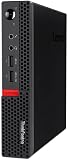
- Powerful Processor: Intel Core i7-6700T, 4 Cores, up to 3.6GHz for fast and reliable performance.
- High-Capacity Memory: 32GB DDR4 RAM for seamless multitasking and productivity.
- Large Storage: 1TB SSD for quick boot-up, faster load times, and secure file storage.
- Integrated Graphics for smooth visuals and everyday tasks.
- Compact Design: Ultra-small form factor, ideal for tight workspaces and versatile placement.
Product prices and availability are accurate as of the date/time indicated and are subject to change. Any price and availability information displayed on Amazon at the time of purchase will apply.

