
iTechGuides is reader-supported. When you buy through links on our site, we may earn an affiliate commission. As an Amazon Associate I earn from qualifying purchases. Learn more
AirPods Pro and AirPods Max can connect to a Windows PC for Bluetooth audio, but Windows does not provide Apple’s full device-settings experience. Use the AirPods’ physical controls for supported listening modes, fix pairing or sound problems through Windows, and consider a third-party app only if you need extra status or controls. No single Windows setup is documented to restore every Apple feature.
What works on Windows—and what does not
Windows treats AirPods as Bluetooth audio devices. After pairing, ordinary audio playback and basic headset behavior may work, but Microsoft’s Bluetooth guidance is generic: it does not promise an Apple-specific settings panel or feature parity with an iPhone, iPad, or Mac. See Microsoft’s Bluetooth troubleshooting guide.
Do not assume that Windows natively offers Apple’s per-device controls, automatic switching, Find My, or advanced spatial-audio and hearing settings. Their availability can depend on AirPods model, firmware, and Apple-device configuration; the reviewed Windows guidance does not establish a complete feature-by-feature compatibility list.
Outdated Drivers Are Slowing You Down
One free scan finds every outdated or missing driver and matches the right update for your exact hardware.Free scan · exact hardware matchPC Slower Than It Used to Be?
A free scan shows the junk files, broken settings and background clutter dragging Windows down - then fixes them in one click.Free scan · Windows 10 & 11Use the AirPods controls for noise cancellation and Transparency
You can switch listening modes from the AirPods themselves while listening from a non-Apple source. Apple documents these physical controls:
#1 Best Overall

- Bluetooth 5.4 + Broad Compatibility - Provides Bluetooth 5.4 plus EDR technology and is backward compatible with Bluetooth V5.3/5.0/4.2/4.0/3.0/2.1/2.0/1.1.
- Faster Speed, Extended Range - Get up to 2x faster data transfer and 4x broader coverage compared to Bluetooth 4.0 — perfect for smooth audio streaming and stable connections.
- EDR and BLE Technology - This Bluetooth dongle is quipped with enhanced data rate and Bluetooth low energy, UB500 has greatly improved data transfer speed and operates at the optimal rate of power consumption
- Nano-Sized - A sleek, ultra-small design means you can insert the Nano Bluetooth receiver into any USB port and simply keep it there regardless of whether you are traveling or at home
- Plug & Play with Free Driver Support - Plug and play for Windows 8.1/10/11 (internet required). Supports Win7 (driver required and can be downloaded from website for free). Download the latest driver from TP-Link website to utilize Bluetooth 5.4
- AirPods Pro: Press and hold the force sensor on either stem to cycle listening modes.
- AirPods Max: Press the listening mode button to switch between Active Noise Cancellation and Transparency.
Apple also explains how to choose which listening modes are included in the physical-control cycle using an iPhone, iPad, or Mac. Set up that cycle on a supported Apple device, then use the AirPods control while connected to Windows. The available choices vary by model and configured settings; this does not make Adaptive Audio or every Apple hearing feature a Windows setting. See Apple’s instructions for controlling listening modes.
Fix pairing, connection, or no-sound problems
Work through these checks in order. Menu wording can vary slightly by Windows version.
Rank #2

- Latest Bluetooth 6.0 Technology: With Bluetooth 6.0, connect the device faster and get a more stable signal transmission. Whether watching videos or playing games, the synchronization of audio and video is significantly improved, reducing the trouble caused by delay and improving the entertainment experience. (If pairing fails, please reset the adapter: With the device powered off, press and hold the multifunction button for 10 seconds.)
- Maximum 18 Hours Battery: It can last up to 18 hours to meet your all-day use needs. This device is the best companion whether you frequently travel for leisure or business trips. You can enjoy uninterrupted music or calls without frequent charging.(RX: 18H/ TX: 16H )
- Built-in Microphone: The built-in microphone of the ugreen allows you to answer calls directly without interrupting music playback when the device is connected to a mobile phone to play music; ugreen ensures that you do not miss any important calls while enjoying music.
- 10M Transmission Distance: The 10-meter transmission distance allows you to move freely within your home or office without worrying about interruptions in the audio signal. No matter where you are in the room, you can enjoy stable audio transmission.
- 2 In 1 Bluetooth Transmitter Receiver: In TX mode, you can connect the device to a TV, airplane, and other devices without Bluetooth function, and then connect Bluetooth headphones to listen to music; in RX mode, you can turn non-Bluetooth stereo devices such as car audio, old speakers into Bluetooth devices, and then connect mobile phones, computers, etc. to play music; without the constraints of cables, move more freely without affecting audio playback. (Please make sure the correct mode is selected before use.)
- Confirm Bluetooth is available and on. Open Settings > Bluetooth & devices in Windows 11, or Settings > Devices > Bluetooth & other devices in Windows 10. Not every PC includes Bluetooth hardware.
- Check charge and distance. Make sure the AirPods are charged and close to the PC while troubleshooting.
- Remove the existing pairing and pair again. In the Bluetooth devices list, select the AirPods and choose Remove device or the equivalent option. Put the AirPods into pairing mode, then choose Add device > Bluetooth and select them when they appear.
- Update the Bluetooth adapter driver. Open Device Manager, expand Bluetooth, right-click the adapter, and choose Update driver. If Windows finds no update, check the PC manufacturer’s support site for the current driver for your model.
- Run Windows’ Bluetooth troubleshooter. Use the troubleshooter available in Windows settings, then follow Microsoft’s Bluetooth and connected-but-no-sound guidance if audio still fails.
If the AirPods stop reconnecting after the PC wakes from sleep, try disconnecting and reconnecting them, then check the Bluetooth driver. These are troubleshooting steps, not guaranteed fixes; the cause may depend on the PC’s radio, driver, and Windows configuration.
What’s actually slowing this PC down?
Pick the symptom - the matching free tool is one click away.
Check Windows version before expecting LE Audio
Bluetooth Low Energy branding alone does not mean a PC supports LE Audio. Microsoft’s requirements call for Windows 11 version 22H2 or newer, compatible Bluetooth LE hardware and audio codec support, and capable manufacturer drivers for both the Bluetooth radio and audio codec. If Use LE Audio when available is missing from Windows settings, Microsoft says the device does not currently support LE Audio, potentially because of hardware or driver limitations. LE Audio is not supported on Windows 10 or Windows 11 version 21H2. See Microsoft’s LE Audio requirements.
Rank #3

- 【Windows Compatibility】 Works with Windows 11 / 10 / 8.1 / 8 systems ONLY. Not compatible with macOS, ChromeOS (Chromebook), Linux, Windows 7 / XP / Vista, TVs, car stereo systems, or gaming consoles.
- 【BLUETOOTH DEVICES ONLY】 Add Bluetooth capability to your Windows PC or laptop for Bluetooth devices ONLY, including Bluetooth headphones, speakers, keyboards, mice, printers, smartphones, tablets, smartwatches, and supported Bluetooth game controllers. Not compatible with Wi-Fi or 2.4G wireless devices.
- 【NOT FOR 2.4G or Wi-Fi Devices】 Not compatible with 2.4G wireless devices that require a USB receiver, such as keyboards or mouse from Logitech, Arteck, Eagletec, TECKNET, or UBOTIE, as well as 2.4G headsets and speakers from brands like Turtle Beach or Pulse series. Not compatible with Wi-Fi devices, including Wi-Fi printers that rely on Wi-Fi for data communication, such as DeskJet, OfficeJet Pro series, PIXMA TS series, Color imageCLASS printers, or Work Smart 1360.
- 【Multi-Device Bluetooth Connection】 Supports pairing with up to 7 Bluetooth devices for easy switching between headphones, keyboards, mice, printers, and controllers. Keyboard, mouse, and other non-audio devices can be used at the same time. Only one Bluetooth audio device (e.g. headphones) can be active at a time.
- 【Audio Streaming & Voice Calls】 Stream stereo music wirelessly to Bluetooth headphones or speakers and take voice calls using your headphone microphone (Skype, Zoom, Teams, etc.). Supports Bluetooth data transfer with compatible smartphones and tablets. (Note: Not compatible with non-Bluetooth audio devices.)
Microsoft ended support for Windows 10 on October 14, 2025. Windows 10 PCs continue to work, but Microsoft no longer provides free Windows Update software updates, technical assistance, or security fixes for that operating system. Bluetooth troubleshooting may still help with an AirPods connection, but it does not change that support status.
When a USB Bluetooth adapter is worth considering
A USB Bluetooth adapter addresses a narrow hardware problem: a PC that lacks Bluetooth or has a Bluetooth radio that does not work reliably. Before buying one, check the adapter maker’s stated Windows-version and driver support. An adapter does not add Apple’s proprietary settings, guarantee LE Audio, or ensure a particular AirPods feature will work.
Rank #4

- Long Range Bluetooth Adapter: Techkey USB Bluetooth 6.0 dongle utilizes Class 1 radio technology and features an extended antenna, providing a transmission range of up to 600ft/200m in open areas, ensuring that Bluetooth connections are no longer limited by distance. (Please note that physical obstructions and wireless interference may affect the actual transmission range.)
- Fast Transmission Rate: With EDR technology and Bluetooth Low Energy (BLE) configuration, this upgraded Bluetooth 6.0 adapter achieves speeds of up to 3Mbps, greatly improving transmission rates and reducing efficiency loss due to interference in the 2.4GHz band. This allows for fast, seamless wireless data connections between your computer and Bluetooth devices.
- Real Plug & Play with Free Driver Support: Techkey USB wireless Bluetooth is not constrained by network or location, requiring no driver installation. Just plug the USB wireless adapter into your computer and start using it right away. Enjoy the convenience of Bluetooth functionality at any time, enhancing work efficiency and saving time.
- Latest Bluetooth 6.0 dongle: Utilizes the latest Bluetooth 6.0+EDR technology, compatible with Bluetooth 6.0/5.4/5.3/5.2/4.2/4.2 LE/4.0/2.1+EDR, and features Dual mode (BR/EDR+ Bluetooth Low Energy) for reduced energy consumption and enhanced speed, ensuring quick response and superior anti-interference capabilities.
- Up to 7 Devices Sync Connected: The upgraded Bluetooth 6.0 dongle is designed for a wide range of applications, allowing simultaneous connections with up to 7 Bluetooth wireless devices such as speakers, keyboards, headsets, mice, and printers. It is exclusively compatible with Windows 11/10/8.1 and does not support Mac OS, Linux, car stereo systems, XBOX, PS4, or TVs.
Consider a Windows utility only for specific extra controls
A secondary report from AppleToolBox, updated September 11, 2026, describes MagicPods as a Microsoft Store app that displays AirPods and case battery levels, offers ear detection and audio-latency options, and can switch supported noise-control modes using a MagicAAP driver. The article reports a one-time price of USD 2, but that price and the listed features are not verified here against the live Store listing. Check the current listing for supported AirPods models, price, privacy details, and terms before installing or paying. A utility should not be treated as a guarantee that every missing Apple feature will be restored. See AppleToolBox’s MagicPods report.
Do these 3 things before closing this tab:
1Fix the driver behind crashes, sound loss and screen glitches2Repair Windows errors before they cause bigger problems3Scan for outdated or missing drivers - takes under a minuteChoose the fix that matches the problem
| What you need | Best next step | What it will not do |
|---|---|---|
| Basic audio on a PC with Bluetooth | Pair the AirPods and troubleshoot connection or sound in Windows. | Provide Apple’s full device-management interface. |
| ANC or Transparency while listening from Windows | Configure the listening-mode cycle on a supported Apple device, then use the AirPods’ physical control. | Expose all Apple listening and hearing settings in Windows. |
| A PC with no working Bluetooth | Check PC-maker driver support or consider a compatible USB Bluetooth adapter. | Guarantee LE Audio or AirPods-specific features. |
| Battery status or additional controls | Review a Windows utility’s current Store listing and model support before installing. | Guarantee feature parity or support for every AirPods model. |
The relevant choice depends on the AirPods model and firmware, Windows version, PC Bluetooth hardware and drivers, and whether you need playback only, microphone use, or extra status and mode controls. No reviewed source establishes one accessory or app as a universal way to make every AirPods feature work on Windows.
Quick Recap
Best Value
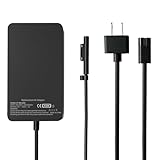
- 【65W Fast Charging】Output:15V-4A 65W,Input: 100-240V 50-60 Hz.Watt: 65.0 Watt,USB Port: 5V-1A 5W,USB port can charge your phone.you will get 1 x 65W power adapter, 1 x power supply cord
- 【Universal Compatibility】: This Microsoft Surface Pro Charger is compatible with a wide range of models, including Surface Pro 10,9, 8, 7+, 7, 6, 5, 4, 3, X, Windows Surface Laptop 5, 4, 3, 2, 1, Studio, Surface Book 3, 2, 1, and Surface Go Laptop,Tablet 3, 2,1.for Surface models 1706, 1866, 1796, 1724, 1625, 1867, 1735, 1800 Surface Laptop Studio charger
- 【Fast Charger】:65W surface laptop charger is designed to provide fast and efficient charging for your Microsoft Surface Charger, Surface Pro 9 Charger(65W) ,Surface Pro 8 Charger(65W), Surface Pro 7 Charger(65W),Surface Pro 7+ Charger(65W), Surface Pro 6 Charger(65W), Surface Pro 5 Charger(44W/36W),Surface Pro 4 Charger(44W/36W), Surface Pro 3 Charger(44W/36W),Surface Pro X Charger(65W).Surface Pro 10 Charger(65W)
- 【Multiple Protection】: This Fast Charger intelligently identify your devices automatically and provide the fastest and most efficient output current,The built-in Smart charging chip and 2.0 intelligent charging system in the USB C Wall charger efficiently protect your devices by preventing over-current, over-voltage, overheating, and short-circuit.
- 【Compact & Travel-Friendly】This adapter is very portable with light weight, fitting perfectly in a small pocket inside your laptop bag and easy to carry with,Charge multiple devices with 1 charger at the office, at home or travel,pursuing quality life,If you have any questions about the charger, please fell free to contact us.
Product prices and availability are accurate as of the date/time indicated and are subject to change. Any price and availability information displayed on Amazon at the time of purchase will apply.

