
Quick wins for a faster PC:
Scan for outdated or missing drivers - takes under a minuteDriver Scan →Clear out junk files and repair common Windows errorsFree Scan →YOLOv8 can process webcam, video, and RTSP frames with object classes, confidence scores, bounding boxes, and—when you load a -seg checkpoint—an individual mask for each detected instance. This guide builds a Python and OpenCV baseline, shows how to read and customize results, and explains performance, deployment, training, and licensing decisions. YOLOv8 was released on January 10, 2023. Ultralytics still documents it, although newer families such as YOLO11 and YOLO26 are now prominent in its current documentation, so treat YOLOv8 as a deliberate compatibility or learning choice rather than automatically the newest option. Ultralytics YOLOv8 documentation
Detection, instance segmentation, and semantic segmentation
These tasks answer different questions:
| Task | Output | Example |
|---|---|---|
| Object detection | One rectangular box, class, and confidence per object | “A person is approximately inside these coordinates.” |
| Instance segmentation | An object-specific pixel mask plus its box, class, and confidence | “These exact pixels belong to person 1.” |
| Semantic segmentation | A class label for each pixel, without necessarily separating same-class objects | “These pixels are road and these are sky.” |
Use detection for presence, counting, coarse localization, or constrained hardware. Masks justify their extra cost when you need object area, contours, cutouts, precise safety boundaries, robotic grasping, medical or industrial regions of interest, or separation of overlapping objects. A segmentation mask is still a prediction: boundaries can fail with occlusion, poor lighting, tiny objects, or unusual viewpoints.
What YOLOv8 returns
YOLOv8 performs a single inference pass over each frame and can return class names, confidence scores, box coordinates, and (with a segmentation model) per-instance masks. Tracking mode can add IDs across frames. “Real time” is not a fixed property: model size, input resolution, hardware, camera rate, object count, segmentation, rendering, and buffering all affect latency and throughput.
Choose the checkpoint deliberately
Detection checkpoints use names such as yolov8n.pt; segmentation checkpoints add the -seg suffix:
Recommended Free Tools
#1 Best Overall

- The usb webcam is powered by a high-performance CMOS image sensor, ensuring you always see crisp and clear image. | 1080p resolution at 30 frames per second delivers smooth and lag-free video output—perfect for professional-grade video calls.
- Dual integrated microphones capture pristine sound up to 10 feet away, enhancing your voice to make it loud and clear. | Dual noise-cancelling microphones pick up your voice clearly while filtering out background noise for uninterrupted conversations.
- Fast auto-focus keeps your face in focus and center stage, even during dynamic moments. | Low-light correction automatically brightens the image, even in dimmer rooms. | A wide-angle lens captures a broader field of view to display your full workspace.
- The web camera features 360° rotation, allowing you to find the perfect viewing angle. | A privacy shutter provides peace of mind by covering the lens, no accidental video recording. | Easily use the mounting clip to attach the camera directly to your PC monitor or laptop.
- Place the web cam on the included tripod on your desk to adjust the height precisely to your preference. | The aluminum tripod is sturdy and stable, featuring a universal 1/4-inch screw. | The telescopic design allows the tripod to fit easily into your backpack for traveling.
yolov8n-seg.pt— nano, lowest resource use and usually lowest accuracy.yolov8s-seg.pt— small.yolov8m-seg.pt— medium.yolov8l-seg.pt— large.yolov8x-seg.pt— extra-large, generally highest resource demand.
There is no universal best model. Measure accuracy and end-to-end latency on your camera, resolution, and representative footage. The official model page lists these families and their train, validation, prediction, and export modes: docs.ultralytics.com/models/yolov8.
Install a Python/OpenCV baseline
The repository quickstart states Python 3.8 or newer. Use an isolated environment and record the installed package versions because APIs and dependencies change.
- Create an environment:
python -m venv .venv - Activate it:
# Windows PowerShell .venvScriptsActivate.ps1 # macOS/Linux source .venv/bin/activate - Install the packages:
pip install --upgrade pip
pip install ultralytics opencv-python
For a server without a graphical display, Ultralytics documents a headless package:
pip install ultralytics ultralytics-opencv-headlessSee the installation guide. A webcam, its operating-system permission, and a display are required for the examples that call cv2.imshow.
Run live object detection
This copy-paste example uses camera index 0, conventionally the default webcam. Press q to exit.
import cv2
from ultralytics import YOLO

model = YOLO("yolov8n.pt")
cap = cv2.VideoCapture(0)

if not cap.isOpened():
    raise RuntimeError("Could not open webcam")

while True:
    success, frame = cap.read()
    if not success:
        print("Could not read frame")
        break

    results = model.predict(
        source=frame,
        conf=0.25,
        verbose=False
    )

    annotated_frame = results[0].plot()
    cv2.imshow("YOLOv8 Detection", annotated_frame)

    if cv2.waitKey(1) & 0xFF == ord("q"):
        break

cap.release()
cv2.destroyAllWindows()
Ultralytics accepts OpenCV/NumPy frames and webcam sources; see Python usage and prediction sources. results[0].plot() is convenient, but custom rendering is often faster or more suitable for an application.
Add instance segmentation
Change only the checkpoint to a segmentation model:
Rank #2

- Compatible with Nintendo Switch 2’s new GameChat mode
- Auto-Light Balance: RightLight boosts brightness by up to 50%, reducing shadows so you look your best—compared to previous-generation Logitech webcams (1)
- Privacy with a Slide: The integrated webcam cover makes it easy to get total, reliable privacy when you're not on a video call
- Built-In Mic: The built-in microphone lets others hear you clearly during video calls
- Easy Plug-And-Play: The Brio 101 works with most video calling platforms, including Microsoft Teams, Zoom and Google Meet—no hassle; it just works
import cv2
from ultralytics import YOLO

model = YOLO("yolov8n-seg.pt")
cap = cv2.VideoCapture(0)

if not cap.isOpened():
    raise RuntimeError("Could not open webcam")

while True:
    success, frame = cap.read()
    if not success:
        break

    results = model.predict(source=frame, conf=0.25, verbose=False)
    annotated_frame = results[0].plot()
    cv2.imshow("YOLOv8 Detection and Segmentation", annotated_frame)

    if cv2.waitKey(1) & 0xFF == ord("q"):
        break

cap.release()
cv2.destroyAllWindows()
yolov8n.pt cannot produce masks; yolov8n-seg.pt can. Ultralytics explains the suffix and mask workflow in the segmentation task guide and the object-isolation guide.
Read boxes, classes, and masks
Use the result object when you need to save masks, calculate areas, trigger business logic, or send coordinates to another system:
for result in results:
    boxes = result.boxes
    masks = result.masks

    if boxes is None:
        continue

    for i, box in enumerate(boxes):
        class_id = int(box.cls[0])
        confidence = float(box.conf[0])
        label = result.names[class_id]
        x1, y1, x2, y2 = box.xyxy[0].tolist()

        print(label, confidence, (x1, y1, x2, y2))

        if masks is not None:
            instance_mask = masks.data[i]
polygon = masks.xy[i]result.boxes.xyxy: pixel-coordinate boxes.result.boxes.conf: confidence scores.result.boxes.cls: class IDs.result.masks.data: binary mask tensors.result.masks.xy: mask polygons in pixels.result.masks.xyn: normalized polygons.
Boxes and masks must be treated as corresponding entries from the same result. A detection-only model, or a frame with no detections, may have result.masks is None. Field definitions are documented at modes/predict and tasks/segment.
Apply a custom mask overlay
import cv2
import numpy as np

def overlay_masks(frame, result, alpha=0.45):
    output = frame.copy()
    if result.masks is None:
        return output

    for mask in result.masks.data:
        mask = mask.cpu().numpy().astype(np.uint8)
        if mask.shape[:2] != output.shape[:2]:
            mask = cv2.resize(
                mask, (output.shape[1], output.shape[0]),
                interpolation=cv2.INTER_NEAREST
            )

        color = np.zeros_like(output)
        color[:, :] = (0, 255, 0)
        area = mask.astype(bool)
        output[area] = cv2.addWeighted(
            output[area], 1 - alpha, color[area], alpha, 0
        )
    return output
Production overlays may use a different color per instance, class-based colors, contour smoothing, minimum mask-area thresholds, legends, confidence text, or a separate mask-only output.
Process videos and live streams
For source-based inference, stream=True returns a generator and avoids retaining every result in memory:
from ultralytics import YOLO

model = YOLO("yolov8n-seg.pt")
results = model.predict(
    source=0,
    stream=True,
    conf=0.25,
    verbose=False
)

for result in results:
    annotated_frame = result.plot()
    # Display or process annotated_frame
In an OpenCV-controlled loop, one-frame-at-a-time processing is often preferable because you can drop stale frames, measure each stage, and stop cleanly. Details are in the prediction documentation.
CLI shortcuts
yolo predict model=yolov8n-seg.pt source=0 show=True
yolo predict model=yolov8n-seg.pt source=video.mp4 save=True
yolo predict model=yolov8n-seg.pt source="rtsp://user:password@camera/stream" show=True
Camera backends, permissions, codecs, and RTSP behavior vary by operating system. Never expose RTSP credentials in source code, logs, screenshots, or URLs; use environment variables or a secrets manager.
Rank #3
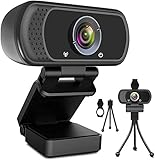
- 1080p full hd webcam, 1080p web camera specifically designed for professional quality video calling, recording, conferencing, gaming. computer camera with full hd glass lens deliver crisp image and crystal clear video at a fluid 30 frames per sec. equipped with automatic light correction and hdr technology, pro streaming webcam auto adjusts color and brightness for natural lighting so you always look your beautiful on web camera even in dim or poorly backlit
- Easy to set up and tripod ready clip, usb webcam camera can be easily install and use, plug and play, no additional driver required. it also features a tripod ready adjustable universal clip with 1.8m 6 feet usb power cable that fits to laptops, desktops, computers, mac, pc, lcd monitors meet your multi angle needs
- 110 degree widescreen webcam with mic,this camera built in digital stereo microphone with automatic noise reduction, which makes the sound purer and clearer, pick up your voice even at 10ft distance. fixed focus laptop desktop webcam captures high def video at a wide angle up to 110 degrees, perfect for live streaming, webinars, video conferencing, etc
- Advanced technology and wide application, 1080p full hd camera with facial enhancement technology optimizes the image automatically, which makes you look great in recording, video calling, online teaching, gaming. pc webcam widely works with windows 2000, xp, 7, 8, 10 and above, mac os, chrome os, smart tv, android etc, compatible with skype, obs, youtube, facebook, twitch, facetime, , xbox one, hangouts and more
- Webcam with privacy cover and tripod stand , we will provide a privacy cover and tripod stand for you. pc webcam with privacy cover allows you to enjoy safe digital web life when not in use and prevent hackers from spying on you.to control what your video displays at any time, effectively protecting your privacy. the webcam comes with a tripod, convenient for you to place the computer camera
Tune confidence, overlap, and input size
results = model.predict(
    source=frame,
    conf=0.40,
    iou=0.50,
    imgsz=640,
    verbose=False
)conffilters low-confidence predictions. Raising it usually reduces false positives but can miss difficult objects.iouaffects overlap handling and duplicate suppression.imgszchanges the inference input size. Lower values usually reduce computation but can hurt small-object recall.
Values such as 0.25 and 0.50 are starting points, not universal optima. Tune them on representative footage according to the cost of false positives versus missed objects.
Improve live performance without guessing
Start small, then measure
Try the nano checkpoint first, reduce imgsz, and lower camera resolution before moving to larger models. Use device="cpu" for CPU inference or a supported GPU index such as device=0; CUDA speed requires compatible hardware, drivers, and PyTorch support.
Outdated Drivers Are Slowing You Down
One free scan finds every outdated or missing driver and matches the right update for your exact hardware.Free scan · exact hardware matchWindows Errors? Fix Them Before They Spread
Repair common Windows errors and clear accumulated junk for a smoother, more stable PC - no reinstall needed.Free scan · no reinstallSkip frames when freshness matters
frame_index = 0
process_every = 2

while True:
    success, frame = cap.read()
    if not success:
        break
    frame_index += 1
    if frame_index % process_every != 0:
        continue
    results = model.predict(source=frame, verbose=False)
Skipping reduces compute but makes motion less smooth and can miss short-lived objects. A queue can also create seconds of stale video even when measured FPS looks acceptable; live systems should often drop old frames.
Benchmark the whole pipeline
Record capture, preprocessing, inference, postprocessing, rendering, end-to-end latency, effective FPS, peak memory, and accuracy on held-out deployment footage. Ultralytics provides benchmark functionality for exported formats and metrics such as inference time and task accuracy: usage/python benchmark documentation.
Export after the Python baseline works
from ultralytics import YOLO

model = YOLO("yolov8n-seg.pt")
model.export(format="onnx")
Ultralytics documents ONNX, TensorRT, OpenVINO, Core ML, and TFLite export. See standalone inference and the YOLOv8 repository. Export does not guarantee identical output or faster inference. Validate preprocessing, coordinate scaling, class order, confidence values, mask quality, dynamic versus fixed shapes, quantization effects, NMS, and postprocessing on the target hardware.
Train a custom segmentation model
- Collect varied images or video frames covering lighting, viewpoints, occlusion, and object sizes.
- Annotate polygons as well as classes; segmentation labels cost more and are easier to get subtly wrong than boxes.
- Split data into training, validation, and test sets.
- Create a dataset YAML file.
- Start from a pretrained segmentation checkpoint.
- Train, validate, and inspect false positives and missed objects on held-out deployment footage.
- Export and benchmark the trained model.
from ultralytics import YOLO

model = YOLO("yolov8n-seg.pt")
model.train(
    data="data.yaml",
    epochs=100,
    imgsz=640,
    batch=16
)
The values shown are examples, not universal recommendations: batch=16 may exceed memory, and more epochs cannot repair poor labels or unrepresentative data. The general workflow is described in Ultralytics training documentation.
Do these 3 things before closing this tab:
1Scan for outdated or missing drivers - takes under a minute2Clear out junk files and repair common Windows errors3Fix the driver behind crashes, sound loss and screen glitchesTroubleshoot common failures
The camera does not open
- Try another index, such as
cv2.VideoCapture(1). - Check operating-system camera permissions and whether another application owns the device.
- Confirm the driver, backend, and remote environment provide a camera.
The display is black or frozen
- Check both
cap.isOpened()and the return value fromcap.read(). - Ensure
cv2.waitKey()is called. - On a headless machine, remove GUI calls and save or stream frames instead.
- Check whether inference blocks capture and causes a growing queue.
No masks appear
Load a -seg checkpoint, confirm that detections exist, and guard access with if result.masks is not None. A detection checkpoint cannot generate instance masks.
Rank #4

- Tewiky's 1080p HD webcam features a wide-angle lens, delivering crisp, fluid video at 30fps. Ideal for streaming, calls, gaming, and online teaching. This HD webcam offers easy plug-and-play setup. Universally compatible with USB ports, it requires no additional drivers and includes a 5ft cable for instant use.
- The built-in noise-cancelling microphone minimizes background noise, ensuring your voice is heard with crystal-clear quality even in loud environments. Perfect for webinars, conferences, and streaming. This webcam features automatic light correction, which intelligently adjusts brightness and color to ensure you look your best in any lighting condition.
- This HD webcam offers universal compatibility with desktops, laptops, tablets, Android phones, and any UVC-enabled device. It supports major operating systems including Windows, Mac, Linux, and more for versatile use.This webcam includes a detachable tripod for flexible setup and a built-in privacy cover that protects the lens and your privacy when not in use.
- Please do not point the camera lens directly to the place with strongsunlight and light, avoid contacting with oil, steam, water vapor,and wet steam. Do not use irritant clearer or organic solvent for cleaning.Certified to UL standards, this webcam uses low-voltage USB power with stable current, eliminating risks of electric shock, fire, or overheating. It remains safe even during extended use.
- Contact us via email, chat, or hotline. Access comprehensive guides and FAQs for quick, convenient resolution of your queries. Enjoy a 12-month warranty for quality-related malfunctions, with lifelong paid technical support and repair services available thereafter.
Objects are missed or masks break
Increase input resolution or model size, improve lighting and camera placement, train on representative examples, or use tiling/region-of-interest inference. Heavy overlap can merge, fragment, or hide instances; evaluate the actual scene rather than a clean sample.
Memory grows during long runs
Use stream=True where appropriate and do not accumulate frames, rendered images, or result objects in lists. The generator behavior is documented at modes/predict.
Detection or segmentation, local or cloud?
| Decision | Prefer this when | Trade-off |
|---|---|---|
| Detection | Boxes are sufficient and throughput or constrained hardware matters | Less precise boundaries |
| Instance segmentation | You need area, contours, cutouts, overlap separation, or precise interaction regions | More compute and more expensive labels |
| Local inference | Privacy, offline operation, and predictable data locality matter | You provide hardware, packaging, and optimization |
| Cloud inference | Centralized scaling and managed infrastructure matter | Network latency, bandwidth, operating cost, privacy, and service dependency |
For a live camera, end-to-end freshness matters more than model inference time alone.
Free tools Windows power users keep installed
One-click scans. No signup required.
YOLOv8’s 2026 context and alternatives
Current Ultralytics documentation foregrounds newer families, including YOLO11 and YOLO26. Compare them with YOLOv8 on your data and hardware before beginning a new project: current Ultralytics documentation and inference tooling. Other valid choices include RT-DETR for transformer-based detection, SAM-family models for prompt-driven segmentation, OpenCV DNN or ONNX Runtime for a smaller or non-Python runtime, cloud computer-vision APIs for managed infrastructure, and classical color thresholding, contours, background subtraction, or motion detection for tightly controlled scenes.
Licensing before commercial deployment
Ultralytics presents AGPL-3.0 and an Enterprise License as licensing options. The applicable obligations depend on how the software and models are used—such as a closed-source product, internal business system, SaaS, or distributed application—so do not assume that commercial use is automatically prohibited or automatically safe. Review Ultralytics’ licensing information and the Enterprise License page with qualified legal counsel before shipping.
For hosted annotation, training, model management, or deployment, Ultralytics lists its Platform at platform.ultralytics.com, with plan details at ultralytics.com/pricing. Alternatives include Roboflow for dataset workflows, Amazon SageMaker or Amazon Rekognition for AWS-managed infrastructure, and NVIDIA’s TensorRT and Jetson modules for NVIDIA edge deployment. Compare current pricing, data residency, hardware support, and contractual terms directly; no single service fits every workload.
The Bottom Line
For a working baseline, install Ultralytics and OpenCV, start with yolov8n.pt for boxes or yolov8n-seg.pt for masks, then measure latency and accuracy on real footage. Move to custom overlays, frame-dropping, export, training, or a newer model only when the application requires it—and resolve licensing before production deployment.
What’s actually slowing this PC down?
Pick the symptom - the matching free tool is one click away.
Quick Recap
Product prices and availability are accurate as of the date/time indicated and are subject to change. Any price and availability information displayed on Amazon at the time of purchase will apply.

