
iTechGuides is reader-supported. When you buy through links on our site, we may earn an affiliate commission. As an Amazon Associate I earn from qualifying purchases. Learn more
Intel UHD Graphics 620 is an integrated laptop GPU found mainly in low-power 8th-generation Intel Core processors such as the Core i5-8250U and Core i7-8550U. It is suitable for everyday Windows use, video playback, older games, and lightweight esports titles, but it is not designed for modern AAA gaming or demanding 3D work.
The most important point is that UHD Graphics 620 does not have its own dedicated VRAM. It shares system memory with the processor, so performance depends heavily on the laptop’s RAM configuration, cooling system, power limits, and exact CPU model.
What is Intel UHD Graphics 620?
UHD Graphics 620 is a Gen9.5 GT2 integrated graphics processor. Intel built it into selected 8th-generation mobile processors, including the Core i5-8250U and Core i7-8550U. Because it is integrated, it is part of the processor platform rather than a separate graphics card.
Quick wins for a faster PC:
Clear out junk files and repair common Windows errorsFree Scan →Scan for outdated or missing drivers - takes under a minuteDriver Scan →The GPU contains 24 execution units. Common implementations operate at roughly 1.0 to 1.15 GHz, although the exact maximum graphics frequency depends on the processor. For example, Intel lists a maximum graphics frequency of 1.15 GHz for the Core i7-8550U.
#1 Best Overall

- DISPLAY: 15.6-inch Full HD screen with 1920x1080 resolution delivers crisp, clear visuals for enhanced productivity
- PERFORMANCE: Intel Core i5-8365U processor with 4 cores reaches speeds up to 4.1 GHz for smooth multitasking
- MEMORY & STORAGE: 16GB RAM for efficient multitasking, paired with a fast 256GB SSD for quick boot and load times
- OPERATING SYSTEM: Pre-installed Windows 11 Pro offers advanced security and business features
- DESIGN: Professional silver finish complements the ProBook's business-class construction and portability
UHD Graphics 620 is easy to confuse with Intel HD Graphics 620. HD Graphics 620 was used in many 7th-generation Kaby Lake processors, while UHD Graphics 620 appeared mainly with 8th-generation parts. Their performance is broadly similar, but the result varies by laptop design and memory configuration.
Also, do not assume that every processor advertised simply as having “Intel UHD Graphics” contains UHD Graphics 620. Many later Intel processors use different graphics hardware under a similar name. Check the exact processor model in Intel’s processor identification guidance or Intel ARK.
UHD Graphics 620 specifications
| Feature | Details |
|---|---|
| GPU type | Integrated graphics |
| Architecture | Intel Gen9.5 GT2 |
| Execution units | 24 |
| Typical maximum graphics clock | Approximately 1.0–1.15 GHz, depending on the processor |
| Video memory | Shared system RAM; no dedicated VRAM |
| DirectX | 12 |
| OpenGL | 4.6 |
| OpenCL | 2.1 |
| Vulkan | 1.3, with a suitable driver |
Intel’s current API table groups UHD Graphics 620 with several related Intel graphics products. The listed API version describes what the driver and hardware expose; it does not indicate how quickly a game will run. A GPU can support DirectX 12 and still lack the performance, feature level, shader capability, or memory bandwidth required by a particular game.
What’s actually slowing this PC down?
Pick the symptom - the matching free tool is one click away.
Does UHD Graphics 620 have dedicated VRAM?
No. UHD Graphics 620 uses shared system memory. Windows may report a small dedicated graphics-memory allocation alongside a larger amount of shared GPU memory, but that does not turn the laptop into a system with a dedicated 1 GB, 2 GB, or 4 GB graphics card.
This design keeps cost and power consumption down, but it makes memory configuration important. A laptop with two matched RAM modules running in dual-channel mode can perform noticeably better than an otherwise similar laptop using a single module. The integrated GPU has to access system memory for graphics data, so available memory bandwidth directly affects frame rates.
For this reason, a benchmark result from one UHD Graphics 620 laptop should not be treated as a universal result for every laptop with the same GPU.
Gaming performance
UHD Graphics 620 is best suited to:
- Older PC games
- Lightweight esports games
- Indie games with modest 3D requirements
- Games running at low settings and reduced resolution
A sensible starting point is 1280×720 or 1366×768 at Low settings. Some less-demanding games may run acceptably at 1080p with reduced settings, but 1080p should not be the default expectation for this GPU.
Do these 3 things before closing this tab:
1Scan for outdated or missing drivers - takes under a minute2Clear out junk files and repair common Windows errors3Fix the driver behind crashes, sound loss and screen glitchesRank #2
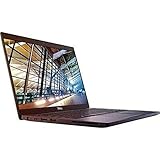
- 8th Gen Intel Core i5-8350U Quad-core(4 core) Processor(1.7GHz, up to 3.6GHz)
- 13.3'' FHD(1920x1080) LCD Display, Intel UHD Graphics 620
- 8GB DDR4 SDRAM Memory, 256GB Solid State Drive
- Windows 10 Pro (English/French/Spanish)
- USB Ports, USB 3.1 Gen 1 Ports, USB Type-C, HDMI, 1 DisplayPort over USB Type C with optional Thunderbolt 3
It is broadly in the class of older low-end dedicated GPUs such as the GeForce 910M–920M range, although that comparison is only approximate. CPU choice, RAM channels, cooling, sustained power limits, driver version, and the laptop’s power mode can all change the result.
| Workload | Practical expectation |
|---|---|
| Windows desktop and office applications | Good |
| Web browsing and 1080p video | Good, assuming current browser and drivers |
| Older games | Usually playable at reduced settings |
| Light esports titles | Playable with low settings; resolution may need adjustment |
| Modern AAA games | Generally unsuitable or requires severe compromises |
| High-resolution 3D rendering | Limited |
Do not rely on a single “UHD 620 FPS” number. If two laptops produce different results, check whether one has single-channel RAM, a lower power limit, weaker cooling, or thermal throttling. A laptop running on battery power may also reduce performance compared with the same machine connected to its charger.
Video playback and codec support
UHD Graphics 620 includes hardware acceleration for decoding several common video formats. Intel lists support for:
- H.264
- HEVC/H.265
- VP8
- VP9
Intel also lists HEVC 10-bit and VP9 10-bit decoding. These are media-decoding capabilities, not evidence that the GPU can provide unlimited general-purpose rendering or encoding performance.
Windows Errors? Fix Them Before They Spread
Repair common Windows errors and clear accumulated junk for a smoother, more stable PC - no reinstall needed.Free scan · no reinstallCrashes, No Sound, or Screen Glitches?
Random freezes, missing sound and display glitches usually trace back to one bad driver. Find and replace yours safely.Free scan · under a minuteUHD Graphics 620 does not include AV1 hardware decoding according to Intel’s 8th-generation codec table. AV1 playback may therefore use CPU decoding or software/browser-specific handling, which can increase processor usage and battery drain.
VP9 encoding should not be described as fully supported: Intel’s table identifies it as decode-only for this graphics generation. Encoding support can also vary by operating system and software.
Can UHD Graphics 620 play 4K video?
It can handle many 4K video-decoding workloads, but successful 4K streaming depends on more than the GPU. The display connection, laptop motherboard wiring, HDCP support, browser or media-player support, DRM, and graphics driver all matter.
Rank #3

- 【RAM & Storage】This computer comes with 8GB RAM | 256GB SSD
- 【Intel 12th Generation Core i3-1215U Processor】The Intel Core i3-1215U processor is a good all-around processor that can handle most programming tasks, including compiling code, running debuggers, and running IDEs. This is relatively new CPU that contains 6 Cores and 8 Threads. The Intel Core i3-1215U also has reasonable threaded performance that will serve well in games.
- 【 15.6" Full HD display】15.6-inch diagonal, FHD (1920 x 1080), micro-edge, anti-glare.
- 【Other Features】Intel UHD graphics,Front-facing web camera, Wi-Fi and Bluetooth 4.2 combo,Windows 11 Home in S mode
- 【Bundle with USB Hub】Bundled with USB 3.0 Hub, Suitable for USB port computer and other equipment, standard USB3.0 theory 5Gbps high-speed transmission, can actually SUB2.0 multi-port expansion, such as: mouse, keyboard connection.
For example, early laptops did not all implement HDCP 2.2 in the same way, and HDMI 2.0 output commonly required an external converter chip. As a result, “the GPU supports 4K” does not automatically mean that every protected 4K streaming service will work at 4K on every UHD Graphics 620 laptop.
How to identify UHD Graphics 620 in Windows
- Right-click the Start button.
- Select Device Manager.
- Expand Display adapters.
- Read the name of the Intel adapter.
A laptop with switchable graphics may show both Intel integrated graphics and a separate AMD or NVIDIA adapter. In that case, the Intel adapter may handle the desktop and battery-efficient workloads while the discrete GPU handles selected games or applications.
How to check the installed graphics driver
- Open Device Manager.
- Expand Display adapters.
- Right-click the Intel graphics adapter.
- Select Properties.
- Open the Driver tab.
- Read the Driver Version field.
You can also install Intel Driver & Support Assistant. Its Devices and Drivers section can identify the installed graphics driver and show whether Intel offers a newer package. For laptops, however, the manufacturer’s support page remains important because OEM drivers may include custom display switching, docking, panel, power-management, or HDMI/DisplayPort behavior.
UHD Graphics 620 driver support
Intel moved 6th- through 10th-generation processor graphics to a legacy software-support model on July 27, 2022. This means the platform generally receives critical and security fixes on a quarterly or as-needed basis, but it no longer receives the same Day 0 game-driver support as newer Intel graphics products.
As of August 9, 2026, Intel’s UHD Graphics support page lists graphics driver 31.0.101.2141, dated April 6, 2026, for 7th- through 10th-generation processor graphics, including UHD Graphics 620. The listed package supports Windows 11 and supported Windows 10 releases including Windows 10 22H2.
Before installing Intel’s generic driver, check the laptop maker’s download page. If the Intel installer reports that the driver is not validated for the computer, the OEM may require its customized package. A generic driver may work, but it can also remove manufacturer-specific behavior.
If a new driver causes flickering, broken external-display output, sleep problems, or application crashes, use Device Manager → Display adapters → Intel display adapter → Properties → Driver → Roll Back Driver, provided that Windows still offers the rollback option.
Rank #4

- Intel Core i7-8650U Processor – Fast and efficient performance for multitasking and productivity.
- 14" Full HD (1920×1080) Display – Crisp visuals and excellent viewing experience.
- 16GB DDR4 RAM – Seamless multitasking and smooth workflow.
- 512GB SSD Storage – Quick boot-up times and plenty of space for files and applications.
- Intel UHD Graphics 620 – Reliable graphics for business tasks, presentations, and daily use.
Common UHD Graphics 620 problems
Windows shows Microsoft Basic Display Adapter
This means Windows is using a generic display driver rather than the proper Intel graphics driver. Install the correct package from the laptop manufacturer first, or use Intel’s compatible driver when appropriate.
The Intel adapter is missing
The integrated graphics may be disabled in the BIOS or UEFI, the driver may be missing, or the laptop may use another graphics configuration. If the adapter does not appear after installing the correct driver, check the firmware’s graphics settings and the manufacturer’s support documentation.
Windows reports very little VRAM
This is normally expected. UHD Graphics 620 dynamically shares system RAM, so a small dedicated allocation in Windows does not mean that the GPU is defective.
Performance is worse than another UHD 620 laptop
Compare the RAM channel configuration, memory speed, processor model, power mode, charger status, cooling, and sustained temperatures. Also check whether the laptop is throttling under load. The GPU name alone cannot explain the complete performance difference.
A game detects DirectX 12 but will not launch
DirectX 12 support is not a guarantee of game compatibility. The title may require a higher feature level, a particular shader model, ray tracing, a newer driver implementation, or more graphics performance than UHD Graphics 620 can provide.
Independent reader supportYour contribution helps us test, update, and keep practical guides available for everyone.Is Intel UHD Graphics 620 good enough?
UHD Graphics 620 is still adequate for a basic laptop used for office work, web browsing, video playback, older games, and lightweight creative applications that can use Intel’s media hardware. Its low power use is a genuine advantage in thin laptops.
Free tools Windows power users keep installed
One-click scans. No signup required.
It is a poor choice for buyers seeking modern gaming performance, high-refresh 1080p gaming, advanced 3D rendering, or a long future-proofing period. The lack of dedicated VRAM, limited execution-unit count, and legacy driver status are significant constraints.
Best Value

- Intel Core i7-8650U for fast, efficient performance
- 12.5" FHD Touchscreen (1920×1080) for crisp visuals and interactive use
- 16GB RAM for smooth multitasking and productivity
- 256GB SSD for quick boot times and reliable storage
- Intel UHD Graphics 620 for everyday computing and light creative work
If you already own a UHD Graphics 620 laptop, upgrading to dual-channel RAM where the machine supports it, using the OEM graphics driver, keeping the cooling system clear, and playing at 720p or 1366×768 can produce the most practical improvements. None of those changes turns it into a modern gaming GPU, but they can help it operate closer to its potential.
FAQ
Is Intel UHD Graphics 620 good for gaming?
It is suitable for older games, lightweight esports titles, and less-demanding games at Low settings. Use 1280×720 or 1366×768 as a practical starting resolution. It is generally not suitable for modern AAA games at attractive settings.
How much VRAM does Intel UHD Graphics 620 have?
It has no dedicated VRAM. The GPU dynamically shares system RAM with the CPU. Windows may show dedicated and shared memory figures, but these are not equivalent to a discrete graphics card with its own VRAM.
Can Intel UHD Graphics 620 play 4K video?
It supports hardware decoding for formats including H.264, HEVC, VP8, and VP9, but 4K streaming also depends on the display connection, HDCP, DRM, browser or player, and driver. It does not have AV1 hardware decoding according to Intel’s 8th-generation codec table.
Should I install Intel’s generic UHD Graphics 620 driver?
Check the laptop manufacturer’s driver first. OEM packages may preserve custom display, power, docking, and external-monitor behavior. Intel’s generic driver can be useful when the OEM driver is unavailable or outdated, but it may not retain every manufacturer customization.
The Bottom Line
Verdict: Intel UHD Graphics 620 is a competent low-power integrated GPU for everyday computing, video playback, older games, and basic graphics work. Its performance is heavily affected by dual-channel memory, laptop cooling, and power limits. It should not be bought or judged as a modern gaming GPU, and its legacy driver-support model makes it less attractive for demanding new software.
Quick Recap
Product prices and availability are accurate as of the date/time indicated and are subject to change. Any price and availability information displayed on Amazon at the time of purchase will apply.
The Tool Desk
Outbyte Driver Updater FREEScan for outdated or missing drivers - takes under a minuteDriver Scan →Outbyte PC Repair FREEClear out junk files and repair common Windows errorsFree Scan →
