
InfoWorld rated the Meraki Enterprise Cloud Controller 8.9 out of 10 (“Very Good”) in a 2011 test, praising its straightforward deployment and cloud-based management. The review remains useful as a snapshot of why Meraki appealed to small and distributed organizations, but it is not a current buying guide: the MR14 access point in the test is legacy hardware, and Cisco’s current documentation says Meraki access points require valid licensing.
What InfoWorld tested and concluded
Ray Lai and Joseph Roth’s InfoWorld review, published June 1, 2011, tested three MR14 and one MR16 wireless access points in a large residential complex in downtown San Diego. The review reported that deployment “went smoothly and quickly” and gave the system an 8.9/10, “Very Good” rating from the InfoWorld Test Center.

The review’s central appeal was reduced operational work. It said the controller “has the potential to do both by eliminating almost all the IT overhead required to run an enterprise wireless network.” Its conclusion was more specific than a blanket endorsement: Meraki was a clearer fit for small businesses and educational institutions, where ease of deployment, low cost, and manageability could outweigh a greater emphasis on security.
Why the cloud-managed approach stood out
Management from a web interface
The review highlighted a clean web interface and map-based placement of access points using an embedded Google Map. It also praised instant email notifications when an access point went down or came back up. These were practical management conveniences in the tested system, not evidence that every modern deployment will eliminate on-site network work.
Quick wins for a faster PC:
Scan for outdated or missing drivers - takes under a minuteDriver Scan →Repair Windows errors before they cause bigger problemsFix Now →#1 Best Overall

- 8 port gigabit Ethernet,2 × SFP for 1G uplink, non-shared
- Voice and Video QoS, Low noise, fanless, Non-blocking switch fabric
- Visibility and control over thousands of ports, Built-in multi-site management
- Zero touch provisioning, Email and text message alerts
- Requires cloud license (sold separately) POE (Power over ethernet)
Deployment and multi-site operations
Cisco’s MR-series materials describe self-configuring, plug-and-play deployment, self-healing mesh, guest access, enterprise security, application-aware traffic analytics, role-based administration, scheduled firmware upgrades, and alerts. Cisco’s cloud-management datasheet also describes zero-touch provisioning, multi-site tools, automated monitoring, and unified visibility across wireless, switching, and security appliances. Together, these capabilities explain the architecture’s appeal: configure and monitor devices through a cloud dashboard rather than operate a dedicated on-premises wireless controller at every location.
That model can suit organizations with several small offices or campuses and limited IT staff. It is not automatically the best fit for every enterprise: the 2011 review itself framed Meraki most strongly around smaller businesses and schools, and its results should not be read as a comparison against every on-premises or highly customized network design.
Rank #2

- Requires Cloud License, Sold Separately.
- Ideal use cases: Performance-critical wireless LANs; High-density environments.
- Hardware features: 4 radios: 2.4 GHz, 5 GHz, dual-band. Embedded WIDS/WIPS and Bluetooth. 4-stream UL/DL MU-MIMO 802.11ax. 1 × 2.5 Gbps Multigigabit Ethernet port. PoE: 802.3at.
- Cloud management: Network-wide visibility and control. Self-provisioning for rapid deployment. Automatic reporting. Seamless firmware updates.
- Physical Dimensions: 12.05" × 5.06" × 1.74" (30.6 cm × 12.84 cm × 4.43 cm), not including deskmount feet or mount plate. Weight: 28.21 oz (0.8 kg).
Licensing is part of owning a Meraki access point
Cisco’s MR License Guide, updated September 16, 2026, states that all Cisco Meraki access points require valid licensing. An MR Enterprise license includes cloud management, zero-touch firmware upgrades and provisioning, 24×7 enterprise support, RMA, API support, Meraki Health, Air Marshal, Layer 3 and Layer 7 firewall rules, and packet-capture features. Cisco documents co-termination and per-device licensing models, with MR Enterprise, MR Advanced, and MR Upgrade tiers. The applicable model and tier affect how a deployment is licensed, so confirm the terms for the specific organization and devices before purchasing.
This is an important distinction from a conventional access point purchase: hardware alone does not provide the cloud-managed service described in the review. The license brings management and associated services, but also creates an ongoing ownership requirement that should be included in the total-cost decision.
Rank #3
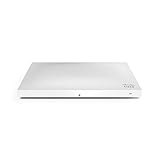
- Item Package Dimension: 12.76L X 8.7W X 2.6H Inches
- Item Package Weight - 2.93 Pounds
- Item Package Quantity - 1
- Product Type - Computer Component
Should you buy the MR14 today?
The MR14 datasheet describes a dual-radio 802.11n cloud-managed access point with integrated antennas and 802.3af Power over Ethernet, and states that a Meraki Cloud Controller license is required. It is legacy hardware, so the InfoWorld review is historical evidence about the management concept—not a recommendation to buy that model now.
Before considering an MR14, verify its current availability, firmware support, whether licensing can be transferred to you, and the seller’s reliability. Also check that its 802.11n capabilities meet your device density, performance, security, and support needs. The available source material does not establish a current street price or a current support status for a specific MR14 unit; obtain a current quote and confirm compatibility directly before committing.
Independent reader supportYour contribution helps us test, update, and keep practical guides available for everyone.How to judge whether Meraki is worth the license cost
There is no universal answer based on the 2011 rating. Assess the total cost against the operational value and support included for the specific licensed tier.
Quick Recap
Best Value
![Cisco Meraki MX68-HW Cloud Managed Security Appliance/Firewall w/ Power Adapter [Unclaimed & No License] (Renewed)](https://m.media-amazon.com/images/I/21JM55u439S._SL160_.jpg)
- Connectivity technology: USB
- Compare architectures: Decide whether centrally managed cloud access is preferable to an on-premises controller for your security, connectivity, and customization requirements.
- Count the sites and administrators: Multi-site visibility and role-based administration may matter more when a small team supports many locations.
- Include recurring licensing: Confirm the required license tier and licensing model, then include it alongside hardware and deployment costs.
- Check the hardware generation: Compare wireless standard, capacity, and vendor support for the specific access point rather than generalizing from the MR14 test.
- Value included services: Consider whether cloud management, support, RMA, API access, monitoring, and security features in the chosen tier justify their cost for your operation.
Sources
Product prices and availability are accurate as of the date/time indicated and are subject to change. Any price and availability information displayed on Amazon at the time of purchase will apply.

