
IBM announced its Cloud Mass Data Migration service on September 18, 2017, using a shippable 120 TB storage device to move large datasets into IBM Cloud without relying on an internet connection for the bulk transfer. Customers loaded data onto the device and shipped it to IBM, which uploaded it into IBM Cloud Object Storage. IBM’s launch announcement addressed a specific enterprise problem: transferring very large datasets over ordinary network connections could take months.
What IBM’s Mass Data Migration device was
The service combined a portable storage appliance with a shipping and cloud-ingestion process. Its published capacity was 120 TB. IBM described the device as encrypted with AES-256, protected with RAID-6, and built to withstand shocks; it also had wheels for handling. IBM said flat-rate overnight shipping covered the round trip. These were features reported at launch in 2017, not confirmation of a currently available IBM product. IBM launch coverage
IBM’s stated rationale was to bypass the network bottleneck in very large migrations. IBM distinguished engineer Michael Fork said that transferring 120 TB over a 100 Mbps internet connection would take “100 or more days.” In the same 2017 launch coverage, he estimated roughly seven days to migrate that volume using the device. Those are attributed estimates, not guaranteed delivery or end-to-end migration times for every customer: the quoted device figure does not establish a universal schedule for data preparation, shipping, upload, or validation.
How the migration workflow worked
- Connect and prepare the device. In IBM’s technical tutorial, an IBM i system was connected to the Mass Data Migration device.
- Set up an NFS-backed optical image catalog. The tutorial describes creating the catalog so the IBM i environment could write data to the device.
- Save the data to the device. The tutorial reports transfer rates of approximately 100–120 MB/s for its workflow; that rate is not a guarantee for other systems or datasets. IBM technical tutorial
- Ship the device back to IBM. IBM then uploaded its contents into IBM Cloud Object Storage.
- Validate and use the cloud copy. Teams still needed to verify that the uploaded data was complete and usable for its intended workloads; the device’s capacity alone did not complete application migration.
Who IBM intended it for
IBM positioned the service for organizations moving datasets large enough that network time, bandwidth expense, or migration risk could dominate the plan. Its launch coverage named SAP datasets, data intended for Watson and other cognitive services, VMware VMDKs, and machine images. Fork specifically described VMware customers bringing large volumes of VMDKs and machine images to IBM Cloud.
Free tools Windows power users keep installed
One-click scans. No signup required.
#1 Best Overall
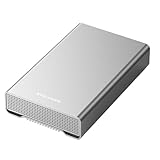
- [ 12TB ] Capacity USB 3.2 Gen 2 USB-C (10Gbps) External Hard Drive (estimate 11TB Capacity available after formatted) (Build-in 10TB 7200RPM Enterprise Internal Hard Drive)
- Works for any Windows OS Desktop PC, Laptop with USB 3.2 interface (backward compatible with USB 3.0)
- Expand computer hard drive storage instantly! Add extra storage to your Desktop PC / Laptop Without opening up the case
- Perfect for hard drive expansion and backup storage for your entire Windows OS system and important files! (Don't wait for a crash – regular daily backups are essential for data security! )
- Support MacOS system, Required to re-format as APFS (Apple File System)
The practical fit depended on more than total size. A team also had to be able to stage data onto the appliance, safely handle its physical shipment, and target IBM Cloud Object Storage as the landing destination. The described workflow should not be assumed to apply unchanged to every IBM Cloud service or application.
How it compared with a network transfer
The basic trade-off was physical logistics versus sustained network throughput. The launch-era comparison figures below are specific to IBM’s 2017 statements; they are not a current service-level commitment.
| Approach | Published capacity or rate | Published time for 120 TB | Key consideration |
|---|---|---|---|
| IBM Mass Data Migration device | 120 TB device capacity (IBM launch coverage, 2017) | About seven days, as estimated by IBM engineer Michael Fork in 2017; the estimate is not a guaranteed full project schedule | Requires staging data, shipping the appliance to IBM, cloud upload, and validation |
| 100 Mbps internet connection | 100 Mbps connection, as used in Fork’s 2017 example | 100 or more days, as stated by Fork in launch coverage | A network transfer avoids physical shipping but depends on available throughput and sustained connectivity |
The figures explain the motivation for the appliance, but do not by themselves determine which method is cheaper or safer. A decision also depends on how quickly data can be copied locally, the actual usable bandwidth, shipping and handling requirements, downtime constraints, and the work needed to prepare and validate the target environment. IBM’s launch coverage also discussed AWS Snowball Edge and Google Transfer Appliance, but the cited information here does not establish a like-for-like comparison of their current capacities, prices, or delivery terms.
Rank #2

- [Features] Portable hard disk compatible with the next generation USB standard "Type-C". It can also be used with conventional USB A connector
- [Capacity/Supported OS] 2TB (Black) / Windows (10/8.1/8/7) / MacOS 10.12 / Mac OS X (10.7 - 10.11)
- Size / Weight: Approx. 3.0 x 4.5 x 0.5 inches (76 x 114 x 12 mm) / Approx. 6.1 oz (170 g) / Placed horizontally
- [Accessories] USB Cable Type C to MicroB (11.8 inches (30 cm), USB Cable A-MicroB (11.8 inches (30 cm)); *Can be used with USB 3.1 Gen 1 (USB 3.0) or 2.0
- [Warranty] 1 year
Security, handling, and cost considerations
AES-256 encryption and RAID-6 were part of the device’s launch-era specification. Encryption addresses protection of stored data, while RAID-6 provides a level of disk-failure tolerance; neither replaces access controls, secure data preparation, or post-upload validation. IBM also described shock resistance and wheels, relevant to transporting a large physical device.
IBM advertised flat-rate overnight round-trip shipping in 2017. The available launch details do not state the service’s total price, what the shipping rate covered beyond the round trip, or how charges varied by destination, data preparation, or cloud storage. A customer evaluating the economics would need current commercial terms rather than inferring total cost from the shipping description.
Independent reader supportYour contribution helps us test, update, and keep practical guides available for everyone.Can you still order IBM’s appliance?
IBM’s current Cloud Satellite materials describe a broader hybrid-cloud model that runs services on customer-controlled on-premises, edge, or multicloud infrastructure. IBM’s migration guidance emphasizes planning, reducing outage windows, mitigating risk, and validating workloads. Neither source establishes that the original 2017 Mass Data Migration device is still generally orderable under that name. IBM Cloud Satellite and IBM migration guide
Rank #3

- Simple drag-and-drop functionality
- Expand your computer's capacity with a lightweight, compact solution
- Immediate plug and play PC compatibility
For a present-day project, confirm availability and service terms directly with IBM or an IBM Cloud migration provider before designing a plan around the appliance. If it is not offered for your region or workload, compare current data-transfer options on their verified capacity, security controls, logistics, destination support, schedule, and total cost; do not assume the 2017 specifications remain current.
Does Amazon have an equivalent?
IBM’s 2017 launch coverage compared its device with AWS Snowball Edge, a physical data-transfer product category intended to reduce reliance on network transfer for large datasets. That establishes a historical comparison, not equivalence in current capacity, features, pricing, or service availability. For procurement, check the current AWS product documentation and IBM’s current offering directly; the available launch-era facts are not enough to recommend one over the other.
What’s actually slowing this PC down?
Pick the symptom - the matching free tool is one click away.
Quick Recap
Product prices and availability are accurate as of the date/time indicated and are subject to change. Any price and availability information displayed on Amazon at the time of purchase will apply.

