
iTechGuides is reader-supported. When you buy through links on our site, we may earn an affiliate commission. As an Amazon Associate I earn from qualifying purchases. Learn more
Irene Okpanachi says a custom Google Sheets workbook helped her get past the paralysis that standard task apps never fixed for her. Her core change was not a better app but a smaller, self-controlled view: a backlog she can park, a short list of three tasks she picks herself, and a record of what she finished. This is one person’s experience, published September 23, 2026, and it is not evidence that a spreadsheet treats ADHD or beats dedicated task apps for other people.
Why standard task apps failed her
Okpanachi describes a familiar pattern: she set up a productivity tool carefully, then stopped using it. In her words, “My greatest tendency was to abandon productivity tools within a week, even after carefully setting them up.” The problem she names is less about forgetting tasks and more about looking at a full list and not knowing where to begin. Task apps show everything at once, with overdue markers that make a backlog feel like a verdict on the day.
That distinction matters for the rest of the article. Organizing tasks and starting them are different jobs, and her workbook is built around the second one.
Free tools Windows power users keep installed
One-click scans. No signup required.
How the workbook is laid out
The sheet is split into tabs and controls that each handle one decision. Here is the structure as she describes it:
#1 Best Overall

- ADHD FRIENDLY DAILY PLANNER A simple, structured ADHD planner designed to help neurodivergent adults organise tasks, reduce overwhelm and stay focused on what matters each day
- PRIORITISE WHAT NEEDS DOING FIRST Guided daily prompts help you choose your most important tasks, break down your day and avoid getting lost in a long, stressful to do list.
- BRAIN DUMP SPACE FOR BUSY MINDS Capture all the thoughts, reminders, ideas and distractions in one place, then turn them into clearer actions when you are ready.
- CHECKLISTS, REWARDS & MOTIVATION Includes task checklists and reward prompts to help make planning feel more positive, motivating and manageable.
- UNDATED A5 PRODUCTIVITY NOTEBOOK Use it any time of year with no wasted pages. Compact A5 size, ideal for work, study, home admin, routines, appointments and everyday organisation.
- Brain Dump tab: a capture area for every task that comes to mind. Each entry has a first step small enough to start without planning.
- Launchpad: surfaces three tasks. She chose the tasks herself rather than letting the system assign them, which she says was the point.
- Checkboxes, row colors and a progress indicator: marking a task done changes its row color and moves the progress indicator, so completed work is visible.
- Dopamine Vault: finished tasks move here with a completion time, giving her a running record of wins.
- Randomizer: offers one selectable task when she cannot decide or has low energy.
- Park & Reset: swaps in easy alternatives on days that feel overwhelming.
- Fading for untouched tasks: tasks she has not acted on fade visually instead of staying as bright overdue warnings.
The design logic is that the full backlog stays out of the way while she chooses what to do next. Her choices about visibility, not any single feature, are what she credits for the change.
What the Apps Script automation does
Her workbook uses Google Apps Script for setup automation, time-based triggers, a morning email and a nightly reset. She reports that the generated script ran to about 380 lines. That figure describes her implementation, not any measured effect on task completion.
Rank #2

- Ultimate To Do List with Multiple Sections: A to do list lover’s dream, our notepad offers multiple sections with ample space to write all your important tasks so you can organize and track your tasks better than with a regular list. Each page has a to do list as well as sections for top priorities, for tomorrow, and appointments/calls, making it easy to prioritize and stay organized. Say goodbye to feeling overwhelmed and hello to a more organized and productive you!
- Minimalist Design to Boost Productivity: Experience the perfect balance of minimalist and functional design with our daily to-do list notepad. Each notepad measures 6.5” x 9.8” and has 60 sheets, so there is enough space to write down everything you need to do. Featuring a minimalist black and white design and premium materials, our notepad is the perfect tool to keep you on track and motivated throughout the day!
- Spiral Bound with Protective Cover: Our twin spiral-bound notepad lets you start a new page while keeping old ones for reference. It makes it easy to flip through your to-do list. When you're done, do you want to remove your lists? No issue! They can be torn out as necessary. When you're on the go, the plastic cover on our notepad protects the pages from spills, scratches, and tears. Even better, the cover is see-through so you can quickly glance at your to-do list page as you go about your day.
- Premium, non-bleed pages: No more frustrations about pens or markers bleeding through flimsy paper! Our notepad is made with premium non-bleed 100 gsm paper to give you the best writing experience. Unlike with our competitors, these pages won’t bleed onto the next one, even if you write with a permanent marker.
- Sturdy Backing for Writing Anywhere: Our notepad is made with a thick backing that provides a sturdy surface for writing anytime, so you can take it on the go and never miss an important task again. Whether you're at home, in the office, or on the go, you'll always be able to capture your thoughts and stay on top of your daily routine.
Two practical points follow from her setup:
- Apps Script asks for authorization the first time the script runs. Expect to approve it before the morning email or nightly reset will work.
- Trigger times follow the time zone set for the script. Check that zone against the schedule you actually want, especially if you travel or moved recently.
If you do not want to maintain code, the Launchpad, checkboxes and Dopamine Vault can be built with plain formulas and formatting, without the triggers. The automation is an addition, and she does not say the workbook depends on it for its core behavior.
The Tool Desk
Outbyte Driver Updater FREEScan for outdated or missing drivers - takes under a minuteDriver Scan →Outbyte PC Repair FREERepair Windows errors before they cause bigger problemsFix Now →Using the sheet on Android
On Android, she copied the spreadsheet link into Chrome and created a browser shortcut on the home screen. That gave her one-tap access to the sheet. She wanted a Google Sheets widget, but the app did not offer one for her setup.
Rank #3
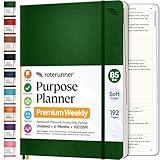
- Discover Balance & Boost Productivity: 6-Month Undated B5 Daily Planner, Manifestation Journal & Self Coaching Notebook. Productivity tools created with simplicity in mind, to empower busy people to take back control of their time.
- Planner + Notebook All in 1: Annual Calendar, Notes Index, Monthly & Weekly to do list planner dashboards, 93 numbered dotted note pages for expanded task lists, notes, or sketches. All-in-one business planner, notebook and life organizer.
- Smash Your Goals & Prioritize Wellness: 5 Roles & Goals templates for purposeful goal setting. Reading, Bucket lists, & Self Care journal. AM/PM Routines, habit, nutrition, fitness, and health trackers included. Perfect planners 2025-2026 for women and men.
- Satisfying Writing: High performance planner with stitch-bound lay-flat pages. Sturdy PU leather planner hard & softcover options. 100GSM no-bleed, no-smudge paper. 2 ribbon bookmarks, elastic closure, back pocket and smoothly rounded edges.
- Voted Best Time-Management Planner: NY Magazine Strategist's Best Time-Management Weekly Planner 2026. ADHD planner for adults created by an ADHD sufferer to reduce the overwhelm and rediscover purpose. Pair with Roterunner Erasable Pens!
Do not assume that result holds on every Android version or with every Google account. Check the widget list on your own device before you plan around the shortcut method.
Google Sheets compared with Google Tasks
Google Tasks is the simpler comparison point because it is a ready-made task list rather than a workbook. Google’s help material describes these capabilities for each option, as accessed October 7, 2026:
Rank #4

- Stay Organized and Focused: This planner is specifically designed to help individuals with ADHD or busy lifestyles prioritize their day with clear prompts, ensuring that the most important tasks are tackled first
- Comprehensive Layout: With 100 thoughtfully designed pages, including sections for daily scheduling, task prioritization, self-care, and brain dumps, this planner helps reduce distractions and keep your thoughts organized
- Motivation Through Rewards: Keep yourself engaged and motivated with built-in checklists and reward systems that make completing tasks more satisfying
- Flexible and Undated Design: Use this planner at your own pace—it's undated, so you can start anytime without worrying about wasted pages
- Durable and Convenient: Featuring a 7" x 10" size, a sturdy hardcover, and spiral binding for durability, this planner is easy to carry and perfect for daily use
| Factor | Google Sheets (her workbook) | Google Tasks |
|---|---|---|
| Setup effort | You build the layout; Apps Script automation is optional and she reports about 380 lines of script | Ready to use with no build step |
| Control over what is visible | High: she decides which tabs, views and controls appear | Lower: a standard task list layout |
| Capture across devices | Available through the browser; she used a Chrome shortcut on Android | Cross-device capture listed in Google’s help |
| Task details and subtasks | Built by you, if you add them | Task details and subtasks listed in Google’s help |
| Due dates and notifications | Not built in; her morning email came from Apps Script | Due dates and notifications listed in Google’s help |
| Integration with Google products | Works within Google Workspace and Google accounts | Integration with Google products listed in Google’s help |
| Offline use | Edits are saved in the browser and then sent to Google; formulas recalculate as cells change, per Google’s Sheets help | Not stated in the sources reviewed |
Neither option has been shown to work better for people with ADHD. The right choice depends on whether you want a finished app or a sheet you can reshape.
Crashes, No Sound, or Screen Glitches?
Random freezes, missing sound and display glitches usually trace back to one bad driver. Find and replace yours safely.Free scan · under a minutePC Slower Than It Used to Be?
A free scan shows the junk files, broken settings and background clutter dragging Windows down - then fixes them in one click.Free scan · Windows 10 & 11Organizing is not the same as starting
A Cleveland Clinic explainer on ADHD task management makes the point her workbook is designed around. Psychologist Michael Manos, PhD, says, “Management tools can help you figure out which tasks need to be completed, but they don’t always prompt you to take action.” The same explainer describes breaks, rewards and a “when-then” approach. Those strategies address starting and follow-through, and a spreadsheet can support them, but it does not start a task for you.
Best Value

- Discover Balance & Boost Productivity: 6-Month Undated B5 Daily Planner, Manifestation Journal & Self Coaching Notebook. Productivity tools created with simplicity in mind, to empower busy people to take back control of their time.
- Planner + Notebook All in 1: Annual Calendar, Notes Index, Monthly & Weekly to do list planner dashboards, 93 numbered dotted note pages for expanded task lists, notes, or sketches. All-in-one business planner, notebook and life organizer.
- Smash Your Goals & Prioritize Wellness: 5 Roles & Goals templates for purposeful goal setting. Reading, Bucket lists, & Self Care journal. AM/PM Routines, habit, nutrition, fitness, and health trackers included. Perfect planners 2026-2027 for women and men.
- Satisfying Writing: High performance planner with stitch-bound lay-flat pages. Sturdy PU leather planner hard & softcover options. 100GSM no-bleed, no-smudge paper. 2 ribbon bookmarks, elastic closure, back pocket and smoothly rounded edges.
- Voted Best Time-Management Planner: NY Magazine Strategist's Best Time-Management Weekly Planner 2026. ADHD planner for adults created by an ADHD sufferer to reduce the overwhelm and rediscover purpose. Pair with Roterunner Erasable Pens!
Do you need paid AI to build this?
Okpanachi used AI tools while creating the workbook. Google’s Gemini in Sheets can create or edit spreadsheets, but it requires an eligible Google Workspace or Google AI plan, and Google recommends reviewing the proposed plan and outline before accepting it. None of that is needed to use the finished sheet. The Launchpad, Brain Dump and progress features are ordinary spreadsheet features.
What the evidence can and cannot support
- The account comes from one person. It describes what she preferred and what helped her start, not how the sheet performs across a population.
- No controlled study of this specific workbook, and no comparison against Android task apps, was identified in the sources reviewed.
- No quotable prevalence statistic on ADHD task paralysis or on spreadsheet use was identified.
- Community posts asking for “ADHD friendly” task apps and describing being overwhelmed by work lists show how people phrase the problem. They are not representative findings.
- A vendor page sells ADHD-oriented Sheets templates with claims about visual clarity, a single clear next action and minimal setup. Those are marketing claims, not independent evidence of effectiveness.
The article’s features are described as they appear in her workbook. Treat them as a design to test, not a treatment.
The Bottom Line
A Google Sheet can work as a launchpad if the thing you are missing is control: a place to park the backlog, a short list you chose yourself, and visible proof of finished work. If you want reminders, due dates and mobile capture with no setup, Google Tasks covers more of that out of the box. Start with a one-week test of the Launchpad alone, and keep it only if you actually open it.
Quick Recap
Product prices and availability are accurate as of the date/time indicated and are subject to change. Any price and availability information displayed on Amazon at the time of purchase will apply.

