
iTechGuides is reader-supported. When you buy through links on our site, we may earn an affiliate commission. As an Amazon Associate I earn from qualifying purchases. Learn more
To turn off 5G on a Samsung Galaxy S22 Plus, open Settings > Connections > Mobile networks > Network mode, select the SIM if prompted, then choose 4G/3G/2G (auto connect). That option is documented for the S22 family in Three UK’s guide; menus and available modes can differ by carrier, region, and software version.
Disable 5G in Network mode
-
Open Settings.
-
Tap Connections > Mobile networks > Network mode.
-
If prompted, choose the SIM or line you want to change.
-
Select 4G/3G/2G (auto connect), or the available network-mode option that omits 5G while keeping the fallback networks you want.
The Tool Desk
Outbyte Driver Updater FREEFix the driver behind crashes, sound loss and screen glitchesFind Drivers →Outbyte PC Repair FREEClear out junk files and repair common Windows errorsFree Scan →Special offer. See more information about Outbyte and uninstall instructions. Please review EULA and Privacy policy.
The exact path and option label are from Three UK’s Samsung Galaxy S22 5G guide, which describes Android 12. Samsung’s US support guidance also recommends searching Settings for Network mode and selecting a network option: How to use 5G on a Samsung Galaxy phone or tablet.
#1 Best Overall

- This pre-owned product has been professionally inspected, tested and cleaned by Amazon qualified vendors.
- This product is in "Excellent condition". The screen and body show no signs of cosmetic damage visible from 12 inches away.
- This product will have a battery that exceeds 80% capacity relative to new.
If Network mode or a no-5G option is missing
Use the Settings search field and search for Network mode. Carrier, region, SIM or eSIM, and software differences can affect which settings appear. If no option excluding 5G is available, contact your carrier with your phone model, software version, and the affected line details; Samsung recommends contacting the carrier when connectivity problems continue.
Do not use manual network-operator selection as a substitute. That setting chooses an operator; it does not change the phone’s preferred network modes.
Rank #2

- Product Type - CELLULAR PHONE
- Memory - 128. GB
- Components Included - Adapter
- Item Package Quantity - 1
What changes when you turn off 5G
The selected mode removes 5G from the network technologies the phone may use and allows automatic connection among the listed alternatives. Samsung says Galaxy phones can fall back to 4G or 3G when 5G is unavailable. The setting does not guarantee a particular speed or signal quality, and the support information cited here provides no measured S22 Plus battery-life or speed comparison after disabling 5G.
Access to 5G service also depends on carrier support, an eligible plan, a compatible SIM, and coverage. If connectivity remains problematic after changing the mode, contact your carrier.
Quick Recap
Best Value

- This pre-owned product has been professionally inspected, tested and cleaned by Amazon qualified vendors.
- This product is in "Excellent condition". The screen and body show no signs of cosmetic damage visible from 12 inches away.
- This product will have a battery that exceeds 80% capacity relative to new.
Rank #4
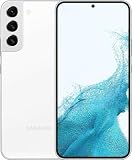
- This pre-owned product has been professionally inspected, tested and cleaned by Amazon qualified vendors.
- This product is in "Excellent condition". The screen and body show no signs of cosmetic damage visible from 12 inches away.
- This product will have a battery that exceeds 80% capacity relative to new.
Rank #3

- This pre-owned product has been professionally inspected, tested and cleaned by Amazon qualified vendors.
- This product is in "Excellent condition". The screen and body show no signs of cosmetic damage visible from 12 inches away.
- This product will have a battery that exceeds 80% capacity relative to new.
Product prices and availability are accurate as of the date/time indicated and are subject to change. Any price and availability information displayed on Amazon at the time of purchase will apply.

