
In Microsoft Edge, open the page you want to capture and press Ctrl+Shift+S. Choose Capture full page for the entire webpage, including content below the fold, or choose the area-capture option and drag over the part you need. You can then mark up the image, copy it, or save it. Edge calls this built-in tool Screenshot; older documentation and policies may call it Web Capture.
Take a screenshot of a webpage in Edge
- Open the page. Navigate to the webpage in Microsoft Edge and wait for the content you need to appear.
- Open Screenshot. Press Ctrl+Shift+S. You can also right-click the page and choose Screenshot, or open Settings and more (the three-dot menu) and select Screenshot. Microsoft can move or rename menu entries as Edge changes, so the shortcut is usually the quickest route.
- Choose the capture scope. Select Capture full page to capture the webpage beyond the visible viewport without manually scrolling. Choose the area-capture option when you only need a rectangle of the page.
- Review and annotate. Use the markup controls to draw or highlight if required.
- Finish the capture. Copy the result to the clipboard or save it from the Screenshot controls. Use copy when you are pasting into an email or document; save when you need a file for later.
Full-page capture versus an area capture
| Edge option | What it captures | Best use |
|---|---|---|
| Capture full page | The webpage, including content below the current viewport, in one capture. | Articles, long documentation, receipts, pages that would otherwise require several scrolling screenshots. |
| Area capture | Only the portion you select. | A chart, paragraph, image, form, or other region when the rest of the page should not be included. |
Full-page mode is aimed at webpage content rather than a photograph of your monitor. If you need browser chrome, another application, a video frame, or a region that is not part of the webpage, use Windows Snipping Tool instead.
Edge Screenshot and Windows Snipping Tool are different
Windows+Shift+S opens the Windows Snipping Tool overlay. It is not the Edge Screenshot shortcut. Snipping Tool provides freeform, rectangular, window, and full-screen modes and captures what is on your screen. Edge Screenshot works inside the browser and adds a webpage-focused full-page option.
| Need | Use | Shortcut or entry point |
|---|---|---|
| An entire webpage, including content below the fold | Edge Screenshot | Ctrl+Shift+S, then Capture full page |
| A selected rectangle on the screen | Windows Snipping Tool or Edge area capture | Windows+Shift+S for Snipping Tool; Ctrl+Shift+S for Edge Screenshot |
| A freeform shape, application window, or whole desktop | Windows Snipping Tool | Windows+Shift+S |
Choose based on both scope and where the tool operates: Edge Screenshot understands the webpage, while Snipping Tool captures the screen.
#1 Best Overall

- Advanced Fibre Design: Engineered with innovative tough yet soft bristle, this window screen cleaner tool conforms tightly to screen mesh for thorough cleaning. Anti-shedding tech ensures bristles stay intact—rest assured for long-lasting use. The compact brush head is designed for easy maneuvering, ensuring thorough results without bulk.
- Ergonomic Design: The width of the triangular screen brush head is 9 inches, and the elastic brush head bends naturally during use, thus fitting the screen closely and making it easy to clean both sides with one swipe. Rest assured, this bend is not a sign of flimsiness but a result of smart design.
- Tireless Ultra-light Pole: This screen washing brush features a long handle with 4-part aluminium construction that extends up to 62 inches, weighs only 0.56lbs. It can adjust handle length according to the need. The lightweight yet sturdy long handle allows you to clean high and low surfaces with ease.
- Multi-Purpose: This window screen cleaner brush is suitable for window and lanai screens, porch mesh screen, screen doors, screened enclosure, blinds, air conditioners, and other surfaces with crevices. This flexible mesh screen cleaner is also effective for cleaning ceiling fans and cobwebs.
- Dual Use - Wet and Dry: The patio screen cleaner brush can be used dry to remove light dust or wet for heavy dust; when wet, it prevents dust from splashing. We offer Full After-Sales Support for your magic window cleaning brush: Contact us for any issue after your purchase. We promise to respond within 24 hours and provide a solution.Thanks for your trust!
What to do when Screenshot is missing
Check the other launch locations
If the shortcut does nothing, right-click inside the webpage and look for Screenshot. Then check Settings and more. The exact label or placement can vary between Edge releases.
Consider a work or school policy
Microsoft’s current browser policy name is WebCaptureEnabled. The policy description refers to the feature as Screenshot (formerly Web Capture) and says it appears in the context menu, the Settings and more menu, and through Ctrl+Shift+S when the policy is enabled or not configured. On a managed computer, an administrator can therefore control whether the option is available. If you cannot change the setting, ask your organization’s administrator rather than altering security policy yourself.
Make sure you are using the Edge shortcut
Do not substitute Windows+Shift+S. That combination belongs to Snipping Tool and opens a screen-capture overlay; it does not start Edge’s webpage Screenshot workflow.
Rank #2

- [Real USB3.0 1080P 60Hz uncompressed video capture card] Insert the video capture card into the USB3.0 socket of the PC, adjust the resolution of the captured device to 1080P/4K 16:9 to enjoy clear video recording, gaming live streaming, conference live broadcast. Support HDMI input upto 4K 30FPS and USB3.0 output (capture) upto 1080P 60Hz video and stereo. It is recommended to use OBS studio
- [Real-time preview] Ultra-low latency technology, easy real-time transmission of video streams, real-time preview, direct video recording to hard disk, no compression and no delay
- [Multi-purpose, High compatibility] Connect your DSLR, camcorder or action camera to your Windows, MacOS and Linux. Easier for you to have real-time streaming media from Twitch, Youtube, OBS, Zoom, Potplayer and VLC
- [Plug and Play] No driver or external power supply, suitable for high-definition acquisition, teaching recoding, Gaming, medical imaging, live streaming, broadcasting live, etc
- [100% Satisfaction Guarantee] We provide 24-hour customer service. If you have any questions about this video capture card, please feel free to contact us
Capturing difficult or dynamic pages
Long pages
Use Capture full page instead of taking a sequence of viewport screenshots. The command is designed to capture the page without manual scrolling.
Content that appears after interaction
Before opening Screenshot, perform the interaction that reveals the content you need: expand a section, open a tab, or scroll far enough for the page to load. Then start the capture. Edge captures the webpage state that is available when you invoke the tool.
Cookie notices and overlays
If a consent banner, newsletter prompt, or chat panel covers the page, dismiss it first when possible. Otherwise the overlay may be included in the area you select or in the full-page result. For automated captures where removing these elements consistently matters, see the API workflow below.
Protected or restricted content
Capture only content you are authorized to view and share. A screenshot does not change the access rights or licensing terms of the underlying page.
Rank #3
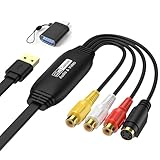
- 【1080P 30FPS Recording】Capture 1080P@30Hz input and enjoy 1080P 30FPS recording with zero delay. This video capture card is fit for gaming, live streaming, and content creation. Compatible with Games, DV,DVD, TV BOX and other RCA(or S-Vedio) output devices.
- 【Real-Time Preview & Screen Sharing】Capture both I video and audio signals, transmitting them to your PC or smartphone for real-time preview and storage. Ideal for online meetings, conferences, and teaching sessions. Works effortlessly with OBS, making it a cost-effective solution for content sharing and live broadcasting.
- 【Plug & Play, No Driver Needed】Enjoy hassle-free setup with this plug-and-play capture card—no drivers or external power required. Easily connect your DSLR, camcorder, or action camera to your PC or Mac for recording. Experience vivid colors and sharp details, fit for indoor and outdoor live streaming.
- 【Low Latency & Reliable Performance】Designed with low-latency technology, this capture card ensures smooth real-time streaming for gaming, live broadcasts, and video conferences. Backed by 24/7 customer support, we ensure a seamless experience for all users.
- 【Wide Compatibility & USB 2.0】Compatible with Windows, MacOS, and Android, this capture card supports popular software like OBS, VLC, and Amcap. The USB 2.0 port enables seamless streaming and recording for gaming consoles, meetings, and more. Fit for Twitch, YouTube, and other live streaming platforms.
Markup, copying, and saving
- Markup: Use the annotation controls to draw attention to a control, sentence, or region before sharing.
- Copy: Copy the completed capture when you need to paste it directly into another application.
- Save: Save the capture when you need a file that can be attached, archived, or edited later.
Annotate after confirming the capture scope. If you realize that you selected the wrong region, start a new Screenshot capture rather than trying to reconstruct missing page content from a cropped image.
Troubleshooting Edge screenshots
Ctrl+Shift+S opens something else or nothing happens
- Confirm that Microsoft Edge is the active window.
- Try the page context menu and the Settings and more menu to determine whether only the keyboard shortcut is affected.
- Check whether another application or an organizational keyboard policy is intercepting the keys.
- Use Windows+Shift+S only if you intentionally want Snipping Tool, not an Edge full-page capture.
Screenshot is absent from every Edge menu
The feature may be disabled by the managed-device policy named WebCaptureEnabled. On a work or school device, contact the administrator. Because policy configuration differs by organization, the absence of the command alone does not identify which policy value is responsible.
The result contains only what was visible
Open Screenshot again and choose Capture full page, not the area option. Area capture intentionally includes only the rectangle you select.
Rank #4

- 【1080P 30FPS Recording】Capture 1080P@30Hz input and enjoy 1080P 30FPS recording with zero delay. This video capture card is fit for gaming, live streaming, and content creation. Compatible with Games, DV,DVD, TV BOX and other RCA(or S-Vedio) output devices.
- 【Real-Time Preview & Screen Sharing】Capture both I video and audio signals, transmitting them to your PC or smartphone for real-time preview and storage. Ideal for online meetings, conferences, and teaching sessions. Works effortlessly with OBS, making it a cost-effective solution for content sharing and live broadcasting.
- 【Plug & Play, No Driver Needed】Enjoy hassle-free setup with this plug-and-play capture card—no drivers or external power required. Easily connect your DSLR, camcorder, or action camera to your PC or Mac for recording. Experience vivid colors and sharp details, fit for indoor and outdoor live streaming.
- 【Low Latency & Reliable Performance】Designed with low-latency technology, this capture card ensures smooth real-time streaming for gaming, live broadcasts, and video conferences. Backed by 24/7 customer support, we ensure a seamless experience for all users.
- 【Wide Compatibility & USB 2.0】Compatible with Windows, MacOS, and Android, this capture card supports popular software like OBS, VLC, and Amcap. The USB 2.0 port enables seamless streaming and recording for gaming consoles, meetings, and more. Fit for Twitch, YouTube, and other live streaming platforms.
A banner or chat box is in the image
Close the overlay before capturing and repeat the operation. If the page recreates it on every visit, an automated service that removes known consent and widget elements before capture can produce a cleaner result.
You need the desktop, another window, or a freeform outline
Use Windows Snipping Tool with Windows+Shift+S. Edge Screenshot is designed for webpage content, not general desktop capture.
Quick wins for a faster PC:
Fix the driver behind crashes, sound loss and screen glitchesFind Drivers →Repair Windows errors before they cause bigger problemsFix Now →Scan for outdated or missing drivers - takes under a minuteDriver Scan →Or skip the browser setup
For one-off work, Edge is sufficient. Developers who need repeatable captures, a URL-based workflow, or screenshots inside an automation pipeline can use ScreenshotNeo, a website screenshot API and MCP server. One GET request returns a PNG, JPEG, WebP, or PDF.
Best Value

- Quick Release - This camera extension handle comes with a quick-release structure. You can install and take it off in seconds. It can be detached and stored separately after use, which keeps your gear tidy and saves packing space for outdoor vlogging.
- Ergonomic Grip - Adopting an extended and widened ergonomic shape, this extension mount brings you a much more comfortable hold when you shoot with the screen module for hours. The button layout fits natural hand gestures perfectly and effectively relieves long-hour hand fatigue.
- Multi Accessory Hook - After installing the handle, there is a foldable two-prong connector on the front. You can hook up neck lanyards, wrist straps and backpack clips to secure your action camera and avoid accidental drops during outdoor shooting.
- Universal Thread Port - Built with a standard 1/4 inch threaded hole on the bottom, this handheld extension handle works perfectly with tripods and stabilizers. It supports multi-angle shooting and meets your needs for travel, street video and various shooting scenarios.
- Ultra Portable - Only 20g in weight, this lightweight extension handle adds almost no extra load to your travel gear. You can take it anywhere and capture footage instantly, greatly improving your shooting flexibility on the go.
ScreenshotNeo handles the cleanup that is easy to miss in a manual browser session: before capture it accepts the cookie or consent banner like a visitor and removes more than 60 known consent platforms, newsletter popups, and chat widgets. Each cleanup step can be turned off. Bot checks and CAPTCHAs, blank pages, timeouts, failed loads, and cache hits are not billed; the response identifies the result with X-Page-Verdict and X-Billed headers.
It also offers an MCP server for Claude, Cursor, and other MCP clients, with take_screenshot, get_page_info, and capture_pdf tools. Options include full-page capture with lazy images loaded, CSS-selector element capture, dark mode, 12 device presets plus custom viewports, retina scale, PDF paper size/margins/orientation/page ranges, HTML/CSS-to-image, custom JavaScript and CSS, pre-capture clicks, hidden selectors, waits for a selector, delay, or network idle, ad/tracker/request/resource blocking, custom headers, cookies, user agent and Authorization, timezone and geolocation, transparent backgrounds, image resizing, configurable-TTL caching, signed links for public image tags, asynchronous jobs with signed webhooks, bulk capture of up to 100 URLs per call, a usage API, and an OpenAPI specification. Parameter names used by other screenshot APIs also work, which can simplify migration.
See the ScreenshotNeo documentation for request parameters and response details.
Recommended Free Tools
cURL
curl -G "https://api.screenshotneo.com/v1/shot" -d access_key=YOUR_API_KEY --data-urlencode url=https://stripe.com -o shot.webpPython
import requests
r = requests.get("https://api.screenshotneo.com/v1/shot", params={"access_key": "YOUR_API_KEY", "url": "https://stripe.com"}, timeout=90)
open("shot.webp", "wb").write(r.content)
Node.js
const q = new URLSearchParams({ access_key: 'YOUR_API_KEY', url: 'https://stripe.com' }); const res = await fetch(`https://api.screenshotneo.com/v1/shot?${q}`);Replace the example URL with the page you are authorized to capture and keep your access key private. ScreenshotNeo’s Free plan includes 1,000 shots per month with no card required. Paid plans are Starter $5 for 3,000 shots, Growth $15 for 15,000, Pro $39 for 60,000, Scale $99 for 250,000, and Business $249 for 1,000,000; yearly billing gives two months free, and every feature is available on every plan.
Create a free ScreenshotNeo account to start with 1,000 screenshots a month and no card.
Quick Recap
Which method should you choose?
| Situation | Best choice | Reason |
|---|---|---|
| You need one webpage image now | Edge Screenshot | It is built into Edge and requires no separate software. |
| You need a selected desktop region or application window | Windows Snipping Tool | It supports rectangular, freeform, window, and full-screen screen captures. |
| You need repeatable captures from code | ScreenshotNeo | A URL request, cleanup controls, billing verdict headers, PDF output, and automation features remove manual browser steps. |
| You need an AI agent to capture pages | ScreenshotNeo MCP server | Its MCP tools can be called by Claude, Cursor, and other MCP clients. |
Product prices and availability are accurate as of the date/time indicated and are subject to change. Any price and availability information displayed on Amazon at the time of purchase will apply.

