
iTechGuides is reader-supported. When you buy through links on our site, we may earn an affiliate commission. As an Amazon Associate I earn from qualifying purchases. Learn more
You can run a Punjabi music radio-style channel on YouTube by sending a continuous audio-and-video feed from an encoder to YouTube Live. The first hurdle is not the playlist: you need permission for the sound recordings and compositions in every song, for the territories you intend to reach, and you should have the relevant rights holders add your channel to their Content ID allowlists. Without that, YouTube may interrupt the stream even if you have a license.
What you need before starting a 24/7 Punjabi music stream
- A ready YouTube channel: YouTube requires channel verification and no live-streaming restrictions in the previous 90 days. The operator must be at least 16. YouTube for Artists advises enabling live streaming at least 24 hours before the first broadcast. See YouTube’s live-streaming requirements and YouTube for Artists.
- Documented music permissions: songs may involve separate rights in the recording and the underlying composition. Permissions must cover live online broadcasts and the countries where you plan to make the stream available.
- Content ID allowlisting: ask each relevant rights owner to add your channel to its allowlist. A license or a song’s availability on YouTube does not by itself prevent an automated interruption.
- An encoder and a host that can run continuously: this can be a suitable computer or a cloud service. YouTube supports encoder-based streaming but does not prescribe a particular computer model.
- A visual feed: YouTube Live receives an audio-video stream, so pair the songs with appropriate artwork, a static or animated visual, or other visuals you have permission to use.
For rights, the exact licensing route depends on your country, repertoire, rights holders, and target territories; there is no single permission product established for every Punjabi catalog. YouTube for Artists advises coordinating with a label or distributor when using copyright-protected music. Start with the recording owner and the composition publisher or other relevant rights administrator, and confirm the rights cover the intended use and locations.
How to set up the YouTube radio stream
1. Verify the channel and enable live streaming
Complete YouTube’s channel verification and confirm that no live-stream restriction applies. Enable live streaming ahead of launch; YouTube for Artists recommends allowing at least 24 hours before the first planned broadcast. Check the minimum-age requirement and make sure the person operating the channel meets it.
Free tools Windows power users keep installed
One-click scans. No signup required.
2. Clear every song and record the permissions
Build the playlist only from recordings and compositions for which you have applicable permission. For each track, keep a rights log with the recording owner, composition or publisher information, permitted territories, license scope and dates, and confirmation that the channel has been allowlisted in Content ID. This log is a practical record-keeping method, not a YouTube-mandated form.
#1 Best Overall

- [ 5-in-1 Functionality ] Experience unparalleled versatility with our FM Radio Bluetooth Speaker, allowing you to enjoy your favorite FM radio stations, stream music via Bluetooth, and play audio from USB drives, SD cards, or AUX inputs. It also features voice recording capabilities for USB/SD cards.
- [ Incredible Sound Quality ] Experience powerful, well-balanced sound with our Bluetooth Speaker FM Radio, featuring two built-in 5W drivers and advanced technology that minimizes distortion, allowing you to enjoy music in crystal-clear sound quality.
- [ Versatile FM Radio Functionality ] Tune into your favorite FM radio stations with enhanced reception capabilities (87.5-108MHz). Utilize numeric keys or the auto-scan feature to instantly find available stations, making it a truly user-friendly digital FM radio.
- [ Seamless Bluetooth Connectivity ] Equipped with Bluetooth 5.0 technology, our Bluetooth radio offers stable wireless connectivity up to 33 feet, ensuring quick pairing with smartphones, tablets, laptops, and other Bluetooth devices.
- [ Multiple Playback Options ] This MP3 player speaker supports music playback from various sources, including USB drives, SD cards and AUX input, giving you the flexibility to enjoy your favorite tunes on-the-go with ease.
Do not treat a track’s presence on YouTube, a general music license, or permission limited to particular territories as proof that it may run in your live stream everywhere. Confirm the actual scope with the relevant rights holders before scheduling a public broadcast.
3. Prepare the playlist and encoder
Arrange the cleared songs in the order you want them to play, then configure an encoder on a computer or hosting setup that can stay on and connected. The encoder sends the audio and video feed to YouTube. Choose visuals that you are also entitled to use, and check that transitions do not leave the stream silent or blank.
YouTube’s encoder workflow uses a server URL and stream key supplied when you create a stream in YouTube Studio. Treat the stream key like a password: do not publish it or share it with anyone who should not be able to send a feed to your channel.
4. Create the stream in YouTube Studio
- Open YouTube Studio and create or schedule a live stream.
- Copy the stream’s server URL and stream key from YouTube Studio into the corresponding fields in your encoder.
- Start the encoder feed and inspect the preview in Live Control Room. Confirm the audio, visuals, transitions, and stream health before publishing.
The exact Studio labels can change, but the essential encoder steps are to create the stream, enter its server URL and key, and verify the incoming feed in Live Control Room. YouTube’s encoder guidance is available at Set up your encoder for live streaming.
5. Rehearse unlisted, then launch only when ready
Run an unlisted test before going public. Listen through song changes, check audio levels and the visual feed, watch the encoder and network status, and look for warnings in Live Control Room. An unlisted test can reveal setup problems, but it does not replace music clearance or guarantee that Content ID will not interrupt a broadcast.
Rank #2

- 60W High-Power Wireless Speaker - Provides powerful sound over 5.25" woofer and 2" tweeter, ideal for indoor and outdoor parties, karaoke, tailgating, travel, dancing, family gatherings and more
- Seamless Bluetooth Streaming - Easily stream and control your music wirelessly to this portable speaker up to 100ft via Bluetooth 5.3 or plug in a USB thumb drive for music playback
- Music On The Go - Featuring a rechargeable battery lasting up to 15 hours, plus a built-in handle and IPX5 water-resistant rating the fun moments are guaranteed no matter the weather
- The Full Package - Crank up the onboard FM radio with presets to never miss a game again; Plug-in a microphone and use it for public speaking, karaoke, parties, weddings and other events
- ION Sound Control App - Easily set your favorite radio presets, lets you control the volume and EQ, as well as get the latest firmware updates right from your Android/iOS device
Once permissions and allowlisting are confirmed, publish the stream. Monitor it and decide in advance who will respond if the encoder, host, or connection fails. YouTube scans live streams for third-party content; if a match triggers a warning and the content remains, the platform can interrupt or terminate the stream. Its guidance also warns that licensed third-party content can still be interrupted when the channel is not on the rights owner’s allowlist: Copyright issues with live streams.
Why YouTube may stop a Punjabi music live stream
YouTube says all live streams are scanned for matches to third-party content, including copyrighted material. A match can lead to a warning, interruption, or termination if the content continues. The key operational point is that having a license does not necessarily prevent an automated interruption: the rights owner may also need to allowlist your channel through Content ID. See YouTube’s live-stream copyright guidance.
What’s actually slowing this PC down?
Pick the symptom - the matching free tool is one click away.
If a stream is interrupted, check Live Control Room for the notice, identify the matched material, and contact the relevant rights owner or label. Confirm that your license covers the live use and territory and that the correct channel was allowlisted. Do not simply restart the same playlist without resolving the issue; the same match may interrupt the stream again.
Choose between one 24-hour stream and shorter sessions
A continuous live destination is convenient for listeners, but YouTube’s archive behavior makes a single uninterrupted broadcast a poor choice when a replay is important. YouTube says streams under 12 hours can be automatically archived; a stream longer than 12 hours may not be captured at all. DVR may also be limited or unavailable on very long streams. See Archive live streams.
| Approach | Benefit | Trade-off |
|---|---|---|
| One uninterrupted 24/7 broadcast | Listeners have one persistent live destination. | The stream may not be archived, and DVR may be limited or unavailable. |
| Planned shorter sessions | Sessions under 12 hours align better with YouTube’s archive guidance and make local file management easier. | Restarts interrupt continuity and require an operating plan for transitions and where listeners should continue. |
| Local recording alongside the live feed | You retain a separate copy if YouTube’s archive is unavailable. | You need adequate storage and a process to check that recordings were saved correctly. |
If preserving a replay matters, plan shorter broadcasts and keep a local recording. YouTube’s archive guidance is not a guarantee that every eligible stream will be available indefinitely.
Rank #3
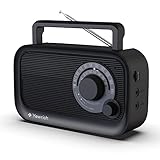
- 【Strong AM/FM Radio Reception 】Equipped with a powerful DSP chip and a retractable antenna, radios portable AM FM has the excellent and stable signal quality to receive your favorite channel, like WWRC, talk shows, sports games, other local radio, etc. Frequency range:FM 87.5-108MHz , AM 520-1710kHz
- 【Enjoy Your Favorite Music】This small portable radio has a Bluetooth speaker function that hooks up to your phone in less than one second. You will easily play your favorite classic, country, and rock music by Bluetooth. Just enjoy a relaxed time with this Bluetooth speaker radio
- 【Clarity and Breathtaking Sound】With built in precision large speaker, You can even easy to the hear the clear sounds without any distortion in another room. This handheld outdoor am/fm radio with best reception is a good choice perfect for rest, family, outdoor walks in the park
- 【Two Types of Power Source】You’ll need AC 110V power for you to plug the charging cable(include) in the wall to enjoy the radio the whole day when in the bedroom, kitchen, or office. When you are outdoor, inserts 4 AA Cell batteries(not included) in the battery operated radio so that you can connect and get broadcast news or music in real-time
- 【A perfect gift for your loved ones】Simple and elegant function design, large dial tune knob easy to use, good hand feeling handle easy to carry, very friendly for elder people. This am fm shortwave radio case is made in the premium ABS materials, good solid build is sturdy and durable. It is the best choice to get a small portable AM FM radio for your parents or grandparents in your family
Keeping the stream running when the encoder or connection fails
A 24/7 stream is an operational goal, not a guarantee from YouTube. A self-managed encoder depends on a host that stays powered on, a stable connection, and someone or something able to detect and recover from interruptions. A dedicated computer can separate the stream from your everyday device, but it is optional; YouTube does not specify a minimum hardware model. Plan how you will notice a failure, restore the encoder feed, and confirm that Live Control Room receives it again.
There is no special playlist size that makes a station reliable. Reliability depends on the full chain: cleared files, a working playlist, encoder, host, network, and response to YouTube warnings or disconnects. Test that chain before going public.
Or let it run in the cloud
StreamNeo keeps a YouTube channel live from uploaded videos without a computer, OBS, or home connection staying on. Upload a recording or build a playlist, add your YouTube stream key once, and go live. It loops the uploaded material from the cloud and can automatically recover if YouTube drops the stream.
- One flat price per slot for any uploaded quality up to 4K 60fps, with no re-encode or quality tiers.
- Each slot includes one always-on stream, 10 GB storage per slot pooled across active slots, 24/7 looping and playlists, automatic recovery if YouTube drops, and StreamNeo team support.
- The first day is free with no card, once per account. After that, choose a day, week, month, 6 months, or year; cancel any time. UPI and cards are available in India, and card checkout is available worldwide. Contact support for five or more slots.
Daily $0.99 per day · Weekly $2.99 per week · Monthly $9.99 per month · 6 months $49.99 for 6 months · Yearly $89.99 a year.
For a Punjabi radio channel, confirm that you have rights to upload and stream every recording and composition; a cloud host does not grant music rights or bypass YouTube’s Content ID checks. To try it, start StreamNeo’s free first day.
PC Slower Than It Used to Be?
A free scan shows the junk files, broken settings and background clutter dragging Windows down - then fixes them in one click.Free scan · Windows 10 & 11Outdated Drivers Are Slowing You Down
One free scan finds every outdated or missing driver and matches the right update for your exact hardware.Free scan · exact hardware matchCommon problems and fixes
| Problem | Likely cause | What to do |
|---|---|---|
| YouTube interrupts or terminates the stream | A third-party-content match, or licensed content with no channel allowlisting. | Check Live Control Room, identify the matched track, verify the license scope, and ask the relevant owner to confirm the channel’s Content ID allowlist status before resuming. |
| No preview appears in Live Control Room | The encoder may not be sending to the correct server URL or may have an incorrect stream key. | Compare the encoder’s URL and key with the values shown for that stream in YouTube Studio. Keep the key private. |
| The feed drops during unattended operation | Power, host, encoder, or network interruption. | Check the host and connection, restore the encoder feed, then verify the preview and stream health. Set up monitoring and a recovery plan before launch. |
| The broadcast has no replay | The stream exceeded 12 hours, or archive availability was otherwise not assured. | Use planned sessions shorter than 12 hours when an archive matters and record locally as a backup. |
| A song is blocked despite a license | The channel may not have been allowlisted, or the permission may not cover the particular recording, composition, territory, or live use. | Confirm the specific rights and Content ID allowlisting with the relevant rights owner; do not assume a general license resolves every use. |
Should a Punjabi music channel use horizontal or vertical video?
Horizontal video suits desktop and television viewing; vertical streams may appear in the Shorts feed. Choose based on the listening and viewing experience you want. Format does not change music rights, Content ID requirements, or the need to plan for a continuously running encoder.
Quick Recap
Product prices and availability are accurate as of the date/time indicated and are subject to change. Any price and availability information displayed on Amazon at the time of purchase will apply.

