
Outdated Drivers Are Slowing You Down
One free scan finds every outdated or missing driver and matches the right update for your exact hardware.Free scan · exact hardware matchWindows Errors? Fix Them Before They Spread
Repair common Windows errors and clear accumulated junk for a smoother, more stable PC - no reinstall needed.Free scan · no reinstalliTechGuides is reader-supported. When you buy through links on our site, we may earn an affiliate commission. As an Amazon Associate I earn from qualifying purchases. Learn more
If you want the podcast playlist to start again at episode one, FFmpeg must exit and a supervisor must launch a new FFmpeg process that opens the playlist again. A network retry inside the same FFmpeg process is different: it can restore the output connection while the playlist continues advancing. Choose recovery based on whether you want to resume where playback has reached or replay from the start.
Why a reconnect does not necessarily restart the playlist
The playlist is an input; YouTube is the output. FFmpeg’s concat demuxer reads listed files in order. The FIFO muxer can retry a failed output while the same FFmpeg process continues handling its input. That output recovery is not a command to rewind the playlist.
To replay from the beginning, the process reading the list has to end, then a new process has to open the same list. This is process restart behavior, not a playlist rewind feature.
Choose whether to resume or replay
| Recovery approach | What happens to the playlist | Best fit | Trade-off |
|---|---|---|---|
| FFmpeg FIFO output recovery | The existing process continues; the source playlist generally keeps advancing. | A temporary network interruption where keeping content position matters. | It does not intentionally restart at the first entry. FIFO queue settings can also affect whether packets are dropped if the queue overflows. |
| Supervisor relaunch after FFmpeg exits | A new process opens the list from its beginning. | You explicitly want to replay from episode one. | There is an interruption while the process restarts. You must manage stream/event behavior and ensure only one process publishes to the stream key at a time. |
Do not combine automatic FIFO retry with an unconditional process-restart policy unless you have decided which layer owns recovery. If FIFO keeps FFmpeg running, a supervisor waiting for that process to exit may never relaunch it for the same output failure. Exact behavior depends on the failure and configuration.
#1 Best Overall

- DIGITAL AUDIO FORMAT: MP3 is a widely supported digital audio format that compresses audio files for easy storage and playback.
- BROAD COMPATIBILITY: MP3 files are compatible with a vast range of devices, including smartphones, tablets, computers, and portable players.
- HIGH-QUALITY SOUND: Delivers clear and consistent audio playback, making it ideal for music, podcasts, and audiobooks.
- EASY FILE MANAGEMENT: Lightweight file sizes make it simple to organize, transfer, and share your audio library across devices.
- UNIVERSAL STANDARD: As one of the most recognized audio formats worldwide, MP3 ensures seamless playback across virtually all media platforms.
Prepare a playlist FFmpeg can read
Make an ordered concat list
Create a text file with one entry per episode, in the order you want them played. For example:
file '/media/podcast/episode-01.mp4'
file '/media/podcast/episode-02.mp4'
file '/media/podcast/episode-03.mp4'
Use paths that exist on the machine running FFmpeg. Quote or escape paths containing spaces or special characters. The concat demuxer expects the listed files to have matching streams, including codecs and time bases. If the files do not match, or need normalization or re-encoding, use FFmpeg’s concat filter instead; consult the documentation for the FFmpeg build you have installed.
Rank #2

- 1. Add standard public RSS and Atom podcast feeds.
- 2. Browse subscriptions and playable episodes.
- 3. Resume episodes from saved on-device progress.
- 4. Save favorite episodes for quick access.
- 5. Skip backward 10 seconds or forward 30 seconds.
Concat demuxing adjusts timestamps so the first file starts at zero and each following file starts after its predecessor. Inaccurate or truncated duration metadata can result in timestamp gaps or artifacts, particularly when stream lengths differ.
The Tool Desk
Outbyte PC Repair FREERepair Windows errors before they cause bigger problemsFix Now →Outbyte Driver Updater FREEFix the driver behind crashes, sound loss and screen glitchesFind Drivers →Check the input before setting up recovery
- Confirm the list contains the intended files in the intended order.
- Check that the files have compatible streams and timing for the concat demuxer.
- If the playlist does not concatenate cleanly, resolve the media compatibility issue before troubleshooting YouTube reconnects.
Configure replay-from-start recovery
- Choose process restart, not input continuation. Do not rely on FIFO output recovery to rewind the playlist. If you use FIFO for some other reason, define how an output failure will ultimately make the process exit when replay is required.
- Run FFmpeg against the concat list. Use the same playlist input and YouTube output settings you have already validated. When the process starts fresh and opens the list again, the concat demuxer begins reading at its first entry.
- Have a supervisor relaunch only after FFmpeg exits. Configure your service manager or restart loop to restart the command after the relevant process exit. Use a bounded delay rather than an uncontrolled tight loop, and record the exit status and restart time so repeated failures are diagnosable. Exact supervisor settings depend on your operating system and service manager.
- Prevent overlapping publishers. Ensure the old FFmpeg process has ended before a replacement starts. Do not run multiple copies publishing to the same YouTube stream key at once.
- Verify YouTube’s encoder destination and event controls. In YouTube Live Control Room, check the stream URL and stream key configured for the encoder. A stream key tells the encoder where to send the feed and lets YouTube accept it. Auto-start and auto-stop settings affect whether the encoder can start or stop the stream; scheduled-stream workflows may require you to wait for preview and select Go live.
- Watch the preview and stream health after a restart. Confirm that the new process is sending the expected feed and that the event is in the state you intend before relying on unattended recovery.
Keep ingest settings specific to the protocol
RTMP or RTMPS
YouTube’s encoder guidance recommends a 2-second keyframe interval and says not to exceed 4 seconds. Apply this to RTMP/RTMPS encoder settings; these figures are not HLS segment settings.
Rank #3

- 【Studio-Grade Sound Quality】This podcast bundle features Smart Noise Reduction System and 360° omnidirectional capture technology for vocal precision. ual-layer defense: Outer metal mesh filters plosive sounds, while inner windproof foam eliminates ambient noise. Integrated with professional DSP audio processing chip, it delivers studio-quality sound with real-time optimization.
- 【Plug & Play】Professional DJ mixer console seamlessly integrates podcasting functions with hybrid controls for real-time audio optimization. Includes 2 broadcast-grade condenser mics with anti-vibration suspension arms. USB-C interfaces enable instant connectivity across PC/smartphones/iPad, enable immersive creation anytime.
- 【Rich sound effects】The audio interface mixer has 4 sound variations(Female、Male、Child and Monster)and can produce 10 sound effects.It contains almost all of the commonly used functions.Four sound modes and 13 functions are not only made for live streaming,which is designed for recording,podcasting,tiktok live streaming,ect.
- 【Powerful Compatibility】Pro-grade compatibility ecosystem,supporting Smartphones/PC/PS5/Xbox and more.It can be compatible with Windows|Mac OS|Android|iOS|Chrome OS.Plug and play zero configuration direct connection technology, one click integration of cross platform creation ecology, suitable for 12+professional scene needs such as live streaming/recording/esports/remote work
- 【Multi instrument access】This product can directly connect electric guitars/bass/electronic drums without damage, retaining the original dynamic response.Whether live-streaming, recording, or hosting a radio show, you can directly input instrument audio to deliver pristine sound quality that authentically captures your performance
HLS
If you are using YouTube HLS ingestion, its requirements are different: segments must be 1–4 seconds, in TS format, sent with HTTPS POST/PUT, and managed with a rolling playlist containing no more than five outstanding segments. HLS has higher latency than RTMP according to YouTube’s guidance. Do not apply these HLS-specific requirements as general RTMP flags.
Troubleshoot failed restarts
- The playlist resumes in the middle. The original FFmpeg process may still be alive and recovering its output. Check which layer owns recovery; replay-from-start requires a fresh process to open the list.
- The supervisor never restarts FFmpeg. Check whether FFmpeg is still running because an output retry mechanism is keeping it alive. Confirm that your chosen failure policy causes the process to exit when replay is required.
- The playlist starts at episode one but playback has gaps or artifacts. Check that concat inputs have matching streams, codecs, and time bases, and inspect file duration metadata. Use the concat filter when re-encoding or normalization is needed.
- YouTube does not accept the replacement feed. Verify the stream URL and key in Live Control Room, check that the event and auto-start/auto-stop configuration match your workflow, and inspect the preview and stream health.
- More than one publisher appears to be active. Check the supervisor and process list for duplicate FFmpeg instances. Ensure the previous process has ended before the replacement starts.
- The stream behaves differently after an FFmpeg upgrade. FFmpeg documentation is version-sensitive. Check the documentation matching the installed build, especially for concat and FIFO options.
Or let it run in the cloud
If your goal is a continuously running YouTube stream of uploaded podcast videos, StreamNeo is a cloud alternative: upload your recording or build a playlist, add your YouTube stream key once, and go live. Nothing has to stay on at home. Each slot streams uploads as made, up to 4K 60fps, at one price per slot; StreamNeo automatically recovers if YouTube drops the stream. The first day is free with no card. Monthly: $9.99 per month.
Rank #4

- Professional Podcast Equipment Bundle - The Podcast Equipment Bundle is equipped with BM-800 microphone, Mic adjustable suspension scissor arm stand, Shock mount, Pop filter, Anti-wind foam Cap, Power cable, Live sound card. This professional recording studio package was designed for podcasting, streaming and recording music and short video. What you get is a complete set of professional podcast equipment bundle.
- Excellent Sound Quality - The condenser microphone bundle has been designed with 2021 professional sound chipset, ensuring your voice is captured in high detail. The cardioid pickup pattern is more suitable for recording podcasts, vocals and other voice works. The condenser microphone records the sound source in front of the microphone directly and provides a rich, mellow sound.
- High Compatibility Podcast Kit - The podcast equipment bundle can be used in most mainstream operating systems such as Windows and Mac OS, in addition, the voice changer is compatible with smartphones (Android and IOS). This audio interface can be used on any mobile phone, computer, tablet iPad, PS4, Xbox, Switch and any game platform.
- Functional Recording Studio Package - This voice changer has multiple sound effects. You can connect to different devices (computer/ mobile phone/ laptop) by using different connection methods. Change your voice anytime, anywhere, call with friends, chat on for WeChat, live and sing, take video on TikTok, Youtube, etc. The podcast equipment bundle will bring more fun to you and make your recording more creative.
- PAY ATTENTION - After you get the condenser microphone bundle, please charge it first. We are a company dedicated to the research and development of podcast kit, if you have any questions in the process of use, please contact us in time, we will solve any problems for you within 12 hours.
See StreamNeo or start your free first day.
Independent reader supportYour contribution helps us test, update, and keep practical guides available for everyone.Frequently Asked Questions
Does restarting FFmpeg restart the YouTube event too?
Not necessarily. YouTube’s auto-start and auto-stop settings affect encoder control, and scheduled streams can involve a preview-and-Go-live workflow. Check the event controls in Live Control Room for your setup.
What’s actually slowing this PC down?
Pick the symptom - the matching free tool is one click away.
Can I use the concat demuxer if my podcast files have different codecs?
The concat demuxer requires matching streams, including codecs and time bases. If the inputs need re-encoding or normalization, use the concat filter.
Quick Recap
Best Value
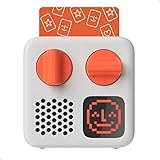
- SMALL SPEAKER FOR BIG ADVENTURES: Yoto Mini lets kids explore their imaginations as they explore the world. Fill road trips, car rides, flights, long journeys & play dates with inspiring audio!
- EASY TO SET UP & USE: Children from 3-12+ use physical cards to explore the best audio content on the move. Simply pop an audio card into the Mini to play & remove to stop. Adjust volume or tracks with the dials. Alternatively, control the Mini via the free app!
- KID-FRIENDLY WITH PARENTAL CONTROL: Enjoy up to 14 hours of safe & screen-free entertainment per charge. No cameras. No mics. No ads.
- MULTI-PURPOSE: Features a pixel display to bring the audio to life, play sleep sounds, use as bedtime storyteller, an OK-to-wake clock, a portable audio speaker or use with headphones!
- CONTENT THAT GROWS WITH KIDS' MINDS: Explore 1000+ cards of bestselling audiobooks, music, educational activities, free podcasts, radio, soundscapes, timers or even create content with a Make Your Own card!
Product prices and availability are accurate as of the date/time indicated and are subject to change. Any price and availability information displayed on Amazon at the time of purchase will apply.

