
Recommended Free Tools
iTechGuides is reader-supported. When you buy through links on our site, we may earn an affiliate commission. As an Amazon Associate I earn from qualifying purchases. Learn more
Start by identifying which files are missing and where they were stored. Check the phone’s Recently Deleted, Trash, Bin, or Recycle bin, then check the account’s cloud library. Consider a whole-device backup restore only if it contains the missing data and its date makes sense; that process can replace newer information or require erasing the phone.
Before you restore anything, identify what is missing
Distinguish a deleted file from a file that is merely out of view, no longer synced, or associated with a different account. Note whether you lost photos, app documents, messages, or other data, and which app or service stored it. If you use more than one Apple, Google, or Samsung account, confirm that the phone and cloud app are signed in to the account that held the item.
Check the app where the file lived before resetting the phone or restoring a backup. An item-specific deleted-items folder is usually the least disruptive route: it may return the file without rolling the whole device back to an earlier state.
Do these 3 things before closing this tab:
1Scan for outdated or missing drivers - takes under a minute2Clear out junk files and repair common Windows errors3Fix the driver behind crashes, sound loss and screen glitchesCheck deleted-items folders and cloud libraries
iPhone and iPad photos
- Open Photos and go to Recently Deleted. Authenticate if prompted, select the eligible photos or videos, and choose Recover.
- Apple says deleted photos and videos remain in Recently Deleted for 30 days. After that, they are permanently deleted from that album and cannot be recovered through it. Apple’s photo deletion guidance was published April 3, 2026.
iCloud Drive and other iCloud files
- Visit iCloud.com Data Recovery and check the recovery options for deleted files, or check Recently Deleted where available.
- Apple documents recovery of eligible deleted iCloud files within 30 days. Files permanently removed from the recovery route cannot be restored there.
Google Photos on Android
- Open Google Photos and check both Bin and Archive. Confirm the app is signed into the Google Account that was used when the photos were backed up or viewed.
- Restore an item that is still in Bin using the app’s restore option. Google describes a 30-day Bin retention period on its support page; the reviewed page does not state a publication year. If an item was permanently deleted or is no longer in Bin, Google says it cannot be restored from that Bin. Google Photos Help explains the route.
Samsung Galaxy Gallery
- In Gallery, open Menu and choose Recycle bin, then select the photos or videos to restore. Menu labels can vary by model and software version.
- Samsung says Gallery’s Recycle bin must have been enabled before deletion and keeps items for 30 days. If it was not enabled, this route will not contain the deleted items. See Samsung’s Galaxy photo recovery guidance, updated June 20, 2026.
Use a whole-device backup only when it fits
A device backup is not necessarily a complete copy of every app’s current contents. Check what the backup includes, its date, and whether it predates the loss. Also check whether a newer backup might overwrite or omit information currently on the phone. Apple separates iCloud Photos and iCloud Drive syncing from the iCloud device backup; Android backup coverage varies by app, device, and software version.
#1 Best Overall
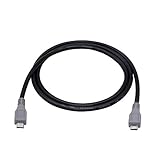
- Micro USB OTG - Connects a Micro USB equipped device to another Micro USB equipped device for charging, data transfer and tethering. Designed for Android/Windows smartphones or tablets connected to other phones, tablets, Kindle Fires, Bluetooth headsets, mp3 players, digital cameras and more data transfer or charging devices.
- EASY TO USE - Both Android devices need to support OTG.The perfect solution for collecting data from old phones with broken screens.
- TRANSMISSION STABILITY - Fully shielded cable with molded connectors.Cable Length: about 1m/3.2ft.
- HIGH SPEED - This high quality cable complies with USB 1.1, USB 2.0 and USB On-The-Go (OTG) specificationsSupporting data transfer speeds up to 480Mbit/sec.
- WIDE COMPATIBILITY - Support All Micro USB OTG equipped device such as Android smart phone,tablet, Bluetooth headset, MP3 players, digital cameras and more devices for data transfer.Perfect solution for gathering data from an old phone with broken screen.
| Platform | What to check | Restore conditions and limits |
|---|---|---|
| iPhone or iPad | iCloud or computer backup date and size; separately confirm iCloud Photos, iCloud Drive, and app-provider data. | Restoring an iCloud backup requires a new or erased device during setup. Apple advises selecting a backup by date and size and keeping the device on Wi-Fi while restoration completes. See Apple’s backup restore instructions. |
| Android | Google device backup details, which can include apps and app data, call history, contacts, device settings, and SMS/MMS. | Not all apps back up or restore everything. Restoring the rest of a device backup may require initial setup or a factory reset. A backup from a higher Android version cannot be restored to a phone running a lower version. See Google’s Android backup guidance. |
| Samsung Galaxy | Samsung Cloud or Google backup, Smart Switch, and any existing computer or external-storage copy. | Available services and supported content vary by country, provider, and model. Verify the instructions for the specific Galaxy device. See Samsung’s backup and restore guidance. |
Restore an iPhone or iPad backup
- Check for an appropriate backup in iCloud or on a computer before changing the device.
- If using iCloud backup on a device that is already set up, Apple requires erasing its content before restoring from that backup. Follow the on-screen setup steps, choose the backup by date and size, and keep the device connected to Wi-Fi until restoration completes.
Restore an Android backup
- On the phone, review the backup information in Android’s backup settings and confirm that the missing data is covered by a suitable backup.
- Follow the device’s setup or reset flow to restore. Google notes that restoration availability and steps vary by device and Android version; some backup content is restored during initial setup or after a factory reset.
Restore Samsung data
Check the Galaxy’s Samsung Cloud or Google backup, and look for an existing Smart Switch, computer, or external-storage copy. Use the device-specific instructions because supported content and availability can differ by model, country, and provider.
When no deleted-items copy or backup is available
Built-in recovery routes cannot bring back every permanently deleted item. Google says an item permanently deleted or absent from its Bin cannot be restored from that Bin; Apple likewise says permanently removed photos and eligible iCloud files cannot be recovered through the documented routes. The available platform guidance does not establish that third-party apps can reliably recover permanently deleted data from modern encrypted internal storage, especially after a factory reset.
Rank #2

- Universal IDE SATA to USB 3.0 Adapter: Alxum hard drive reader support SATA 2.5"/3.5" HDD; 2.5"/3.5" IDE HDD, DVD-ROM, CD-ROM, CD-RW, DVD-RW, DVD + RW Optical Drive. Little triangle pro converter with dual-head IDE connector (40-pin and 44-pin) plus one SATA connector (Tips: 4PIN Power Cable is designed for 3.5 inch IDE drive).Using Alxum hard drive transfer kit you can connect the external drive to add storage, perform backups, implement data recoveries and transfer content to your laptop.
- 5Gbps High-Speed Transmission: Alxum SATA IDE to USB adapter Data transfer rates up to 5 Gbps, backward compatible with USB 2.0/1.1. supports UASP. Which is 70% faster than traditional USB 3.0 and has a 40% reduction in required processor resources. Alxum IDE to SATA adapter hard drive connector is universally compatible with Windows 7, Vista, XP,2003/2000/ME, MAC OS X, and Linux. Just plug and play, easy to use. No driver or software is needed!
- Huge Capacity Supportive: Alxum IDE Hard Drive Adapter has a huge capacity.Allowed to operate 2 hard disk drives simultaneouslyThe LED indicator of the USB to SATA IDE adapter can monitor the working status and automatic sleep mode after 30 minutes of inactivity. Hard drive reader to USB support hot swapping, on/off switch for HDD protection. Alxum pocket design hard drives recovery converter is lightweight and compact, mini portable size makes it easy to carry during business travel.
- Get Drives Active: Alxum USB IDE Adapter USB 3.0 to SATA IDE Hard Drive Converter Combo for 2.5" 3.5" IDE SATA SSD Hard Drives Disks. Suitable for Professional and Home Use With the need for data security and data recovery. Alxum USB hard drive adapter could turn any standard 2.5" 3.5" IDE or SATA drive into a convenient external drive. Support adding drive space, performing backups, creating disk images, and implementing data recovery transfer files from a computer or notebook.
- What You Will Get: 1 x USB 3.0 to SATA /IDE converter,1 x USB 3.0 male to male cable 2.62ft,1 x Simple users manual,1 x 12V/2A power supply: can power larger form-factor SATA drives or IDE drives, 1 x 4Pin Molex cable: When using the older parallel IDE connection,1 x USB C to USB Adapter(New and old adapters are shipped randomly): compatible with most laptops, and tablets with a USB Type C port. Any doubts you have when using, we are glad to offer 24h-friendly customer service and email support.
If the phone is physically damaged or inaccessible and the data is valuable, contact the device maker or carefully vet a data-recovery specialist. Recovery is not guaranteed. Avoid resetting, repeatedly using, or installing recovery apps on a device that may still hold the only copy; those actions are not a substitute for a backup and may change what remains accessible.
Preserve recovered files and prevent another loss
Once a file is recovered, make a separate copy to a computer or external drive, rather than relying only on the same phone or synced account. Samsung documents computer and external-storage backup options for supported Galaxy devices; compatibility varies by phone. An accessory can preserve a recovered file, but it cannot retrieve data that was already permanently deleted.
Quick Recap
Best Value

- Universal Compatibility:Supports simultaneous connection and reading of one IDE and one SATA hard drive. Compatible with 2.5/3.5-inch IDE & SATA HDD/SSD, as well as CD-ROM, DVD-ROM and DVD-RW optical drives, covering most daily storage and optical device usage scenarios.Win 10& Mac OS system is not compatible with DVD drives
- Up to 6Gbps Transfer:Built-in SATA III interface delivers up to 6Gbps transfer speed, 10 times faster than USB 2.0. Backward compatible with USB 2.0 and 1.1, enabling fast and smooth file migration, backup and data reading.
- Plug & Play with Hot-Swap: Driver-free design for plug-and-play use. Supports safe hot-swap, allowing quick replacement of storage devices without rebooting the computer, greatly improving your work efficiency.
- Stable Power Supply: Equipped with a 12V/2A power adapter and dedicated 4-pin power cord to provide stable power supply. It perfectly supports the power demand of 3.5-inch IDE hard drives and prevents data loss caused by unstable power.
- Complete Package & Portable: Comes with full accessories including USB-C adapter, USB-C to Micro USB cable, 4-pin power cord and 12V/2A power adapter. Ready to use out of the box, lightweight and portable for home and office use.
Rank #4

- USB Data Blocker Adapter 2Pack, USB Type-A Male to Female Only for Fast Charging Extender Connector, Protect Against Juice Jacking,Refuse Hacking Provide to provide Secure charging for USB Device
Rank #3

- Quick Access to 2.5-Inch SSD/HDD: SATA drives only, Connect any 2.5" SATA HDD or SSD to your laptop with ease-This SATA to USB adapter supports drives via the high-speed SATA III interface for fast data access and backup, suitable for data transfer and storage expansion
- Transfer Speeds Up to 5 Gbps: The hard drive reader supports USB 3.0 data transfer speeds of 6Gbps, 70% faster than conventional USB 3.0 when connected to a computer that also supports UASP, making large file transfers a breeze by using this hard drive to USB adapter. Reverse compatible with USB 2.0 & USB 1.1
- Plug and Play Easy to Use: Computers use a SATA (Serial AT Attachment) interface to connect to storage drives internally. Your laptop or desktop's external ports use USB, hard drive adapter supports hot-swappable, plug & play, no drivers needed
- Wide Compatibility: SATA to USB cable compatible with USB 3.0 computer systems such as Dell Optiplex & Apple Mac & MacBook laptops/Chromebook/desktop, and 2.5in SATA hard drives & solid-state drives such as Samsung 840 EVO series & Crucial MX 100 series. System requirements: Windows: XP/Vista/7/8/8.1/10, MAC: OS X, Linux
- Power Requirements Note: Our 2.5 inch SATA to USB 3.0 Adapter Cable is USB-bus powered, no need for extra power supply for 2.5 inches HDD/SSD. Not work for 3.5" drive, If you try to use a simple cable adapter on a large desktop drive, it won't spin up
- Confirm that photos and documents appear in the intended cloud library or backup, not just in the phone’s local view.
- Check backup status periodically and verify the account and device covered by it.
- For especially important files, keep a separate copy in a different location from the phone.
Product prices and availability are accurate as of the date/time indicated and are subject to change. Any price and availability information displayed on Amazon at the time of purchase will apply.

