
The Tool Desk
Outbyte Driver Updater FREEScan for outdated or missing drivers - takes under a minuteDriver Scan →Outbyte PC Repair FREEClear out junk files and repair common Windows errorsFree Scan →iTechGuides is reader-supported. When you buy through links on our site, we may earn an affiliate commission. As an Amazon Associate I earn from qualifying purchases. Learn more
If you want to read a Barnes & Noble eBook on a computer, use NOOK for Web: sign in to the Barnes & Noble account that owns the title, open your NOOK Library, and select a compatible book. This opens the book in a browser; Barnes & Noble’s published instructions do not describe saving a purchased NOOK eBook as a local EPUB or PDF file on your computer.
Read a Barnes & Noble eBook in your computer’s browser
Barnes & Noble documents NOOK for Web as its way to read compatible eBooks and samples on a desktop or laptop. The company lists Microsoft Edge, Chrome, Firefox, and Safari as supported browsers. See Using NOOK for Web (last updated June 24, 2025).
- On your computer, open the Barnes & Noble website and sign in to the account that owns the eBook.
- Open your NOOK Library.
- Look for a folded-corner arrow on the book cover, Barnes & Noble’s stated indicator that the title works with NOOK for Web.
- Select the title or cover to open it in the browser reader.
If a sample cannot be opened from the Digital Library, Barnes & Noble says that the title is not compatible with NOOK for Web. Compatibility varies by title, so a book’s presence in your library does not guarantee it will open in the web reader.
Do these 3 things before closing this tab:
1Fix the driver behind crashes, sound loss and screen glitches2Repair Windows errors before they cause bigger problems3Scan for outdated or missing drivers - takes under a minuteDoes this download the book file to your computer?
No local file download is described in the official instructions cited here. NOOK for Web is a browser-reading option, not a documented method for saving a purchased book as an EPUB or PDF on your computer. Barnes & Noble’s terms say purchased digital content remains accessible through the NOOK Library, while transfer options depend on the content type and applicable DRM. See Digital Content Terms of Sale.
#1 Best Overall

- Carry your library with you (32GB of storage)
- Highest Resolution -A 6Inches high-resolution 300-dpi screen with built-in glare- scratch- and fingerprint-resistant lens provides a paper-like reading experience.
- Comfortable Design with Page-turning -Soft-touch finish makes it easy to grip and comfortable to hold for hours at a time. Touch screen or physical page-turning buttons to help you navigate the way you like it.
- Long Battery Life -It’s perfect for long road trips or even travel to remote corners of the world. Read for weeks on a single charge. Get going and never look back.
The available documentation does not establish whether a legacy desktop app, a particular title, or an account-specific feature provides an exception. If you need a local file for offline use or personal archiving, contact Barnes & Noble support for guidance on your title and account rather than assuming a browser option exports it.
Independent reader supportYour contribution helps us test, update, and keep practical guides available for everyone.Why Adobe Digital Editions and USB instructions are different
Barnes & Noble also has instructions for transferring certain eBooks from a computer to a NOOK. These workflows start with a file already obtained from an eBook source; they do not explain how to download a Barnes & Noble purchase to your computer.
Rank #2

- Listen to your favorite audiobooks with Bluetooth or headphones
- Read easily, everywhere
- Waterproof design allows you to read anywhere without worry
- Perfect reading day to night with night mode
- Soft touch finish on front and back for easy grip
- Transfer eBooks with Adobe DRM covers using Adobe Digital Editions (ADE) to authorize a computer and supported NOOK, then transfer an Adobe DRM or DRM-free eBook to the device. For NOOK HD/HD+ on Windows, ADE unlocks the downloaded protected file, which must then be copied manually to the device’s MyFiles folder.
- Transferring eBooks that are not protected by Adobe DRM covers USB sideloading of DRM-free EPUB or PDF files already on the computer to a NOOK or its MyNOOK drive.
Library Sync is another separate process: it syncs purchases from another NOOK, a smartphone, a tablet, or bn.com into a NOOK device library. It is not an export-to-computer feature. See Your NOOK Library.
Recommended Free Tools
Quick Recap
Rank #3
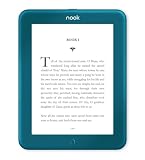
- Carry your library with you (32GB of storage)
- Highest Resolution -A 6Inches high-resolution 300-dpi screen with built-in glare- scratch- and fingerprint-resistant lens provides a paper-like reading experience.
- Comfortable Design with Page-turning -Soft-touch finish makes it easy to grip and comfortable to hold for hours at a time. Touch screen or physical page-turning buttons to help you navigate the way you like it.
- Long Battery Life -It’s perfect for long road trips or even travel to remote corners of the world. Read for weeks on a single charge. Get going and never look back.
Choose the route that matches your goal
| Route | What it does | Limit |
|---|---|---|
| NOOK for Web | Reads compatible Barnes & Noble eBooks and samples in a desktop or laptop browser. | Browser reading; the cited help page does not describe saving a local book file, and compatibility varies by title. Source |
| ADE or USB sideloading | Transfers supported Adobe DRM or DRM-free files already obtained from an eBook source from a computer to a NOOK. | Transfer direction is computer to NOOK, not export of a purchased NOOK book to the computer. NOOK HD/HD+ on Windows has the manual-copy step after ADE unlocks the file. ADE source; USB source |
Product prices and availability are accurate as of the date/time indicated and are subject to change. Any price and availability information displayed on Amazon at the time of purchase will apply.

