
Free tools Windows power users keep installed
One-click scans. No signup required.
iTechGuides is reader-supported. When you buy through links on our site, we may earn an affiliate commission. As an Amazon Associate I earn from qualifying purchases. Learn more
Build the form with semantic HTML, use CSS for the translucent glass effect, and add JavaScript only when you need custom interaction. A form that looks finished does not automatically send a message: for real submissions, it needs a working receiver in its action and server-side processing or a suitable form-handling service.
Build the form structure with HTML
Start with a real <form>, not a collection of styled fields. Give every control a visible label connected to it with matching for and id values. Add a name to each field whose value should be submitted.
<form class="contact-form" action="/contact" method="post">
  <h2>Contact us</h2>

  <label for="name">Name (required)</label>
  <input id="name" name="name" type="text" autocomplete="name" required>

  <label for="email">Email address (required)</label>
  <input id="email" name="email" type="email" autocomplete="email" required>

  <label for="message">Message (required)</label>
  <textarea id="message" name="message" rows="5" required></textarea>

  <button type="submit">Send message</button>
</form>
The example uses /contact as a placeholder receiver. Replace it with the URL of your actual endpoint or form-handling service before relying on the form. The required attributes make the fields mandatory in the browser, and type="email" enables built-in email-format validation. That check verifies syntax only; it cannot establish that an address exists or that the submitter controls it. See MDN’s email input reference.
Recommended Free Tools
Style the glass panel with CSS
Glassmorphism depends on seeing something through a translucent surface. Put the form over a visible background, then combine a partly transparent panel with backdrop-filter. If the page behind the panel is a flat, uniform color, the blur has little visible detail to soften.
#1 Best Overall

- 【Ultra-Clear Display Touch Panel】Our digital signage kiosk features a Ultra-Clear Display LCD touch panel with IPS technology, offering bright, vivid visuals with 600 nits of brightness. The 178° wide viewing angle ensures clarity from all directions, making it ideal for public spaces. Whether displaying images or videos, the high resolution provides sharp, vibrant content that captures attention and enhances viewer engagement.
- 【Multiple Input Options for Flexibility】 The kiosk supports USB, HDMI, 5G Wi-Fi, and Google Apps for easy content management. With the Android OS, you can upload and update images, text, and videos seamlessly. This flexibility allows you to display a variety of content types, keeping your displays dynamic and engaging in real time.
- 【Android OS for Seamless Operation】 Running on Android OS, our kiosk ensures smooth, stable performance and easy content management. It supports a range of apps, providing customization options for various business needs. The secure, user-friendly interface allows for easy updates and remote control, making it suitable for any commercial or public environment.
- 【Split-Screen Function for Multi-Content Display】 The kiosk’s split-screen feature allows you to display multiple content types simultaneously. You can showcase videos, images, and text side by side, enhancing viewer engagement. This feature is perfect for running multiple advertisements, promotions, or messages in a single, visually appealing display.
- 【Boost Sales with Interactive Signage】 Interactive digital signage encourages customer engagement, driving higher sales. The touchscreen functionality allows users to interact with content, such as offers or product catalogs. By offering real-time updates and dynamic content, this kiosk fosters a more engaging shopping experience and boosts conversion rates.
body {
  min-height: 100vh;
  margin: 0;
  display: grid;
  place-items: center;
  padding: 1.5rem;
  color: #172033;
  font-family: system-ui, sans-serif;
  background: linear-gradient(135deg, #cadcff, #f4d7e8 55%, #c9f0e2);
}

.contact-form {
  width: min(100%, 28rem);
  box-sizing: border-box;
  padding: 2rem;
  border: 1px solid rgba(255, 255, 255, 0.65);
  border-radius: 1.25rem;
  background: rgba(255, 255, 255, 0.82); /* readable fallback */
  box-shadow: 0 1rem 3rem rgba(25, 38, 68, 0.18);
}

@supports (backdrop-filter: blur(1px)) {
  .contact-form {
    background: rgba(255, 255, 255, 0.58);
    backdrop-filter: blur(14px);
  }
}

.contact-form label,
.contact-form input,
.contact-form textarea {
  display: block;
  width: 100%;
  box-sizing: border-box;
}

.contact-form label {
  margin: 1rem 0 0.4rem;
  font-weight: 600;
}

.contact-form input,
.contact-form textarea {
  padding: 0.75rem;
  border: 1px solid #69758a;
  border-radius: 0.5rem;
  background: rgba(255, 255, 255, 0.9);
  color: #172033;
  font: inherit;
}

.contact-form button {
  margin-top: 1.25rem;
  padding: 0.75rem 1rem;
  border: 0;
  border-radius: 0.5rem;
  background: #263d78;
  color: #fff;
  font: inherit;
  font-weight: 700;
  cursor: pointer;
}

.contact-form input:focus-visible,
.contact-form textarea:focus-visible,
.contact-form button:focus-visible {
  outline: 3px solid #172033;
  outline-offset: 3px;
}
The opaque-enough panel background, field surfaces, and dark text help keep the form legible instead of making the visual effect compete with the controls. The @supports block applies blur only when the browser supports it; browsers without support retain the translucent fallback. MDN describes backdrop-filter as a way to apply effects such as blur to the area behind an element, and classifies it as Baseline 2024, newly available across the latest devices and browser versions in September 2024. Older browsers or devices may still lack support.
Choose how submissions are handled
HTML can submit a form without a JavaScript handler, but it still needs a receiver. Set action to that receiver and choose a method appropriate to its behavior.
Rank #2
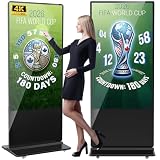
- Dynamic Multi-Screen Design: The upgraded screen playback design perfectly solves the problem of playing pictures and videos at the same time and realizes the intelligent split-screen function, which makes your ads more attractive.Advertising machine support external playerbox installed inside, high-definition HDMI signal source input, USB card input, support for Wi-Fi and network connection, Enables flexible updating of management documents.
- Superior Viewing Angle: Advertising machine adoption of 4K IPS display screen, ultra-high quality graphics guarantee video smoothness and picture clarity. 178° ultra-wide viewing angle allows you to maximize the presentation of your advertisement, thus attracting more viewers.
- Cutomize LOGO for free: There is an exclusive panel on the front of the product that. We provide FREE LOGO, advertising poster customization services.After payment from our store, please contact us by Amazon and provid the clear logo file.you can put your customized logo, advertising posters, etc. on it to promote the brand and show personality.
- Multi-Functional Introduction: The product is available in both touch and non-touch versions. Using Android OS with two powerful 8Ω 5W speakers, supports U disk plug-and-play, Software installation, multimedia automatic playback, remote control operation, and timing on/off.
- Ideal Business Inputs: YCKJNB floor-standing advertising machine is widely used in commercial centers, airports, hospitals, restaurants and all kinds of stores. Meanwhile, we provide 3 years after-sales warranty service to maintain the normal operation of the product, with you all the way forward.
| Approach | What it does | Best suited to |
|---|---|---|
| Native HTML submission | The browser submits the named controls to the form’s action using the selected method. It is the simpler option and does not require custom JavaScript feedback. |
A form whose server endpoint or form service is already configured and can provide the resulting response. |
| JavaScript-managed submission | A submit-event handler can control feedback and interaction. If it calls preventDefault(), it must also send the data to a real receiver; otherwise, it is only a front-end demonstration. |
A form that needs custom in-page feedback and has a working submission implementation behind it. |
MDN documents POST as sending form data in the request body, while GET appends it to the action URL and is suited to submissions without side effects. Contact messages generally should not be placed in a URL, so a configured receiver commonly uses method="post".
Do these 3 things before closing this tab:
1Scan for outdated or missing drivers - takes under a minute2Repair Windows errors before they cause bigger problems3Fix the driver behind crashes, sound loss and screen glitchesWhichever approach you use, validate submitted data on the server. Client-side constraints improve the experience but can be bypassed. MDN’s input documentation explains the role of constraint validation and server-side validation; its form validation guide covers native constraints and accessible custom feedback.
Rank #3

- 【Ultra-Clear Display Touch Panel】Our digital signage kiosk features a Ultra-Clear Display LCD touch panel with IPS technology, offering bright, vivid visuals with 600 nits of brightness. The 178° wide viewing angle ensures clarity from all directions, making it ideal for public spaces. Whether displaying images or videos, the high resolution provides sharp, vibrant content that captures attention and enhances viewer engagement.
- 【Multiple Input Options for Flexibility】 The kiosk supports USB, HDMI, 5G Wi-Fi, and Google Apps for easy content management. With the Android OS, you can upload and update images, text, and videos seamlessly. This flexibility allows you to display a variety of content types, keeping your displays dynamic and engaging in real time.
- 【Android OS for Seamless Operation】 Running on Android OS, our kiosk ensures smooth, stable performance and easy content management. It supports a range of apps, providing customization options for various business needs. The secure, user-friendly interface allows for easy updates and remote control, making it suitable for any commercial or public environment.
- 【Split-Screen Function for Multi-Content Display】 The kiosk’s split-screen feature allows you to display multiple content types simultaneously. You can showcase videos, images, and text side by side, enhancing viewer engagement. This feature is perfect for running multiple advertisements, promotions, or messages in a single, visually appealing display.
- 【Boost Sales with Interactive Signage】 Interactive digital signage encourages customer engagement, driving higher sales. The touchscreen functionality allows users to interact with content, such as offers or product catalogs. By offering real-time updates and dynamic content, this kiosk fosters a more engaging shopping experience and boosts conversion rates.
Add JavaScript only for a real enhancement
A submit handler is useful for interaction such as announcing a status message, but it does not send data merely by displaying “Message sent.” If the handler prevents the browser’s normal submit action, it must perform the actual request to your endpoint and handle the response, or make clear that the page is a demo.
const form = document.querySelector(".contact-form");
const status = document.querySelector("#form-status");

form.addEventListener("submit", async (event) => {
  event.preventDefault();
  status.textContent = "Sending…";

  try {
    const response = await fetch(form.action, {
      method: form.method,
      body: new FormData(form),
      headers: { Accept: "application/json" }
    });

    if (!response.ok) throw new Error("Submission failed");
    status.textContent = "Your message was submitted.";
    form.reset();
  } catch {
    status.textContent = "We could not send your message. Please try again.";
  }
});
Add a live status region inside or near the form so assistive technology can announce the result:
Rank #4

- 32" Versatile Interactive Kiosk: This MWE floor-standing touchscreen kiosk features a 32-inch FHD display and Android 13 open OS, offering responsive touch and seamless interaction. Supports the installation of windows boxes or hosts, supports the installation of any external system or software, and facilitates the deployment of your functions. It supports installing software like navigation, info query, self-ordering, exhibit explanation, and info display (no pre-installed), adapting flexibly to diverse needs.
- LCD Screen with Stunning Visuals: The 1920*1080 FHD IPS display delivers crystal-clear images and videos, ensuring your content pops. Boasting a wide viewing angle, this MWE digital kiosk guarantees perfect visibility from every corner of your space. 450 cd/² brightness display for clear visibility of screen content in indoor applications. Adjustable display settings adapt to different lighting conditions, making it suitable for any indoor environment.
- Multi-connectivity & Smart Management: Easily handle content and device connections. With Wi-Fi and Ethernet, manage remote updates and stream content smoothly. Transfer files via USB 2.0 or TF card in a plug-and-play manner.The HDMI port enables high-quality video output from external devices. This MWE Interactive Kiosk ideal for banks, malls, hotels, restaurants, hospitals, museums, and campuses. This Self-Service Kiosk has two 5W speakers, which you can use to play your advertising videos and music.
- Built to Last, Designed to Impress: Crafted for durability, this MWE kiosk withstands the rigors of high-traffic areas like airports, hospitals, and shopping malls. The Self Ordering Point of Sales Kiosk's user-friendly interface ensures a smooth experience for customers, while the robust build minimizes maintenance, providing a reliable solution for your long-term business needs.This kiosk has two wheels on the bottom for easy mobility and fits into a cardboard box for portability.
- Professional After-Sales Support Team: MWE-RIXZSIW is equipped with a professional technical service support team and have the most professional manufacturer: Marvel Technology CO., LTD(MWE). We can solve your problems through 7 days/24 hours email/telephone communication, and provide up to 3 years of after-sales guarantee to ensure you the best shopping experience.
<p id="form-status" aria-live="polite"></p>This JavaScript assumes that the endpoint accepts the submitted form data and returns a success status for successful processing. Configure the receiver to validate and handle the message; otherwise, the request will fail or the data will not be delivered. For native constraints and accessible custom feedback patterns, see MDN’s form validation guide and the HTMLFormElement reference.
Quick Recap
Best Value
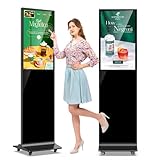
- 【Ideal for Advertising and Promotion】MWE-QIXZOCV Floor Standing Digital Signage Display is designed with durability and sturdiness in mind. Its simple design and easy operation make it suitable for diverse indoor locations such as retail stores, restaurants, malls, airports, hospitals, and commercial centers. Stand out in the competition with this powerful and versatile LCD Advertising Display Kiosk
- 【Multifunctional Display Equipment】Advertising Display: Showcase advertisements for products, and promotional campaigns. Attracts attention, increase brand exposure, and drive consumer purchasing behavior; Brand Display: Showcasing brand logos, product information, brand stories, brand vision and more, effectively displays and enhances brand image
- 【MWE-QIXZOCV Intelligent solutions】Information Communication: Convey various types of information, such as announcements, public messages, transportation directions, event schedules, and more, to help people access the information they need; Wayfinding: Provide detailed maps and route instructions. In large venues like shopping centers, exhibition halls, hotels, LCD digital signage serves as a navigation system to guide people to their destinations
- 【Advantage Features】Slim Design: Ultra screen bezel. We're using the recent popular slim design, not heavy old design Kiosks; Stable Open Cell technology: Low-power consumption with lower heat generation. Make the screen life long time longer; Compatibility Design: Supported with other media player box installation and power connected insdie; Andriod Stable System: User friendly interface, Support app installation.
- 【High-Quality Visual Experience】Enjoy stunning image and video quality with the FHD IPS display screen, providing crisp and vibrant visuals. The wide 178° viewing angle of MWE-QIXZOCV Digital Signage ensures maximum visibility from various perspectives, while customizable display settings optimize viewing in different environments
Product prices and availability are accurate as of the date/time indicated and are subject to change. Any price and availability information displayed on Amazon at the time of purchase will apply.

