
Quick wins for a faster PC:
Fix the driver behind crashes, sound loss and screen glitchesFind Drivers →Repair Windows errors before they cause bigger problemsFix Now →Scan for outdated or missing drivers - takes under a minuteDriver Scan →iTechGuides is reader-supported. When you buy through links on our site, we may earn an affiliate commission. As an Amazon Associate I earn from qualifying purchases. Learn more
You can access a RUCKUS ICX switch through its local console, SSH, or web interface, depending on the model, FastIron version, and configuration. On a factory-default switch with no startup configuration, RUCKUS documents the initial username super and password sp-admin; change that password after logging in. SSH and browser access also require the switch’s reachable management IP address.
Choose an access method
Use the route that fits your access and task. None is guaranteed to be enabled on every ICX model or configuration.
| Method | What you need | When it helps |
|---|---|---|
| Console | Physical access and a console connection compatible with the exact switch model. | When network management access is unavailable or you need local command-line access. |
| SSH | A known, reachable management IP address and SSH available in the switch configuration. | For remote command-line administration. |
| Web interface | A known, reachable management IP address and web management available for the model and configuration. | For browser-based management. |
RUCKUS documents all three access paths in its FastIron materials. For console hardware, check the switch’s specific hardware documentation: the sources do not establish one connector or cable type for every model. FastIron Management Configuration Guide 08.0.90 and FastIron Security Configuration Guide 08.0.92 describe first-access routes; consult the guide for your own model and release.
Free tools Windows power users keep installed
One-click scans. No signup required.
Use the factory-default credentials only when they apply
For a factory-default switch with no startup configuration, RUCKUS’s FastIron 08.0.92 Security Configuration Guide documents these initial local credentials for CLI, SSH, or web access:
#1 Best Overall

- Wirenest Console Cable for Ruckus ICX Brocade ICX7250, ICX7450 ICX7750 Switches
- For use with: ICX7250, ICX7450 ICX7750 Switches
- Approximately 10ft long
- Aftermarket replacement for: 50-1000122-01
- Username:
super - Password:
sp-admin
After authentication, change the default local account password. These credentials are not a universal login for a switch that has already been configured, had its password changed, or received configuration through provisioning. The 08.0.90 Management Configuration Guide also documents the credentials for first-time access; follow the documentation matching the FastIron version installed on your device.
Find the management IP address for SSH or web access
RUCKUS’s 08.0.92 security guide says a factory-default ICX switch can obtain an IP address through DHCP and that you need to know the address before connecting through SSH or the web interface. It does not specify one discovery method that works in every network. Depending on your environment, check the router or DHCP server’s lease list, your network-management tools, or the model-specific setup documentation.
Rank #2

- Wirenest Console Cable for Ruckus ICX Brocade ICX7250, ICX7450 ICX7750 Switches
- For use with: ICX7250, ICX7450 ICX7750 Switches
- Approximately 10ft long
- Aftermarket replacement for: 50-1000122-01
- FTDI USB to DB9M Serial adapter Included
Once you have the address, use an SSH client for command-line access or enter the address in a browser for web management. The precise interface and available features depend on the model, FastIron release, and configuration; use the matching guide rather than assuming a particular page or workflow.
Windows Errors? Fix Them Before They Spread
Repair common Windows errors and clear accumulated junk for a smoother, more stable PC - no reinstall needed.Free scan · no reinstallOutdated Drivers Are Slowing You Down
One free scan finds every outdated or missing driver and matches the right update for your exact hardware.Free scan · exact hardware matchMatch documentation to the switch and software
Identify the exact ICX model and FastIron release before following setup or login directions. RUCKUS’s support listing for the FastIron 10.0.10 (GA) Web Management Interface User Guide says it applies to ICX 7150, 7150ES, 7550, 7650, 7850, 8100, and 8200 switches; the listing was added June 15, 2026. That scope does not establish that the same instructions apply to every ICX family or older software.
Rank #3
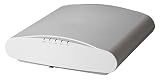
- RUCKUS Wireless access point - ZigBee, 802
- 11ax - Bluetooth, ZigBee, Wi-Fi - Dual Band - wall / ceiling mountable
To locate model-specific materials, use the relevant ICX product area and its Documents tab, as directed by RUCKUS Cloud’s Switch Information documentation. Check hardware documentation there before selecting a console cable.
Quick Recap
Rank #4

- 🚀 CHASSIS-KILLING AGGREGATION AND CORE — 32× 40/100GbE QSFP28 plus wire-speed 100G fabric give you a no-compromise wired edge that powers Wi-Fi 6E/7 access points, cameras, and IoT at full speed — genuine RUCKUS 7850-series hardware, part number ICX7850-32Q.
- 🛡️ BUILT FOR UPTIME — Power supplies and fans sold separately (dual-PSU, six-fan capable). Keep the network up through a power-supply event and service it live — no downtime window required.
- 🧠 MANAGE IT YOUR WAY — Stack up to 12 units into a distributed chassis over standard optics up to 10 km; SmartZone, web UI, or CLI. Converge wired and wireless under one RUCKUS management plane and cut daily operations to minutes.
- 🧱 THE CHASSIS, DECONSTRUCTED — stack up to 12 units over standard optics up to 10 km apart to build a distributed core with chassis-class capacity, minus the chassis price, footprint, and power bill.
- ✅ GENUINE RUCKUS HARDWARE — authentic RUCKUS ICX 7850 series equipment, part number ICX7850-32Q. Supplied through the authorized RUCKUS channel with full manufacturer support eligibility and next-business-day advance-replacement options where available.
Troubleshoot a failed login
- Default credentials are rejected: Confirm that the switch is actually in the documented factory-default state with no startup configuration. Existing configuration, changed credentials, or provisioning can change the login behavior.
- SSH or the web interface will not connect: Verify that you have the correct management IP address and that it is reachable from your network. These routes depend on the address and service being available under the switch configuration.
- Console access is unavailable: Check the exact model’s hardware documentation for its console connector and cable requirements instead of assuming a cable type or pinout.
- You are unsure how to recover access: The cited documentation does not establish one safe recovery procedure for every model and FastIron version. Use official recovery instructions for the exact model and release, or contact RUCKUS support; do not assume an unverified recovery recipe applies to your switch.
Product prices and availability are accurate as of the date/time indicated and are subject to change. Any price and availability information displayed on Amazon at the time of purchase will apply.

